
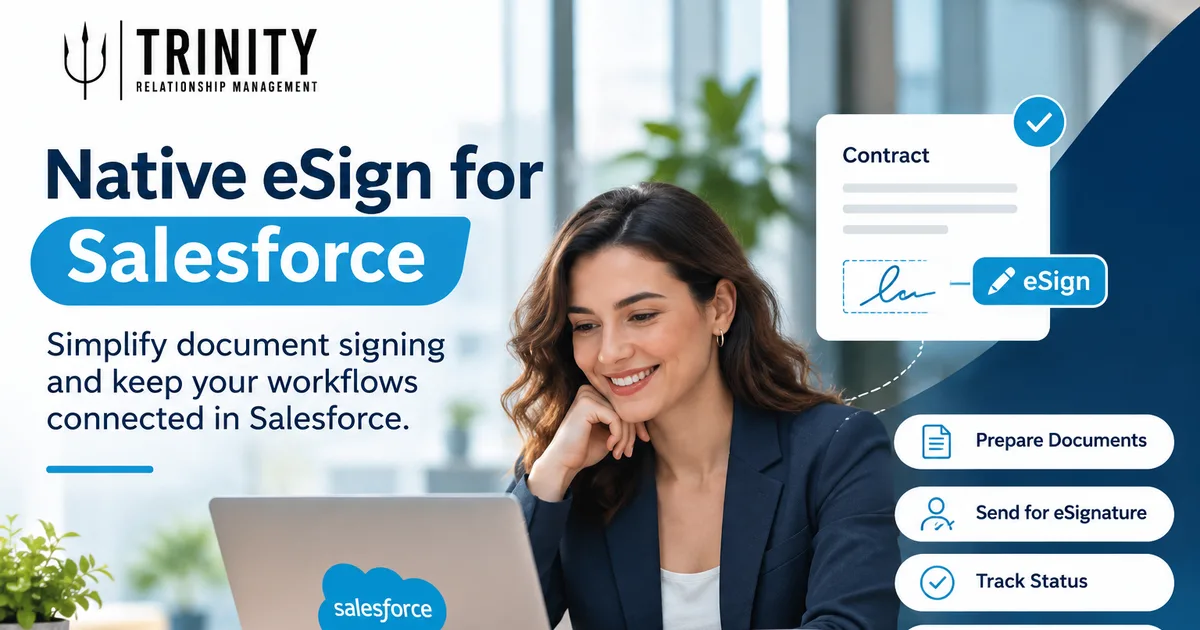
Businesses rely on documents at nearly every stage of their operations. Sales teams prepare proposals and contracts, HR departments manage employee paperwork, and service teams handle agreements and authorization forms. When these processes depend on printing, scanning, emailing, and manually tracking signatures, even routine tasks can become time-consuming. This is where Native eSign for Salesforce can make a difference by bringing electronic signature workflows closer to the CRM environment where teams already manage customer and business information.
By connecting document preparation, signature requests, and record management within Salesforce, organizations can create more organized workflows and reduce the need to move between disconnected tools.
What Is Native eSign for Salesforce?
Native eSign for Salesforce refers to electronic signature functionality that operates within or integrates closely with the Salesforce platform. Instead of treating document signing as a completely separate activity, it allows users to manage relevant signature processes alongside Salesforce records and workflows.
For example, a sales representative may need a signed agreement before moving an opportunity to the next stage. With an appropriately configured e-signature solution, the representative can initiate the signing process using information associated with the Salesforce record.
The exact capabilities depend on the e-signature product and its Salesforce integration. Some solutions offer document generation, recipient management, signature tracking, and automatic updates to Salesforce records, while others may provide a more limited set of functions.
Why Businesses Are Exploring Salesforce eSign Document Software
Traditional document-signing processes often involve several manual steps. Employees may download a document, add information, send it through email, follow up with recipients, and then upload the completed version to the CRM.
Using Salesforce eSign Document Software can help bring these activities into a more connected process.
Here are some potential benefits:
1. Less Manual Document Handling
Manual document preparation and tracking can create unnecessary administrative work. An e-signature solution connected to Salesforce may use existing record information to support document preparation and reduce repetitive data entry.
This can be particularly useful for teams that regularly prepare similar agreements, forms, or customer documents.
2. Better Visibility Into Signature Status
When signature requests are managed across separate platforms, employees may need to check emails or contact colleagues to find out whether a document has been completed.
A connected workflow can make it easier to view relevant signing activity from Salesforce, depending on the integration's available features. This helps teams understand which documents are awaiting action and where follow-up may be required.
3. More Organized Customer Records
Signed documents often need to remain accessible for future reference. Connecting e-signature activity with the appropriate Salesforce records can help teams maintain a clearer history of customer interactions and related paperwork.
The way completed documents are stored and accessed depends on the solution's configuration, permissions, and document management capabilities.
4. A More Convenient Signing Experience
Electronic signatures allow recipients to review and sign documents digitally rather than relying on printing and scanning. This can make the process more convenient for customers, partners, and employees who need to complete paperwork remotely.
However, businesses should evaluate the signing experience offered by each provider, including supported devices, authentication options, and accessibility.
Common Business Uses for Native eSignature Workflows
Native eSign for Salesforce can support different document-related processes across departments. The most suitable applications depend on the organization's workflows and the e-signature solution being used.
Some common examples include:
- Sales agreements: Sending proposals, service agreements, and contracts for customer signatures.
- Customer onboarding: Collecting signed forms and required documentation during account setup.
- Human resources: Managing employment-related documents, policy acknowledgements, and internal forms.
- Vendor management: Handling supplier agreements and other business documentation.
- Service operations: Collecting approvals and authorizations associated with service requests.
These examples demonstrate how electronic signatures can fit into existing business processes rather than operating as an isolated administrative task.
What Should You Consider Before Choosing an eSignature Solution?
Not every e-signature product offers the same functionality. Before selecting Salesforce eSign Document Software, businesses should consider how well the solution fits their existing processes and technical requirements.
Salesforce Integration
Check whether the solution works with the Salesforce edition, objects, and workflows your organization uses. Understand whether it operates directly within Salesforce or relies on an external application.
Document Preparation
Consider whether users can generate documents using Salesforce record information. This may be particularly important for organizations that prepare recurring agreements or standardized forms.
Signature Tracking
Review how the solution displays signature progress, completed documents, pending requests, and notifications. Clear visibility can help teams manage follow-ups more effectively.
Security and Access Controls
Documents may contain confidential customer, employee, or business information. Review user permissions, authentication methods, data handling practices, and document access controls before implementation.
Legal and Compliance Requirements
Electronic signature requirements vary depending on the document type, industry, and jurisdiction. Businesses should assess applicable laws and internal policies before choosing a solution. Certain documents may require additional verification or specific signing procedures.
How to Introduce eSignature Workflows Into Salesforce
A successful implementation begins with understanding how documents currently move through the organization.
Start by identifying the documents that require signatures most frequently. Map the people involved, the approval stages, and the Salesforce records associated with each document.
Next, evaluate solutions based on integration capabilities, document requirements, security, and ease of use. Test the selected workflow with a small group before expanding it across departments.
It is also important to define who can create, send, review, and access signed documents. Providing clear instructions to employees can help reduce confusion and support consistent adoption.
Finally, review the process after implementation. Look for repeated manual steps, delays, and points where employees still need to switch between systems. These observations can help identify opportunities for further workflow improvements.
Conclusion
Native eSign for Salesforce can help businesses bring document-signing activities closer to their customer relationship management processes. When selected and configured appropriately, it can reduce manual handling, improve visibility into signature requests, and make signed documents easier to associate with relevant Salesforce records.
The right approach depends on an organization's document types, operational requirements, integration needs, and compliance obligations. Businesses exploring these improvements can also consult Salesforce specialists such as Trinity CRM to assess how document-related processes fit into their broader CRM environment.
Frequently Asked Questions
1. What is Native eSign for Salesforce?
Native eSign for Salesforce refers to electronic signature functionality that works within or integrates closely with Salesforce, allowing businesses to manage document-signing activities alongside CRM records.
2. How does Salesforce eSign Document Software help sales teams?
It can help sales teams send agreements for electronic signatures, monitor signing progress, and associate completed documents with relevant Salesforce records, depending on the solution's capabilities.
3. Can electronic signatures be used for different types of business documents?
Yes. Businesses commonly use electronic signatures for sales agreements, onboarding forms, vendor documents, employee paperwork, and service authorizations. Suitability depends on the document and applicable legal requirements.
4. What should businesses check before implementing an e-signature solution in Salesforce?
Businesses should review Salesforce compatibility, document generation features, signature tracking, security controls, access permissions, user experience, and relevant legal or compliance requirements.