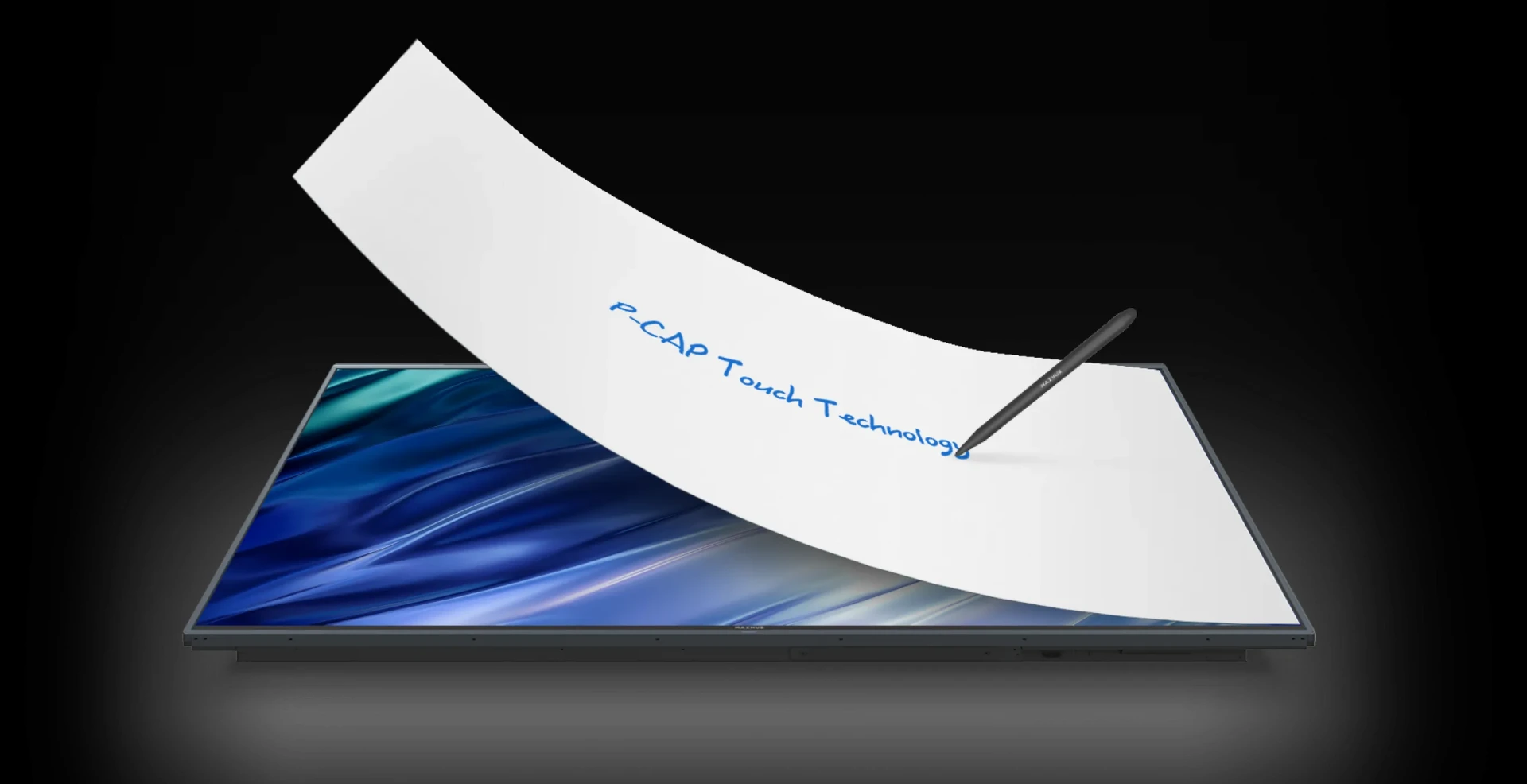
The way we teach and learn has changed dramatically in recent years. Classrooms are no longer limited to chalkboards and textbooks—they’re now interactive, digital, and designed for collaboration. At the center of this transformation is touchscreen technology, and one name that’s leading the change is Maxhub.
Maxhub’s integration of PCAP (Projected Capacitive) touch technology is redefining what’s possible in modern classrooms. From supporting digital learning and hybrid teaching to enhancing student engagement through interactivity, Maxhub’s PCAP solutions are helping educators and students thrive in today’s connected world.
In this blog, we’ll explore how Maxhub’s PCAP touch displays are revolutionizing education and reshaping the future of classroom learning.
What Is PCAP Touch Technology?
Before diving into the classroom impact, let’s quickly explain PCAP.
PCAP (Projected Capacitive) touch technology is the same type used in smartphones and tablets. It works by detecting the electrical charge from your fingers through a grid of transparent conductors layered beneath the screen. Unlike older touch systems, PCAP doesn’t require pressure to register input—it responds instantly to even the lightest touch.
It also supports multi-touch, meaning multiple students or teachers can interact with the screen at the same time. The result is a fast, responsive, and precise user experience—perfect for education environments where smooth interaction and reliability are key.
Why the Modern Classroom Needs Interactive Technology
Today’s students are digital natives. They’ve grown up using smartphones, tablets, and laptops. To keep them engaged, schools need to integrate technology that feels familiar yet powerful—tools that support collaboration, creativity, and communication.
Here’s where Maxhub’s PCAP technology comes in. Its interactive touch displays help teachers create more dynamic lessons, encourage student participation, and support flexible learning formats like hybrid teaching.
Let’s look at the key benefits Maxhub offers in the classroom.
1. Boosting Classroom Interactivity
Maxhub’s PCAP touchscreens bring learning to life. Instead of just watching and listening, students can interact directly with digital content—whether it’s solving math problems, labeling diagrams, or participating in quizzes.
Key Features:
Multi-touch input allows multiple students to work on the board simultaneously.
Ultra-fast response enables real-time writing, drawing, and movement on the screen.
Smooth stylus support mimics handwriting on paper for natural note-taking.
This hands-on approach keeps students actively engaged, making lessons more memorable and enjoyable.
2. Empowering Hybrid and Remote Teaching
Hybrid learning—where students join class both in-person and online—is now a staple in many schools. Maxhub’s displays are designed to seamlessly support this model.
How Maxhub Helps:
Teachers can write or draw on the interactive screen, and remote students see it in real-time.
Maxhub displays integrate easily with video conferencing tools like Zoom, Microsoft Teams, and Google Meet.
Built-in microphones and cameras (in some models) ensure clear communication with online learners.
This ensures no student is left behind, whether they’re in the room or learning from home.
3. Facilitating Digital Learning Tools
Modern classrooms often rely on digital tools—interactive quizzes, online textbooks, learning management systems (LMS), and educational apps. Maxhub’s PCAP displays are built to integrate with all kinds of software and devices, making the transition to digital learning effortless.
Compatibility and Integration:
Supports Windows, Android, and popular educational platforms.
Teachers can mirror content from their laptops, tablets, or phones wirelessly.
Students can collaborate in real-time using digital whiteboards and cloud-based apps.
This all-in-one solution helps teachers streamline lessons and access a broader range of educational resources.
4. Improving Accessibility and Inclusivity
One of the most powerful features of Maxhub’s PCAP technology is its ability to accommodate diverse learning styles. Visual learners can benefit from rich media presentations, while kinesthetic learners engage better with hands-on interaction.
Plus, Maxhub’s technology supports assistive learning tools, helping students with different needs participate equally.
Accessibility Benefits:
On-screen text-to-speech tools for visually impaired students.
Large, easy-to-interact interfaces for younger children or those with mobility issues.
Support for customized layouts, fonts, and backgrounds for neurodiverse learners.
Inclusive education becomes much easier with tools that adapt to students, rather than forcing students to adapt to tools.
5. Simplifying Classroom Management for Teachers
Teaching is complex enough—technology should simplify, not complicate it. Maxhub’s intuitive interface and quick setup make it easy for educators to start a lesson without technical delays.
Teacher-Friendly Features:
One-touch access to apps, browsers, and files.
Annotation tools that let teachers write directly on top of any content.
Save and share notes instantly with students after class.
Whether it’s a spontaneous idea or a structured lesson plan, teachers can deliver content efficiently and focus on what really matters—teaching.
6. Reducing Screen Fatigue and Glare
Maxhub displays are equipped with anti-glare glass and 4K UHD resolution, ensuring content stays crystal clear from any angle. In classrooms with lots of ambient light, this is a major advantage.
Visual Comfort:
Anti-glare surface reduces eye strain during long lessons.
Bright and vibrant images maintain clarity even in daylight.
4K resolution ensures small text and detailed graphics are easy to read.
Both students and teachers benefit from a more comfortable viewing experience throughout the day.
7. Durability for Daily Use
Classroom technology must be tough enough to handle frequent use, accidental bumps, and constant cleaning. Maxhub’s PCAP screens are built with durable, scratch-resistant tempered glass that can withstand it all.
Long-Term Value:
Resistant to scratches, fingerprints, and dirt.
Easy to clean and disinfect—crucial in shared learning environments.
Long-lasting components designed for everyday school use.
Schools can rely on Maxhub displays for years of consistent performance.
The Future of Learning Is Interactive
Technology is no longer a luxury in education—it’s a necessity. Tools like Maxhub’s PCAP touch displays are helping schools move from passive instruction to active learning, where students participate, collaborate, and explore ideas in new ways.
With its fast response, seamless integration, and hybrid-friendly features, Maxhub is enabling educators to reimagine how they teach and giving students the tools they need to succeed in a digital world.
Final Thoughts
Maxhub’s PCAP touch technology is more than just a screen—it’s a gateway to modern education. By enhancing interactivity, supporting hybrid teaching, and simplifying digital learning, Maxhub is transforming classrooms into smart, connected learning spaces.
Whether you're a teacher looking to boost engagement, a school investing in technology, or an administrator planning for the future, Maxhub’s interactive solutions are designed to empower education at every level.