
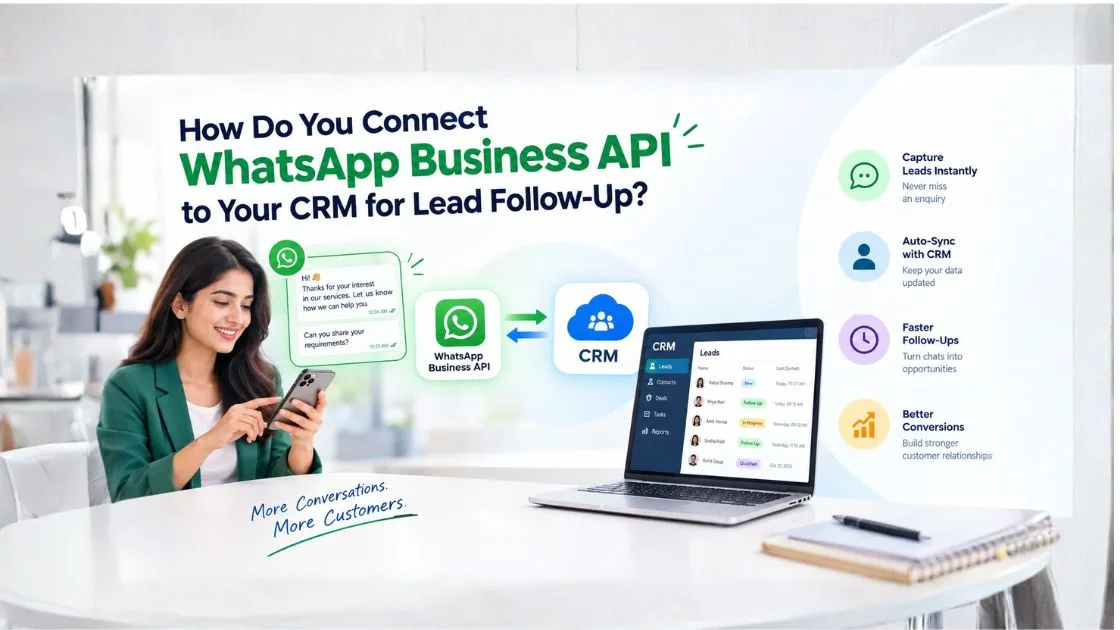
Summary - Connecting WhatsApp Business API to your CRM helps businesses capture enquiries, organize customer conversations, automate follow-ups, and track sales opportunities from one place. A reliable WhatsApp API provider can help connect messaging with CRM workflows, enabling sales teams to respond faster, assign leads efficiently, and manage customer interactions without manually tracking every conversation.
For Indian businesses receiving enquiries through websites, digital advertisements, and WhatsApp campaigns, this integration can make lead management more efficient and measurable.
Why Should Businesses Connect WhatsApp Business API to a CRM?
WhatsApp has become a common communication channel for customers who want product information, quotations, appointment details, or quick answers before making a purchase. However, when conversations remain on individual employees' phones, businesses can miss follow-ups and lose valuable sales opportunities.
A CRM (Customer Relationship Management) system stores customer details, interactions, sales opportunities, and follow-up tasks. Integrating WhatsApp Business API with a CRM connects these activities within a more organized workflow.
For example, a real estate company in Pune may receive property enquiries through its website, property portals, and advertising campaigns. With WhatsApp CRM integration, the company can organize enquiries, assign prospects to sales representatives, and schedule follow-ups according to each customer's requirements.
The main benefits include:
- Faster responses to new enquiries
- Centralized customer conversation records
- Automatic lead creation and assignment
- Personalized follow-up communication
- Better visibility into sales activities
- Fewer missed enquiries and follow-up opportunities
How Do You Connect WhatsApp Business API to Your CRM?
Businesses can connect WhatsApp Business API to a CRM through native integrations, integration platforms, an official WhatsApp API provider, or custom API development. The right option depends on the CRM, automation requirements, budget, and technical resources available.
Step 1: Choose a Suitable WhatsApp API Provider
Start by comparing WhatsApp API providers that support your business requirements. Check CRM compatibility, onboarding assistance, automation features, reporting capabilities, and technical support.
Also review the provider's integration options, account management process, and approach to customer data security.
For businesses operating across India, useful features may include multiple-agent access, lead routing, centralized conversations, and integration with existing sales systems.
Step 2: Set Up Your WhatsApp Business Platform Account
Complete the required business onboarding and phone number configuration according to Meta's current requirements. Depending on your setup, you may need access to your Meta business portfolio and WhatsApp Business Account.
If your company already uses the WhatsApp Business App, review the available migration or coexistence options before changing your configuration. Eligibility and availability depend on the supported setup.
Step 3: Connect WhatsApp to Your CRM
Check whether your CRM provides a native WhatsApp integration. If it does, follow the official connection process and authorize the necessary accounts.
If native integration is unavailable, you may need a third-party integration platform or custom development using the WhatsApp Cloud API and your CRM's API.
Before connecting the systems, decide which information should synchronize, including contact details, incoming messages, lead status, conversation ownership, and follow-up tasks.
Step 4: Map Customer Information to CRM Fields
Define how WhatsApp contacts and conversations should appear in the CRM.
Common fields include:- Customer name and phone number
- Lead source and campaign name
- Product or service interest
- Conversation history and timestamps
- Lead owner and sales stage
- Last contact date
- Next follow-up date
Use consistent phone-number formats and rules for identifying existing contacts. This helps prevent duplicate records when the same customer contacts your business through multiple channels.
Step 5: Automate Lead Assignment and Follow-Ups
Configure rules that determine who receives each enquiry and when follow-up activities should happen.
For example, an educational institute in Mumbai could automatically route course enquiries to its admissions team. When a prospective student asks about a course, the CRM can record the enquiry, assign a counsellor, and create a follow-up task.
Automation should respond to actual customer activity. If someone replies, books an appointment, opts out, or moves to another sales stage, the workflow should update accordingly.
Step 6: Test the Integration Before Launch
Send test messages and confirm that incoming conversations appear in the correct CRM records. Check whether lead assignment, notifications, message statuses, and automated follow-up rules work as expected.
Test duplicate handling, failed messages, template delivery, and access permissions before making the integration available to the entire sales team.
How Does WhatsApp CRM Integration Automate Lead Follow-Up?
WhatsApp CRM integration allows businesses to build repeatable follow-up processes instead of relying on employees to remember every conversation.
A typical workflow follows these steps:
- A customer submits an enquiry or starts a WhatsApp conversation.
- The integration creates a CRM lead or updates an existing contact.
- The CRM records the enquiry source and customer requirements.
- The lead is assigned to the appropriate sales representative.
- An acknowledgement or permitted automated response is sent.
- A follow-up task is created when further contact is needed.
- The sales representative updates the lead status as the conversation progresses.
Consider an online retailer receiving questions about product availability and delivery times. Instead of manually tracking each conversation, the retailer can organize enquiries, assign unresolved questions, and remind the relevant team to follow up.
The objective is not to send as many messages as possible. It is to make every follow-up relevant, timely, and connected to the customer's requirements.
What Is the Role of APIs and Webhooks in WhatsApp CRM Integration?
APIs and webhooks allow WhatsApp and CRM systems to exchange information.
The WhatsApp Cloud API supports messaging operations, while webhooks can notify connected systems about events such as incoming messages and message status updates. The CRM API can then create or update the relevant customer records.
For example, when a customer requests a quotation through WhatsApp, an incoming-message event can trigger the integration workflow. The system can identify the contact, update the CRM record, and notify the assigned sales representative.
A reliable integration should also account for authentication, failed requests, retry handling, duplicate events, and data access permissions.
Businesses without in-house developers may prefer a WhatsApp API provider that offers prebuilt integrations or technical implementation assistance.
How Can AI Chatbots Improve WhatsApp Lead Management?
AI chatbots on WhatsApp can strengthen WhatsApp CRM integration by answering common questions, collecting lead details, and qualifying enquiries before they reach a sales representative.
A chatbot might ask a prospective customer about their budget, location, preferred product, or appointment requirements. Based on the responses, the integration can update CRM fields and route the conversation to the relevant team.
For example, a property company serving Pune, Pimpri-Chinchwad, and surrounding areas could use a chatbot to identify the customer's preferred location and property type before assigning the enquiry.
Human handoff remains essential for complex requests, complaints, negotiations, and high-value sales opportunities.
The best approach combines automation for repetitive tasks with human support when a customer needs personal assistance.
What Should You Check Before Choosing a WhatsApp API Provider?
Not every messaging platform offers the same integration capabilities. Before selecting a WhatsApp API provider in India, evaluate the features that directly affect your business workflow.
CRM compatibility: Confirm that the solution supports your existing CRM or provides a documented integration method.
Automation capabilities: Check whether it supports lead assignment, follow-up reminders, workflow triggers, and chatbot integration.
Team collaboration: Look for shared inbox functionality, conversation ownership, and suitable access controls.
Reporting: Evaluate message status reports, response metrics, and lead tracking features.
Security: Review authentication methods, data handling practices, permission management, and API credential protection.
Technical support: Check onboarding assistance, troubleshooting procedures, and ongoing integration support.
Pricing transparency: Understand platform fees, CRM subscription costs, implementation charges, and applicable WhatsApp messaging charges.
For Indian businesses, it is also worth considering whether the solution can support distributed sales teams, regional enquiries, and different customer communication preferences.
How Can Businesses Keep WhatsApp CRM Follow-Ups Compliant?
WhatsApp automation must follow the current WhatsApp Business Messaging Policies and applicable privacy requirements.
Businesses should obtain appropriate customer permission, respect opt-out requests, and use approved message templates when required. Business-initiated messages outside the applicable 24-hour customer service window generally require an approved template.
Avoid uploading unverified contact lists or sending repeated promotional messages to people who have not agreed to receive them.
CRM workflows should protect customer information through appropriate access controls and secure API credentials. Review consent records, data retention practices, and internal permissions as part of the integration process.
These measures help businesses maintain reliable customer communication while reducing compliance and data-handling risks.
Improve Your Lead Follow-Up Process With WhatsApp CRM Integration
Connecting WhatsApp Business API to your CRM can help your business organize incoming enquiries, respond consistently, and give sales teams better visibility into customer interactions.
Before selecting a solution, identify your current lead management challenges, the CRM fields you need to synchronize, and the follow-up activities you want to automate. Then compare WhatsApp API providers based on integration capabilities, compliance support, and the requirements of your sales team.
Ready to streamline your WhatsApp lead management? Evaluate a suitable WhatsApp API provider, plan your CRM integration, and build a follow-up process that helps turn customer enquiries into meaningful sales opportunities.
Frequently Asked Questions
Can I connect WhatsApp Business API to any CRM?
Not every CRM offers native WhatsApp integration. Depending on the systems involved, you may need a built-in integration, a compatible integration platform, or custom API development.
Can WhatsApp automatically create leads in a CRM?
Yes. A properly configured integration can create new CRM records or update existing contacts when enquiries arrive. Matching rules help prevent duplicate leads.
Do I need a developer for WhatsApp CRM integration?
Not always. Native integrations and supported no-code platforms may require limited technical work. Custom workflows involving APIs, webhooks, complex data mapping, or advanced automation may require a developer.
Can WhatsApp follow-up messages be automated?
Yes. Businesses can configure automated acknowledgements, reminders, and workflow-based follow-ups. Automation must respect customer responses, messaging windows, template requirements, and opt-out requests.
How do I choose the best WhatsApp API provider in India?
Compare CRM compatibility, automation features, onboarding assistance, reporting, security, technical support, and transparent pricing. Choose a solution that fits your workflow and growth plans rather than selecting one based on price alone.