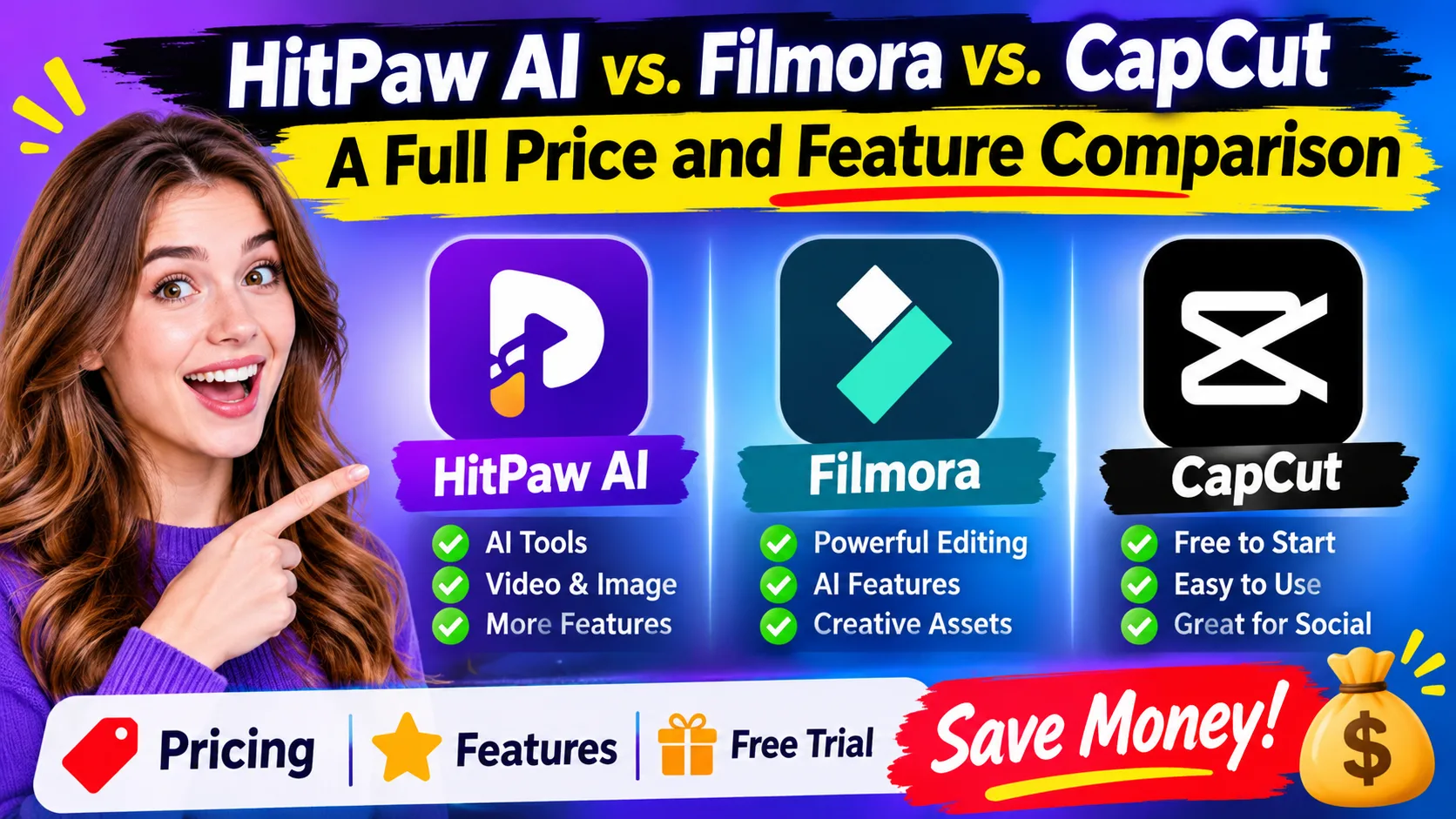
Choosing an AI video editor is not just about finding the software with the most features. It is about getting the best editing tools without paying for subscriptions, AI credits, templates, and features you rarely use. HitPaw AI, Filmora, and CapCut offer different ways to create videos, but their pricing and included benefits can make a big difference to your budget.
If you are comparing these platforms before purchasing, looking for a HitPaw AI discount code can be one way to reduce your initial cost. However, the best savings come from comparing the actual subscription price, free features, AI allowances, renewal conditions, and the type of content you create.
This comparison explains where each platform offers better value, how much you may need to spend, and which option makes sense for beginners, YouTube creators, social media marketers, and people who edit videos regularly in the USA.
Which AI Video Editor Offers the Best Value?
- HitPaw AI: Worth considering if you need specialized AI tools for video enhancement, image editing, conversion, and other creative tasks.
- Filmora: A strong option for creators who want a traditional timeline editor with AI assistance, effects, templates, and advanced editing controls.
- CapCut: A budget-friendly starting point for short-form videos, social media content, and beginner-friendly editing.
Best money-saving approach: Start with the free versions, test your actual editing requirements, and purchase only when a paid feature solves a problem you regularly encounter. Compare annual and one-time payment options before choosing a subscription.
1. How Much Does HitPaw AI Cost in 2026?
HitPaw offers several AI-powered products rather than one single subscription that unlocks every tool. Its product range includes video editing, video enhancement, photo enhancement, audio processing, and AI content generation.
For buyers, this distinction matters because purchasing one HitPaw product does not necessarily provide access to every other product.
Here are some listed US prices to consider:
HitPaw product or planListed priceHitPaw Ultra weekly$9.99HitPaw Ultra yearly$79.99Edimakor monthly$19.95Edimakor annual$49.95Edimakor perpetual$69.95HitPaw AI creditsFrom $9.99These are advertised prices, not guaranteed checkout totals. Taxes, operating systems, promotional offers, and subscription terms can change the amount you pay.
For example, HitPaw Edimakor's advertised annual plan costs $49.95, while its perpetual plan costs $69.95. The difference is just $20.
If you plan to use the software for more than one year, the perpetual option may offer better long-term value. However, check the license's device restrictions, upgrade coverage, and AI credit allowance before purchasing.
Money-saving tip: Compare the total amount you expect to spend over two years instead of choosing a plan simply because its monthly price looks smaller. Also check whether AI credits are included or require additional purchases.
2. Filmora Pricing: Which Subscription Saves You More Money?
Wondershare Filmora offers a combination of traditional editing tools, AI features, creative assets, and cloud storage.
Its pricing structure gives buyers different options depending on whether they want basic editing, additional AI credits, or longer-term access.
The listed Windows pricing includes:
Filmora planAdvertised priceFree$0Basic annual$49.99/yearAdvanced annual$59.99/yearPerpetual$79.99 one-timeThe Basic annual plan is suitable for people who primarily need standard editing tools. It includes 4K export, watermark-free exports, 100+ editing features, cloud storage, and access to creative assets.
The Advanced plan costs another $10 annually and includes 1,000 AI credits per month for supported AI features.
The perpetual plan requires a larger initial payment but avoids an automatic annual software renewal. However, it is important to understand that perpetual access does not necessarily mean lifetime access to every future Filmora version.
How can you save money on Filmora?
- Choose Basic if you do not regularly use credit-based AI tools.
- Compare Advanced against the cost of purchasing AI credits separately.
- Consider the perpetual license if you prefer one-time payments.
- Avoid adding creative asset subscriptions unless you actually need them.
- Check the final checkout price before accepting optional add-ons.
For someone creating regular YouTube videos, tutorials, or marketing content, the Advanced plan may justify its additional cost. Occasional editors can potentially save by staying with Basic.
3. CapCut Pricing: Is the Free Version Enough?
CapCut is popular among people creating Instagram Reels, TikTok videos, YouTube Shorts, and promotional clips.
One major money-saving advantage is its free plan. Users can start editing without purchasing a subscription.
The official pricing page lists these options:
CapCut planDisplayed priceFree$0Pro monthly$19.99/monthUltra monthly$79/monthTeams$12.49/month per seatCapCut's displayed prices can vary by region and account. Its official pricing page also advises users to sign in to see the final applicable price and offers.
The free version provides basic editing tools and free templates. Pro adds premium templates, AI features, additional creative resources, and 1 TB of storage.
For beginners, the free version can eliminate unnecessary software expenses. You can create videos, understand the editing process, and determine whether premium features are worth paying for.
Money-saving tip: Do not subscribe to CapCut Pro just because a premium template looks attractive. First determine whether you can achieve the same result with free transitions, effects, text, and editing tools.
If you only publish a few short videos every month, paying $19.99 monthly may not be necessary.
4. HitPaw AI vs. Filmora vs. CapCut: Which Is Cheaper?
The cheapest editor depends on how frequently you edit and which premium features you need.
Advertised entry-level prices in USD
SoftwareEntry-level paid optionPayment typeHitPaw Edimakor$49.95AnnualFilmora Basic$49.99AnnualCapCut Pro$19.99MonthlyHitPaw Edimakor$69.95One-timeFilmora$79.99One-timeAt first glance, HitPaw Edimakor's listed annual price is slightly lower than Filmora Basic.
However, the difference is only four cents. Therefore, choosing between these two products based on price alone would not be a sensible decision.
CapCut has a different advantage: its free plan allows users to avoid paying anything if its basic features meet their requirements.
For buyers who prefer one-time payments, HitPaw Edimakor's advertised perpetual price is $10 lower than Filmora's listed Windows perpetual price.
These prices are promotional listings and can change. Compare the exact product version and license terms before deciding.
Best way to save: Calculate the cost per year, check the number of AI credits included, and avoid paying for multiple editing subscriptions that perform similar tasks.
5. Which Software Gives You More Features for Your Money?
A low subscription price does not automatically mean better value. The important question is whether the included features help you avoid spending money on additional tools.
How to Make Cat Videos that Go Viral with AI 2026
HitPaw AI: Multiple Creative Tools
HitPaw has separate tools for different media requirements, including:
- AI video enhancement and upscaling.
- Video editing and AI video generation.
- Image enhancement and image generation.
- Audio enhancement and vocal removal.
- Video conversion and compression.
- Background and unwanted-object removal.
Its broader product ecosystem can be useful when you need more than ordinary timeline editing.
However, remember that these tools may require separate purchases. Buying Edimakor does not automatically give you every feature available in VikPea, FotorPea, or VoicePea.
Filmora: Editing and AI Assistance
Filmora combines conventional editing controls with AI-powered tools.
Its features include:
- Timeline-based video editing.
- Text-to-speech and speech-to-text.
- Smart short clips.
- AI music generation.
- AI video enhancement.
- Templates, transitions, and effects.
- 4K video exports.
The Advanced plan includes a monthly AI credit allowance, which can reduce the need for separate AI purchases when your usage stays within the included limit.
CapCut: Social Media Editing
CapCut is particularly useful for quick social media content.
Its editing environment includes:
- Ready-made video templates.
- Text and subtitle tools.
- Transitions and visual effects.
- Audio editing.
- AI-powered editing features.
- Tools for short-form video creation.
For creators who mainly publish short videos, CapCut's free plan can provide considerable value before a paid subscription becomes necessary.
Savings verdict: HitPaw is interesting for specialized AI tasks, Filmora provides a broad editing workflow, and CapCut is attractive for creators who want to begin without spending money.
6. Is HitPaw AI Worth Buying in 2026?
HitPaw AI can be worth buying if you regularly work with different types of media and need specialized AI features.
For example, a content creator may need to improve low-resolution footage, remove background noise, enhance photographs, and generate videos. Using separate free tools for every task can take time and create additional workflow expenses.
HitPaw's product ecosystem provides options for these requirements.
However, it is important to calculate the actual cost. Some products have separate subscriptions, and AI generation may consume credits.
Consider these situations:
- Worth buying: You regularly enhance videos, process images, or use AI generation tools.
- Potentially worth buying: You create YouTube content and want AI-assisted editing alongside specialized enhancement features.
- Not necessary: You only trim videos, add captions, and create occasional social media posts.
The $49.95 annual Edimakor offer is worth comparing against Filmora's $49.99 Basic plan. The perpetual Edimakor offer is also worth considering if you prefer a one-time payment.
Before purchasing, calculate how much time and money the software could realistically save over the next 12 months.
7. What Is the Best AI Video Editor for Beginners in the USA?
For beginners, the best choice is usually the software that offers the necessary features without requiring a large upfront investment.
Here is how the three platforms compare for different users:
Beginner requirementRecommended optionFree short-form video editingCapCutLearning timeline editingFilmoraAI video enhancementHitPawAI image and video workflowsHitPawYouTube tutorialsFilmoraInstagram Reels and ShortsCapCutOne-time editing software purchaseHitPaw EdimakorIf you have never edited a video before, begin with a free version.
Create a few sample projects before spending money. Try adding captions, transitions, background music, and basic effects.
Once you understand your requirements, upgrade only if you encounter a limitation that affects your work.
This approach prevents beginners from purchasing expensive subscriptions before understanding which features they actually use.
8. Does HitPaw AI Offer a Free Trial?
Yes. HitPaw provides free access and trial opportunities across its products, although the conditions differ.
For example, HitPaw Edimakor provides a free trial with limited access to its editing and AI capabilities. Its documentation explains that free trial exports can include a watermark.
HitPaw also advertises separate promotional trials for certain products and online services. These offers may have automatic renewal conditions.
Filmora also provides a free version, but exported videos from the free version include a watermark. Its optional Creative Assets trial is separate from the video editing software subscription.
CapCut offers a free plan that allows users to begin editing without paying for Pro.
SoftwareFree optionImportant limitationHitPaw EdimakorFree trialWatermark and feature restrictions may applyFilmoraFree versionWatermarked exportsCapCutFree planSome premium features require paymentMoney-saving tip: Always export a complete sample video before subscribing. This helps you identify watermark restrictions, export limitations, and features that require additional credits.
Also, check the trial's renewal date and cancellation conditions. A free trial is not a saving if you forget about an automatic subscription renewal.
9. What Can HitPaw AI Do Besides Video Editing?
One advantage of the HitPaw product family is that it extends beyond conventional video editing.
Its specialized tools cover several creative requirements.
Image enhancement: HitPaw FotorPea offers image enhancement, restoration, and AI image-related tools. This can help people improve photographs without purchasing a separate image enhancement application.
Audio enhancement: HitPaw offers audio enhancement and vocal removal tools. These can be useful for improving recordings and preparing audio for content production.
Video enhancement: HitPaw VikPea focuses on improving video quality, including upscaling and restoring footage.
Video conversion: HitPaw Univd provides video conversion and compression features for different media formats.
AI video creation: HitPaw Edimakor includes AI-assisted video generation, subtitles, text-to-speech, and other editing features.
For someone who works with videos, images, and audio, these additional tools can potentially reduce the need for several separate applications.
However, calculate the combined subscription cost before assuming that an all-in-one product ecosystem is cheaper.
10. Which AI Tool Can Edit Video, Audio, and Images in One App?
This question is important for creators who want to avoid purchasing multiple applications.
HitPaw offers the widest collection of specialized media tools across its product ecosystem. However, its video, image, and audio solutions are not necessarily included in one universal license.
Filmora focuses primarily on video editing and provides audio editing and AI-assisted creative features within its editing environment.
CapCut also combines video and audio editing with various image, text, and AI creative tools, depending on the plan and platform.
For a buyer trying to save money, the difference is important:
- Choose HitPaw when you need specialized media-processing tools.
- Choose Filmora when your main requirement is a comprehensive video editing environment.
- Choose CapCut when you want to create social media content using a free starting plan.
Do not purchase three subscriptions if one application already covers your regular editing requirements.
11. Is HitPaw AI Better Than CapCut for YouTube Creators?
It depends on the type of YouTube videos you produce.
For creators making Shorts, reaction clips, promotional videos, and quick social media content, CapCut is a practical starting point.
For creators who work with longer videos, tutorials, product demonstrations, and detailed editing projects, Filmora may provide a more suitable timeline-based workflow.
HitPaw Edimakor is worth considering if you want AI-assisted creation, subtitles, video generation, and editing features. Its other products can help with specialized video and media enhancement.
Here is a simple cost-saving comparison:
YouTube content typeSuitable choiceYouTube ShortsCapCutBasic talking-head videosCapCut or FilmoraEducational tutorialsFilmoraAI-generated video contentHitPaw EdimakorLow-quality footage restorationHitPaw VikPeaProduct promotional videosFilmora or EdimakorThe smartest approach is to match the software to your content format instead of purchasing the most expensive plan.
12. Where Can I Get HitPaw AI at the Lowest Price?
The safest way to find a lower price is to compare official promotions, authorized checkout offers, and available discount codes before completing your purchase.
Here are five practical ways to reduce your HitPaw expenses.
1. Check official promotional offers
Visit HitPaw's official store and product-specific pricing pages. Different tools can have different promotional prices, so compare the product you actually intend to purchase.
2. Compare annual and perpetual licenses
If you expect to use Edimakor for several years, compare its annual and perpetual options. A one-time purchase may reduce long-term renewal expenses.
3. Look for verified discount codes
Search for a working HitPaw discount offer before checkout. Check the applicable product, expiration date, and minimum purchase requirements.
4. Avoid unnecessary AI credit purchases
Review how many credits your editing tasks consume. If your subscription already provides sufficient credits, additional purchases may not be necessary.
5. Review automatic renewal terms
Check whether a plan renews monthly or annually. Set a reminder before renewal if you only need the software for a specific project.
For US shoppers, checking the final checkout amount is particularly important because advertised prices may exclude applicable taxes.
Additional saving opportunity: Compare the official sale price with any available coupon discount. Do not assume that two promotions can be combined; some offers explicitly exclude other discount codes.
13. How Much Can You Save by Choosing the Right Plan?
The biggest savings often come from selecting the correct payment structure rather than finding the largest advertised discount.
Consider these examples:
Example 1: Choosing HitPaw Edimakor
- Annual plan: $49.95.
- Perpetual plan: $69.95.
- Difference: $20.
If you would otherwise renew the annual plan for a second year at the same price, the total would be $99.90. The advertised perpetual option would cost $69.95, potentially saving $29.95 over two years.
This calculation assumes unchanged prices and comparable license coverage.
Example 2: Choosing Filmora
- Basic annual: $49.99.
- Advanced annual: $59.99.
- Difference: $10 per year.
If you do not use the additional AI credits, choosing Basic could save you $10 annually.
Example 3: Choosing CapCut
- Free plan: $0.
- Pro monthly: $19.99.
- Twelve months of Pro: $239.88.
If the free version meets your requirements, you could avoid spending $239.88 over a year.
These are illustrative calculations using the listed prices, excluding taxes, future price changes, and additional purchases.
14. HitPaw AI vs. Filmora vs. CapCut: Final Buying Recommendation
There is no single winner for every creator. The best money-saving decision depends on your editing frequency, required features, and willingness to pay for premium tools.
Buyer typeBest starting choiceReasonBudget-conscious beginnerCapCutFree starting planYouTube editorFilmoraComprehensive editing workflowAI video creatorHitPaw EdimakorAI-assisted video creationVideo restoration userHitPaw VikPeaSpecialized enhancementOccasional content creatorCapCutAvoid unnecessary subscription costsLong-term software buyerHitPaw EdimakorAdvertised perpetual optionOur recommendation: Start with CapCut if your main goal is to create short videos without spending money. Consider Filmora if you need more traditional editing controls and a structured timeline workflow. Choose HitPaw when its specialized AI features provide value beyond ordinary video editing.
Before buying, compare the annual price, perpetual license, AI credits, export quality, and renewal terms.
A small amount of research before checkout can prevent unnecessary subscription expenses and help you choose software that delivers genuine value.
Frequently Asked Questions
1. Is HitPaw AI cheaper than Filmora?
HitPaw Edimakor's advertised annual price is $49.95, compared with Filmora Basic at $49.99 per year. The difference is minimal. Their AI features, credit allowances, and license conditions are more important when comparing value.
2. Can I use HitPaw AI without paying?
Yes. HitPaw provides free trials and limited free access across selected products. However, some features, exports, and AI processing capabilities require a paid license or credits.
3. Is CapCut completely free?
CapCut offers a free plan with basic editing tools and templates. Some premium templates, AI capabilities, and other advanced features require a paid subscription.
4. Which software is best for saving money on video editing?
CapCut is a good starting point because its free plan avoids subscription costs. HitPaw and Filmora offer paid options that may provide better value when you regularly use their advanced features.
5. Is a perpetual license better than an annual subscription?
A perpetual license can be cheaper over multiple years if you continue using the same supported software version. However, check future-version upgrade coverage, device limits, and included AI credits before purchasing.
6. Does HitPaw charge extra for AI credits?
Some HitPaw products include a fixed AI credit allowance, while additional credits can be purchased separately. Credit consumption depends on the feature and the task.
7. Can I cancel HitPaw's subscription?
Subscription plans generally have cancellation options. Check the specific product's renewal and cancellation terms before purchasing to avoid unexpected charges.
8. Does Filmora offer a lifetime license?
Filmora offers a perpetual license for supported versions. It provides long-term access to the purchased version, but future major versions may require another purchase.
9. Should beginners pay for an AI video editor?
Not immediately. Beginners should first test free editing tools and identify the features they need. Paying for software makes more sense when premium tools save time or improve the quality of regular projects.
10. What is the best way to get a lower price on HitPaw?
Compare official promotions, annual and perpetual licenses, available coupon offers, and AI credit allowances. Always check the final checkout amount and subscription renewal conditions.
Final Verdict: Save More by Comparing Before You Buy
HitPaw AI, Filmora, and CapCut serve different editing needs, so the cheapest subscription is not always the best purchase.
CapCut offers a convenient free starting point. Filmora provides a balanced video editing experience with optional AI features. HitPaw provides specialized AI tools and different payment options, including perpetual licenses for selected products.
For shoppers in the USA, the best strategy is simple: test the free options, compare the complete cost of each plan, and purchase only the features you genuinely need.
Save before you subscribe. Compare the available deals, verify the discount conditions, and choose the editing software that gives you the most value for your money.
Pricing checked November 6, 2026. Advertised offers may change, and regional taxes or checkout promotions may affect final prices.