
High-performance desktop workstations are the key to productivity for businesses like yours. An optimized workstation can make the difference between struggling to keep up and achieving peak productivity. These machines enable demanding tasks like 3D animation, video editing, scientific computing, and complex data analysis to be executed efficiently.
Unlike a typical office PC, a high-performance workstation delivers unparalleled performance with its combination of powerful core components. We’re talking high core-count CPUs, top-of-the-line GPUs, ample RAM, and a motherboard that can handle it all — often paired with NVMe SSDs that sport PCIe 4.0 or even 5.0 interfaces. If that sounds like what you need for your business, this blog will help you create a checklist of components.
Let’s dive in and explore the top 10 features you should absolutely look for in a high-performance desktop workstation that can handle your business workflows.
Top 10 must-have features in a high-performance desktop workstation
1. High core-count CPU
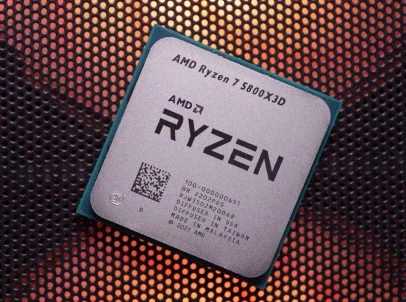
As the brain of your workstation, a powerful CPU is one of the most important considerations. When it comes to this, you shouldn’t settle for anything but the best if you want peak performance.
That’s exactly what AMD’s Ryzen 7000 or Intel’s 14th-gen CPUs offer. You can also go for AMD Threadripper PRO processors if your business needs include high-end server applications. These CPUs boast high core counts (16+) and clock speeds, making them perfect for workflows like rendering intricate 3D models, editing high-resolution videos, and running complex scientific simulations.
For example, the AMD Threadripper 7980X has a staggering Cinebench 2024 multi core score of 5531, showcasing its raw processing power. Building your workstation around a powerful core component like that will result in a powerful system.
2. Top-of-the-line GPU
A top-performing GPU is essential for any high-performance workstation, especially if the workflows involve visual processing, 3D modelling, video editing, or even machine learning.
Consider GPUs in NVIDIA’s RTX series or AMD’s Radeon PRO series, particularly the W7000. These GPUs are specifically designed for professional applications, offering high levels of performance not seen in consumer-grade cards like GeForce or Radeon RX.
Loads of RAM
When it comes to RAM, too much is never enough. Opting for 64 or more gigabytes of DDR5 RAM is necessary for a modern workstation to deliver peak performance. DDR5 RAM offers higher clock speeds and faster data transfer rates.
However, ensure that your motherboard and processor are compatible with your RAM sticks and most importantly, the CPU you choose supports the speeds you desire, to benefit from those high memory speeds. Intel CPUs support speeds up to 5600MHz and AMD supports up to 5200MHz. If your motherboard and CPU doesn’t support the speed of your RAM, you won’t see any benefit.
NVMe SSDs
The age of the HDD is over; the age of SSD has begun — and it has been the case for a while now. For a high-performance workstation, the latest-gen NVMe SSDs are a must-have.
Build the perfect high-performance desktop workstation for your business
Choosing the right components to build your high-performance workstation can be a confusing and time-consuming task. Fortunately, a lot of computer builders offer custom workstations that can address your needs and deliver peak performance.
With knowledge of these 10 essential components and employing the services of a computer builder, you can build a high-performance workstation that caters to your exact needs.