A technician arrives at an industrial facility to repair critical equipment, but poor network connectivity prevents access to the assigned work order. The technician cannot review maintenance history or record repair details until the connection returns.
For businesses managing distributed teams, these situations create delays, additional administrative work, and inconsistent service records.
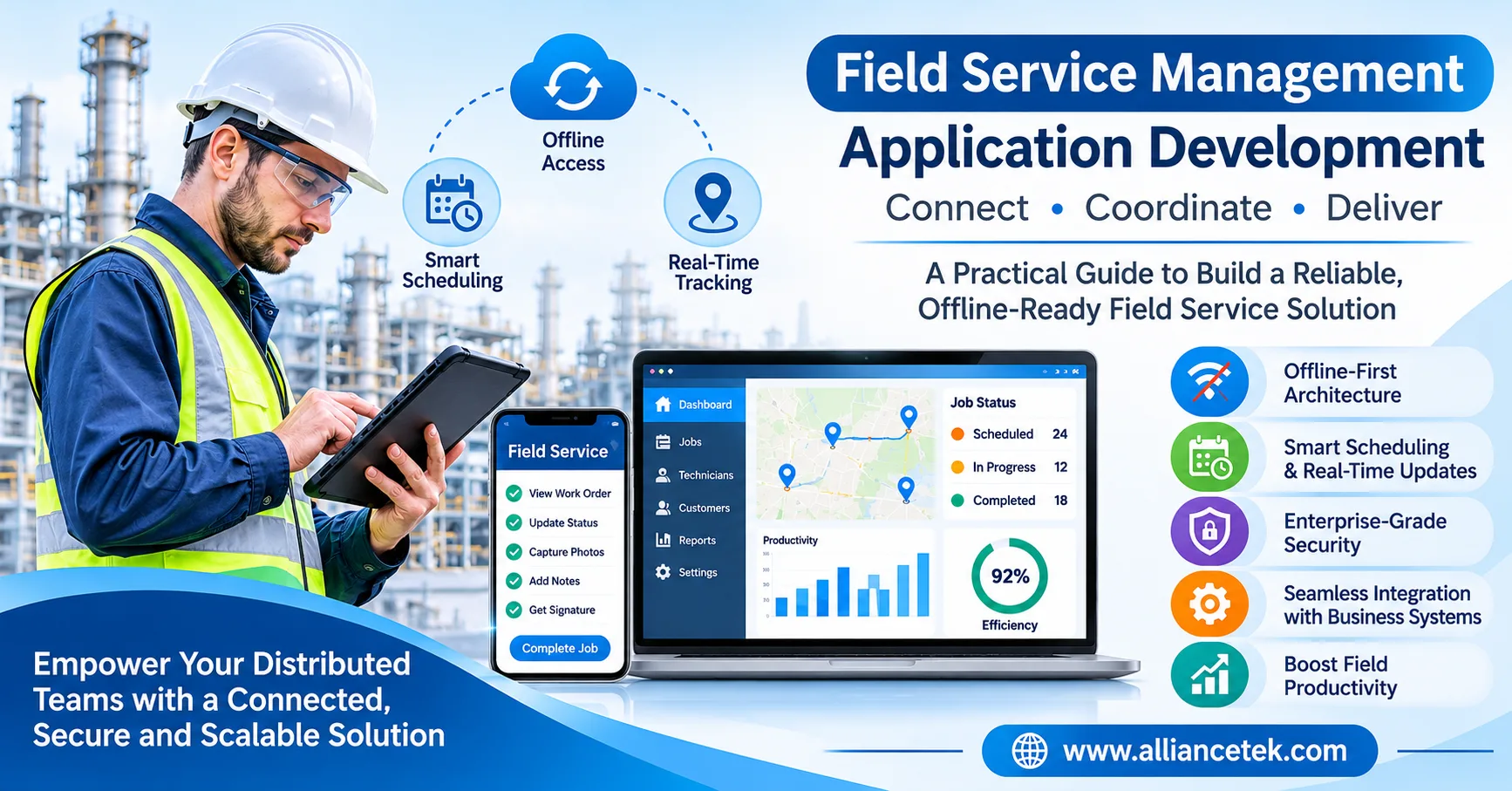
Developing a field service management application requires more than job scheduling and employee tracking. It needs reliable offline functionality, efficient communication, secure integrations, and a mobile experience designed for real working conditions.
Why Businesses Need Modern Field Service Applications
Field service operations involve technicians working across different locations, including manufacturing facilities, warehouses, construction sites, and remote infrastructure.
A connected application helps organizations coordinate:
- Technician assignments and job scheduling.
- Customer information and equipment history.
- Maintenance records and inspection checklists.
- Replacement parts and labor tracking.
- Customer approvals and service confirmations.
- Operational reporting and workforce productivity.
The challenge is keeping these activities connected when employees have limited internet access.
For enterprise technology leaders, offline data access, synchronization, device compatibility, and system integration should be core architectural requirements.
Build an Offline-First Architecture
An offline-first application allows technicians to continue working when internet connectivity disappears. Instead of depending entirely on a central server, the mobile application maintains a local copy of essential job information.
1. Local Data Storage
Technicians should be able to access assigned work orders, customer details, equipment records, and inspection checklists without an active connection.
A local database such as SQLite can store operational information and pending updates.
Changes are saved locally and added to a synchronization queue until connectivity becomes available.
2. Reliable Data Synchronization
Synchronization requires careful planning to prevent duplicate records and conflicting updates.
Important considerations include:
- Unique record IDs: Generate UUIDs on mobile devices to avoid duplicate identifiers.
- Incremental updates: Synchronize individual changes instead of uploading entire records.
- Deletion tracking: Use tombstones to prevent deleted records from reappearing.
- Version compatibility: Support devices that reconnect after extended periods.
- Conflict resolution: Establish rules for handling simultaneous updates.
For example, dispatchers may update appointment schedules while technicians record inspection findings. The application should synchronize these changes without overwriting unrelated information.
3. Background File Uploads
Photographs and documents can consume significant bandwidth. Compress files where appropriate, support interrupted uploads, and allow large transfers to wait for Wi-Fi when necessary.
This keeps essential job updates from being delayed by media uploads.
Design Features Around User Requirements
Different users need different application capabilities. A well-designed solution should provide dedicated experiences for dispatchers, technicians, and customers.
1. Dispatcher Dashboard
Dispatchers need visibility into daily operations through:
- Technician location updates.
- Drag-and-drop job assignments.
- Skill and certification filters.
- Technician availability.
- Job status monitoring.
- Appointment changes and reassignment.
Location tracking should account for mobile operating-system permissions and inconsistent GPS availability. Dispatchers should be able to distinguish between current and last-reported locations.
2. Technician Mobile Application
Technicians need a simple interface that minimizes unnecessary interactions.
Essential features include:
- Daily job assignments and route information.
- Customer and equipment history.
- Digital inspection checklists.
- Parts and labor tracking.
- Camera and barcode scanning.
- Digital signatures and completion records.
Photographs, signatures, and timestamps also provide useful evidence of completed work and can help resolve service or billing disputes.
3. Customer Communication
Customer-facing features can include appointment confirmations, estimated arrival windows, technician-on-the-way notifications, and service completion updates.
These capabilities improve communication without making the technician's primary workflow more complicated.
Select the Right Technology Stack
Technology choices should reflect offline requirements, device capabilities, integration needs, and long-term maintenance.
Most implementations include a mobile application, dispatcher web interface, backend APIs, centralized database, and background processing services.
1. Native Development
Swift for iOS and Kotlin for Android provide direct access to device capabilities such as GPS, cameras, and background processing.
Native development suits applications with demanding hardware requirements, although maintaining separate codebases can increase costs.
2. Cross-Platform Development
React Native and Flutter allow organizations to share application code across iOS and Android.
For many mid-sized projects, cross-platform development offers a practical balance between functionality and development efficiency. Native modules can support specialized features when required.
Progressive Web Applications
Progressive Web Apps can work for lightweight workflows and limited pilots. However, browser restrictions can limit advanced offline editing, background synchronization, and device integration.
For complex field operations, native or cross-platform development is generally a stronger option.
Connect the Application With Enterprise Systems
A field service platform becomes more valuable when it exchanges information with existing business applications.
Common integration requirements include:
- CRM: Customer profiles, contracts, and service history.
- ERP: Inventory, procurement, replacement parts, and financial records.
- Accounting systems: Completed work orders, labor details, and invoicing.
- Asset management systems: Equipment records, warranties, and maintenance schedules.
Integration requirements should be identified before development begins. Technology teams need to evaluate API availability, authentication, data formats, and synchronization requirements.
Older ERP platforms may require middleware to connect legacy infrastructure with modern mobile applications.
Organizations already using Salesforce should also evaluate whether extending their existing environment is more practical than building a separate platform.
Prioritize Security and Data Protection
Field technicians access customer information, equipment records, and operational data through mobile devices that may be lost or shared.
A secure application should include:
- Encrypted local data storage.
- PIN or biometric authentication.
- Role-based access permissions.
- Remote device locking and wiping.
- Separate subcontractor permissions.
- Audit logs for work order changes.
- Secure communication between mobile devices and backend systems.
Organizations should also consider customer privacy, data retention, and applicable industry compliance requirements.
Security should be incorporated into the architecture from the beginning rather than added after development.
Follow a Phased Development Approach
Building every feature at once can increase complexity and delay implementation. A phased approach helps organizations validate their requirements before expanding functionality.
1. Start with workflow discovery
Document job assignment, technician responsibilities, service completion, and billing processes. Identify connectivity problems and repetitive administrative tasks.
2. Develop the core application
Prioritize dispatcher functionality, technician workflows, offline data storage, synchronization, and essential integrations.
3. Conduct a real-world pilot
Test the application with a small field team. Include older supported devices, airplane-mode workflows, interrupted uploads, and simultaneous record updates.
Train technicians in their actual working environments and collect feedback before expanding deployment.
4. Introduce advanced capabilities
Once operational data becomes reliable, consider route optimization, automated reporting, inventory management, and AI-assisted maintenance recommendations.
Advanced automation should build on accurate operational information.
Build Custom Software or Choose an Existing Platform?
The decision depends on workflow complexity, integration requirements, and operational flexibility.
Off-the-shelf platforms are suitable when standard features and existing workflows meet business requirements.
Custom development becomes more attractive when organizations require specialized workflows, complex integrations, greater data ownership, or offline capabilities that existing products cannot adequately support.
Before committing, ask vendors or development partners to demonstrate a complete work order using airplane mode. Test inspection updates, photographs, customer signatures, and synchronization after connectivity returns.
This practical exercise can reveal limitations that conventional product demonstrations may overlook.
For organizations evaluating custom solutions, AllianceTek can help assess mobile architecture, enterprise integration requirements, and phased development priorities.
Conclusion
A successful field service management application should maintain operational continuity across technicians, dispatchers, customers, and enterprise systems.
Reliable offline functionality, straightforward mobile workflows, secure data handling, and well-planned integrations provide the foundation for long-term success.
Once these capabilities are established, organizations can introduce advanced scheduling, predictive analytics, and automation to improve field operations.
The objective is not simply to digitize service activities. It is to create a connected operational environment that helps distributed teams complete work efficiently, even when connectivity is unreliable.