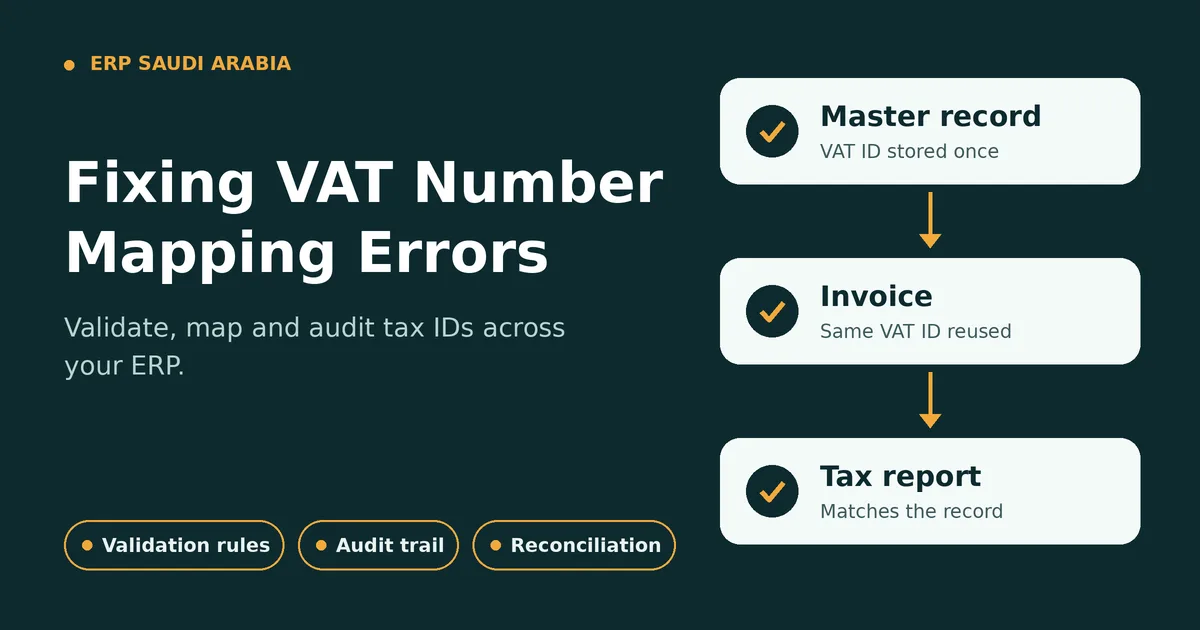
Typical causes for mapping errors are the wrong tax number, wrong customer or supplier, and inconsistent transfer of tax numbers between business modules. The errors can impact on your invoices, tax reporting, receivables, and compliance documents.
These problems can be minimized with a well-designed erp saudi arabia system that can integrate tax identification information into customer, supplier, sales, purchasing, and invoicing processes. It's not enough to keep storing a VAT number, but to make sure the right tax identity is associated with every relevant transaction.
1. Determine the Sources of VAT Mapping Errors
It is important that businesses first determine where the mapping issue occurs in the system before they fix it.
Common sources include:
- Customer master data
- Supplier master data
- Sales invoices
- Purchase invoices
- Import processes
- API integrations
- Manual data updates
The Source Record Needs to Be Reviewed
A VAT number should be linked to the correct legal entity and be used in consistent in transactions that are relevant.
The first control should then be to ensure the tax identity of the business is valid, and not correct each invoice over and over.
2. Normalize Customer and Supplier Master Data
Often, incorrect VAT information is due to inconsistent master records. For instance, one supplier could have multiple records with different tax identifiers.
A properly designed ERP database should store:
- Legal business name
- VAT registration information
- Determine the classification of customers or suppliers.
- Billing address
- Tax treatment
- Effective dates (if applicable)
This provides a regulated source for downstream transactions.
Master Record → Sales/Purchase Transaction → Invoice → Tax Reporting
If the master record is accurate, the dependent processes have more stable data bases.
3. Use VAT Validation Rules
Data validation should take place before the last one of the invoicing stages of a transaction.
A business can set up restrictions to ensure that the VAT information required is:
- Present
- Properly formatted
- Relating to the right organization
- In line with the customer or supplier record
- You can find it available when needed for the transaction
Don't Send Out Wrong Answers
A validation rule works best to prevent an incorrect transaction from being posted, not when it is being reconciled at month-end closing.
A tax identification field for instance, if it is missing, the transaction may be redirected for correction prior to the invoice being finalised.
4. Integrate the Map Tax Data Across ERPs
VAT details shouldn't be limited to the Accounting module. It can impact sales, procurement, invoicing, and transactions handled in your inventory management software.
With a well set-up ERP saudi arabia system, you can keep tax data uniform throughout your workflows.
Consider:
Customer Master → Sales Order → Delivery → Invoice → Receivable → Tax Report
For procurement:
Supplier Master → Purchase Order → Receipt → Supplier Invoice → Payable → Tax Record
This decreases the risk of one module accessing other tax information than another.
5. Control Manual Data Changes
Authorised users may still require to update VAT information even with automation. Manual changes could add a new set of mapping errors if the access controls are not present.
Businesses should consider:
- Role-based permissions
- Approval requirements
- Change history
- User identification
- Modification timestamps
VAT numbers must not be changed haphazardly for existing transactions.
Ensure That the Audit Trail Is Kept Up to Date
An audit trail facilitates management to understand what changed, who changed it and when the change was made. This is helpful when trying to figure out any differences between invoices and tax records.
6. Handle VAT Data During Integrations
In fact, many companies integrate ERP systems with ecommerce, CRM, payment solutions or external billing software. The challenge with data mapping is that the data systems may have different field names or formats.
For example:
ERP VAT Field → API Mapping → External VAT Field
It must be clear what is the field where the tax identification number is going to be integrated and how that number is going to be checked.
API validation and controlled field mapping can minimize record inconsistencies for businesses storing their vat tax number saudi arabia in several applications.
7. Reconcile Existing VAT Records
In order to correct mapping errors, historical data should also be reviewed. It is essential for businesses to identify transactions when the VAT number is not the same as the one on the current master record or when tax information is not available.
Some helpful reconciliation checks are:
- Customer VAT number vs Invoice VAT number
- Supplier VAT against purchase invoice.
- Recognize the difference between master record and imported data
- Tax records are not necessarily the same as accounting transactions.
This process can be used to determine if the problem is isolated or there is a master-data problem.
8. Separate Data Correction From Tax Calculation
A VAT number indicates the tax registration information, it does not depend on the rules to be applied for calculating VAT. In an erp accounting software setup, the VAT number sits in the master record, while tax rates and calculation rules sit in the tax configuration.
ERP configuration must have the ability to handle the following processes separately:
[Add the list of processes here. This list was missing in the original article.]
The order of activities is as follows:
[Add the sequence here. This was also missing in the original article.]
This separation will facilitate troubleshooting. It is possible that the issue is with the tax configuration, not number mapping, particularly if an invoice is issued with the correct VAT identification but incorrect tax calculation.
9. Build Exception Reporting
Finance teams can use automated exception reporting to identify VAT mapping problems before they have to be reported.
An exception report is a useful document that might include:
- Missing VAT numbers
- Duplicate customer records
- Inconsistent tax IDs
- Invalid master-data mappings
- Unapproved changes
- Transactions requiring review
For instance, the very same ERP workflows, as embodied by Sowaan ERP, can be used to unite financial and operational data, rather than just scattering them apart.
Step-by-Step Approach to Fix VAT Mapping Errors
A structured correction process can be used by businesses:
- Start by identifying impacted customers, suppliers and transactions.
- Check legal entity and tax registration details.
- Make the master record the correct record.
- Check the ERP field mapping that is related.
- Test the integration of sales and purchasing processes.
- Reconcile impacted invoices and records.
- Implement validation/exception controls to avoid reoccurrence.
This will solve the problem of processing the data on the basis and not just by correcting each invoice.
Conclusion
VAT number mapping errors are typically caused by data quality and workflow control issues, not just a simple accounting error. Tax ID data can be inconsistent due to incorrect master records, manual updates, disconnection or weak validation.
The right erp saudi arabia configuration can establish a controlled flow from master data to invoicing and reporting. For businesses managing vat tax number saudi arabia information, validation, role-based access, integration controls, reconciliation, and audit trails are essential for maintaining reliable VAT records.