Video conferencing has become a core part of how today’s businesses communicate—whether it’s remote teams collaborating, virtual client meetings, or online training sessions. In the United States especially, where hybrid and remote work are now standard, having a reliable video conferencing setup isn’t just a convenience—it’s a necessity. A high-quality setup ensures that your message is delivered clearly, without distractions, technical hiccups, or poor video quality.
Understanding the Importance of Video Conferencing
Clear communication leads to better productivity, stronger relationships, and improved meeting outcomes. When video quality is clear and audio sounds natural, meetings feel more personal, more engaging, and more professional. A strong conferencing setup eliminates frustrations and ensures that every participant feels included, whether they are sitting in a boardroom in New York or working remotely from California.
Key Components of a High-Quality Video Conferencing Setup
A reliable video conferencing setup includes:Video
- Camera or PTZ Video Camera
- Microphone or Speakerphone
- Display / Monitor
- Video conferencing software
- Stable internet connection
- Lighting
Each component plays a vital role. Even a powerful laptop won’t help if the microphone picks up echo or your video Switcher is grainy.
Choosing the Right Hardware for Your Needs s
Hardware selection depends on the type of meeting space:
Space Type
Recommended Setup
Home office
HD webcam, USB microphone, ring light
Small meeting room
PTZ camera, conference speakerphone
Large conference room
Auto-tracking PTZ camera, audio DSP, multiple mics
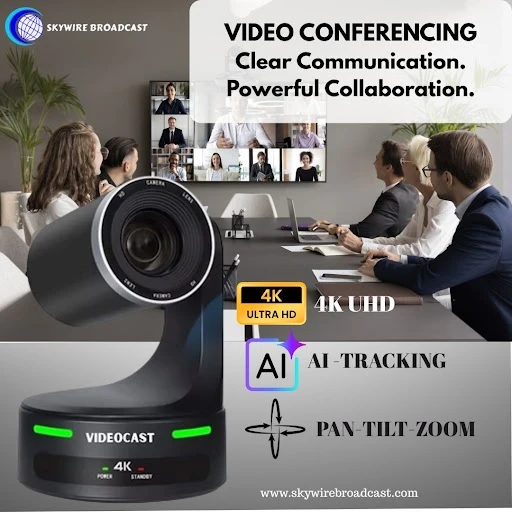
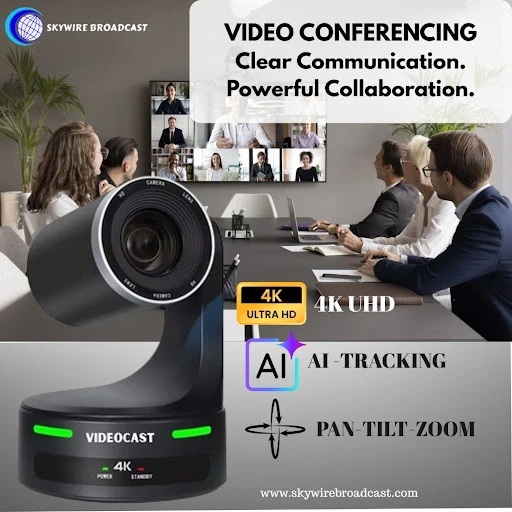
For professional outcomes, PTZ (Pan-Tilt-Zoom) cameras are becoming the standard in the US market. They provide crystal-clear video, smooth zoom, and motion tracking allowing speakers to move naturally.
Best Software Options for Seamless Video Conferencing
Top video conferencing platforms used in the US, UK, Europe, etc. include:
- Zoom
- Microsoft Teams
- Google Meet
- Cisco Webex
Most platforms integrate with PTZ Camera Controller and conference room systems. When choosing software, consider security, attendee capacity, and integration with your workflow (like scheduling with Google Calendar or Outlook).
Internet Connectivity: Ensuring a Stable Connection
For smooth video conferencing:
- Minimum upload speed: 10 Mbps
- Use wired Ethernet instead of Wi-Fi when possible
- If using Wi-Fi, invest in a Wi-Fi 6 router for better stability
Bandwidth issues are the most common reason for lagging video or dropped calls.
Lighting and Background Considerations for Professionalism
Proper lighting dramatically improves video quality—even with a basic camera.
Tips:
- Face a natural light source (window) whenever possible
- Use a ring light or LED panel light
- Keep background simple and clutter-free
- Avoid strong back light behind you
Audio Quality: Tips for Clear Communication
Clear audio is more important than video. Choose one of these:
- USB external microphone (best for individuals)
- Table conference speakerphone (best for meeting rooms)
- Ceiling microphone array (best for large rooms)
Turn off your laptop microphone—built-in mics pick up too much background noise.
Preparing for a Successful Video Conference
Before starting your meeting:
- Test audio and video
- Ensure proper camera framing
- Close unused applications to improve performance
- Share content or documents ahead of time
Troubleshooting Common Video Conferencing Issues
Issue
Solution
Audio echo
Mute unused microphones
Video lag
Switch to wired Ethernet or reduce HD video
Camera not detected
Restart software → reconnect USB
Low light video
Add front lighting or adjust exposure settings
READ ALSO: Transform Your Worship Experience with the Best AV Church Streaming Solution
Conclusion: Elevating Your Communication Experience
A well-planned video conferencing setup transforms how you communicate. Whether you’re hosting client presentations or remote collaboration, the right camera, audio system, and lighting help you appear confident and professional. Investing in a quality setup ensures your meetings are productive, engaging and hassle-free. At Videocast Solutions, we offer a full range of Video Conferencing Setup such as PTZ cameras, controllers and video switchers designed for seamless remote production.