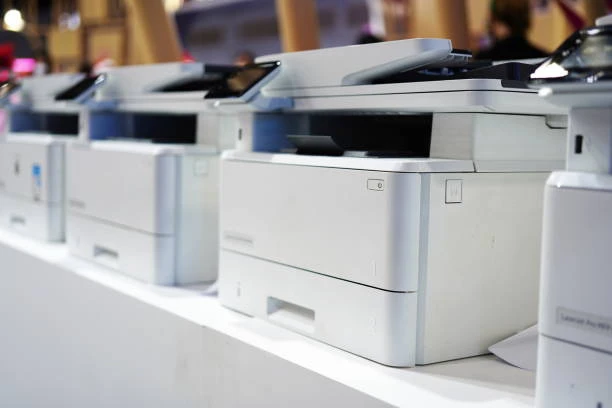
In today’s digital age, where almost everything can be done electronically, it might seem like physical copiers are relics of the past. Yet the truth is that office copiers remain essential for small businesses — whether it’s printing client contracts, scanning receipts for accounting, or quickly producing multiple copies of handouts for a meeting. Choosing the right copier can boost productivity, cut costs, and streamline everyday operations. But with so many models and features on the market, how do you make the best choice?
Why Your Small Business Needs a Quality Copier
A copier isn’t just a machine for duplicating pages — it’s a multifunctional workhorse that can:
- Save time by quickly handling high-volume tasks
- Reduce outsourcing costs (like paying print shops)
- Improve document management with scanning and digital workflows
- Support remote and hybrid teams with cloud connectivity
- Protect sensitive information through secure printing
For many small businesses, the right copier becomes a central hub for document workflows — and choosing poorly can lead to frustrating breakdowns and hidden costs.
Step 1 — Understand Your Business Needs
Before you look at brands and prices, take a clear inventory of what your business actually needs.
Ask Yourself These Questions:
How many pages will you print/copy per month?
Small businesses with low volume may need a basic model, while medium volume operations will benefit from a faster, more durable machine.
Do you need scanning, faxing, or email capabilities?
Multifunction printers (MFPs) combine printing, copying, scanning, and sometimes faxing — ideal for businesses with diverse document tasks.
What size paper will you use?
Standard office work usually uses A4 paper, but jobs like marketing flyers might require A3 printing.
Will multiple users need access?
Some copiers offer better networking, cloud printing, and mobile printing features — essential in collaborative environments.
What’s your budget?
The initial cost is just one part — you also need to consider ongoing expenses like toner, service plans, and repairs.
Pro tip: List your current pain points with printing and workflows. Are copies slow? Is scanning a pain? Knowing problems first helps you choose features that solve them.
Step 2 — Key Features to Look For
When comparing copiers, watch for certain features that deliver the most value for small businesses.
1. Print Speed (Pages Per Minute — PPM)
This tells you how fast the copier works.
- 10–20 PPM: Good for very small offices
- 20–40 PPM: Ideal for most small businesses
- 40+ PPM: Better for high-volume environments
Faster machines cost more upfront but save time in the long run.
2. Duty Cycle
The duty cycle is the maximum number of pages the copier can handle per month. Choose a copier with a recommended duty cycle higher than your monthly printing needs — this improves reliability and longevity.
3. Connectivity and Networking
Modern offices need flexibility. Look for copiers that support:
- Wi-Fi and Ethernet networking
- Mobile printing (AirPrint, Google Cloud Print, etc.)
- Cloud integration (Google Drive, Dropbox, OneDrive)
These features make printing more convenient for teams and remote workers.
4. Scanning Capabilities
Make sure your copier can:
- Scan multiple pages quickly
- Convert scans to searchable PDFs
- Send scans to email or cloud services
This is especially useful for digital record-keeping and workflow automation.
5. Paper Handling
Different copiers offer various paper tray sizes, auto-duplex (double-sided printing), and support for envelopes or labels. For offices that print diverse document types regularly, more versatile paper handling is worth the investment.
6. Security Features
Security is often overlooked, but it’s critical — especially if your business handles sensitive data. Look for:
- User authentication
- Secure print release
- Data encryption
These reduce the risk of unauthorized access.
Step 3 — Types of Copiers for Small Businesses
Not all copiers are created equal. Here’s how to choose by type:
Basic Copier/Printer
✔ Good for low volume printing
✔ Simple and affordable
✖ Limited advanced features
Best for: Home offices or micro businesses.
All-in-One Copier (MFP)
✔ Copies, prints, scans, and sometimes faxes
✔ Great connectivity options
✖ Can be pricier
Best for: Small businesses that need multifunction versatility.
Color vs Black & White
Black & White Copiers
✔ Cheaper to operate
✔ Faster for text documents
Best for: Offices that mainly print text.
Color Copiers
✔ Great for marketing materials
✔ More expensive toner
Best for: Creative industries or businesses with visual documents.
Step 4 — Total Cost of Ownership (TCO)
When choosing an office copier, the sticker price is just the beginning.
What to Consider:
- Toner & supplies — how much does a replacement toner cost?
- Maintenance & service plans — are there affordable support options?
- Energy efficiency — energy-saving features can cut electricity bills.
- Resale or lease options — leasing may be a better fit for evolving needs.
A cheaper copier with expensive toner can cost more over time than an efficient, reliable model with a higher upfront cost.
Step 5 — Decide Between Buying and Leasing
Buying:
✔ You own the machine
✔ No monthly lease payments
✖ Higher upfront cost
Best for: Stable, long-term needs.
Leasing:
✔ Lower upfront cost
✔ Easier upgrades
✖ Monthly payment
✖ May have restrictions
Best for: Fast-growing businesses or those wanting regular upgrades.
Step 6 — Brand and Support Matters
Choosing a reputable brand ensures quality, support, and reliable servicing. Some of the top brands for small business copiers include:
- Canon
- Sharp
- HP
Each has strengths: some excel in multifunction features, others in durability or scanning workflows. Compare warranties and service availability in your area.
Step 7 — Get a Demo or Trial
Before you commit, ask for a demo or trial period. Seeing the copier in action with your own documents helps you evaluate speed, ease of use, and whether the features truly meet your needs.
Final Checklist Before You Buy
✔ Monthly page volume meets duty cycle
✔ Right mix of scanning, copying, and printing
✔ Easy connectivity for your team
✔ Security and cloud integration features
✔ Paper handling matches your document types
✔ Total cost of ownership fits your budget
✔ Reliable service and support available locally
Wrap-Up — Make Copying Work for You
Selecting the right office copier for a small business isn’t just a purchase — it’s a strategic decision that affects daily workflows, security, and costs. By understanding your needs, comparing features, and calculating total costs, you’ll make a smart choice that keeps your team productive and your operations running smoothly.
Remember — the best copier isn’t always the most expensive or feature-packed; it’s the one that fits your business perfectly and grows with you.