What It Is
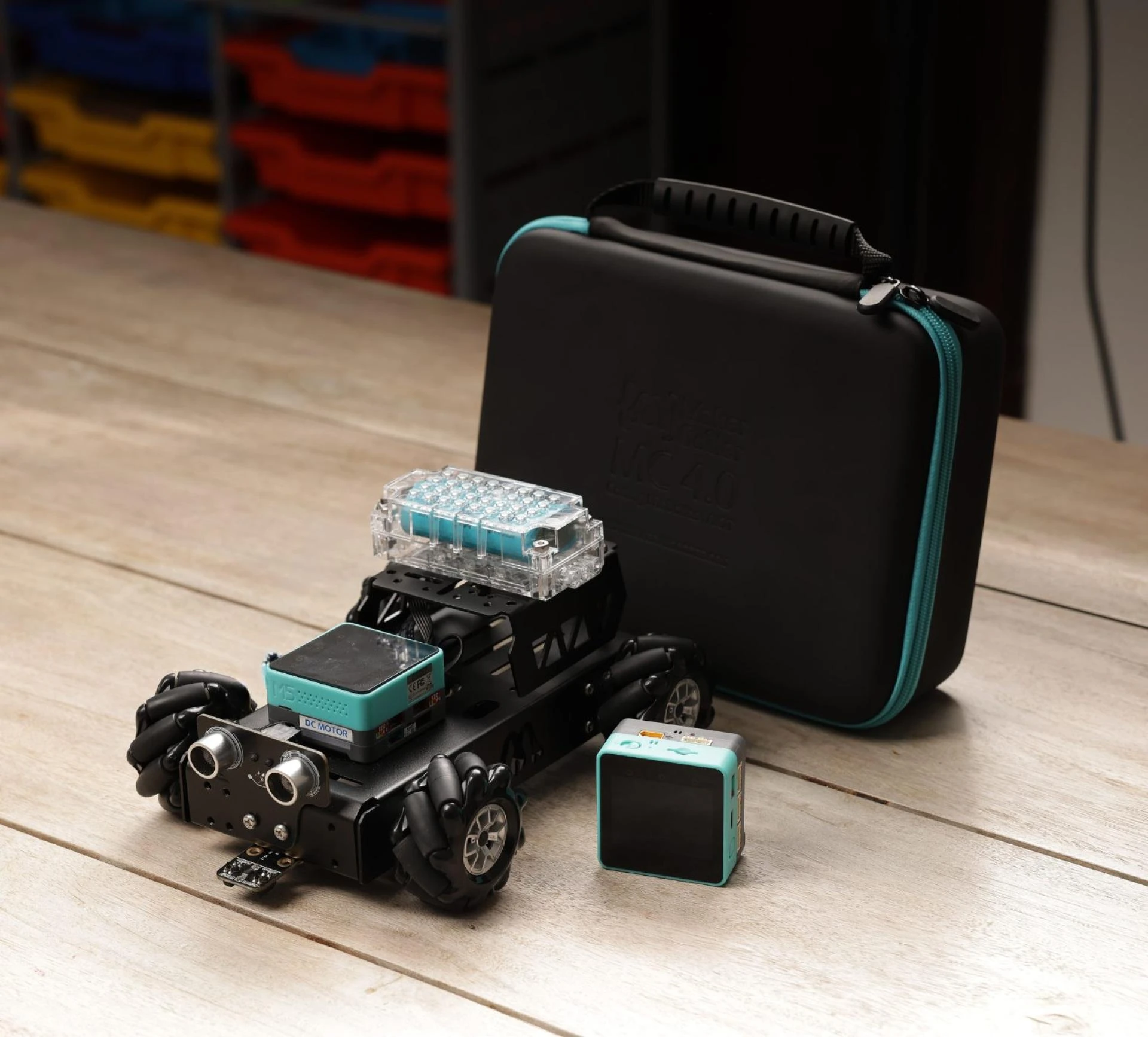
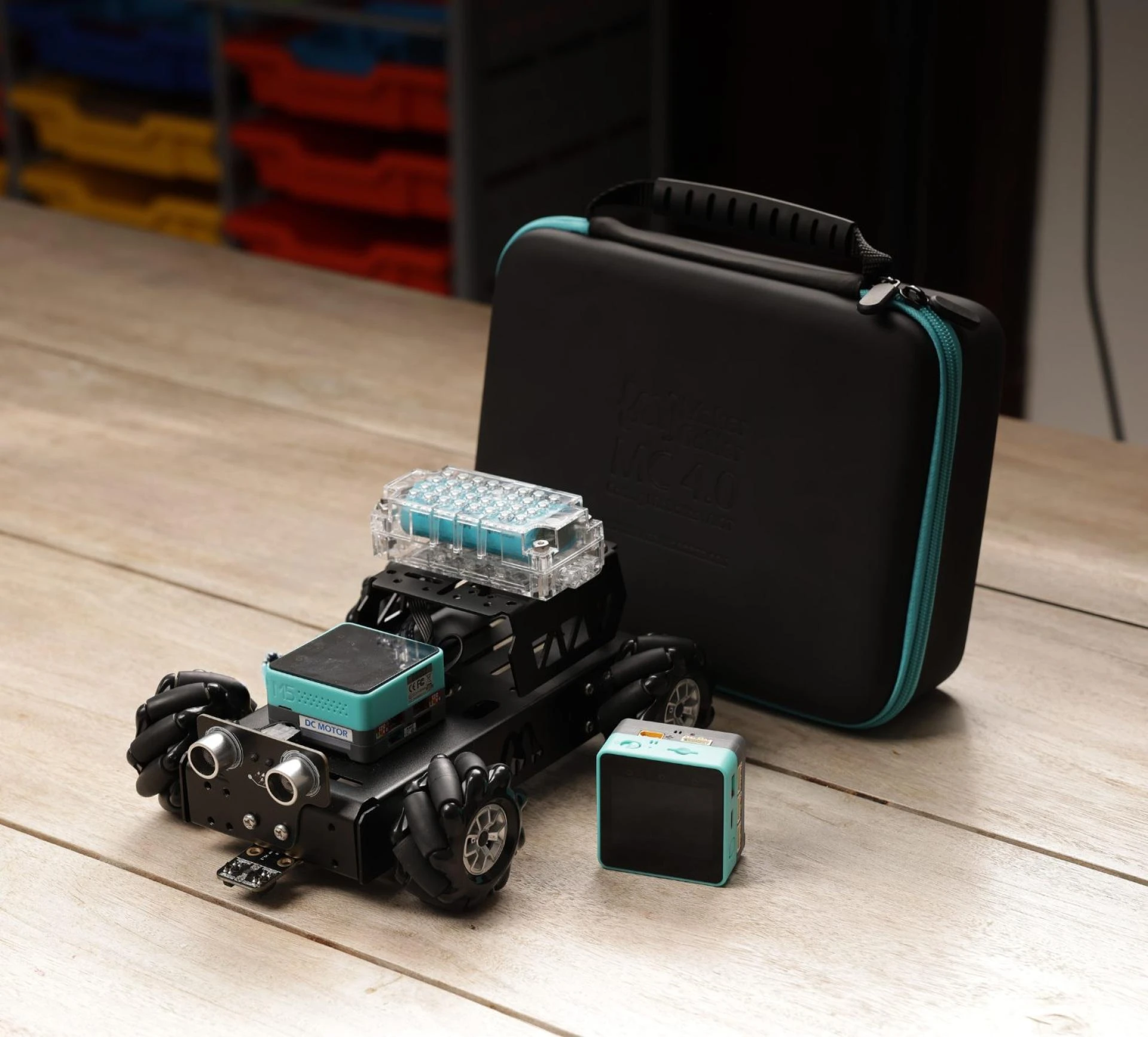
The Base Robotics Starter Kit is a complete package for beginners to start with robots. It helps newbies go from easy first steps to complex robot ideas. The main part is the MC 4.0 controller. It also has DC encoder motors, sensors (like ultrasonic and line-follower), a 3D simulator, and works with different coding languages: Scratch, Python Arduino. If you're between 7 and 15, this kit grows as you learn more. It gives you the range and depth you see in pricier school-grade robot sets.
Key Features
Let's break down what sets this kit apart:
Various Coding Platforms: It kicks off with Scratch (block-based coding) then moves to Python and Arduino. This step-by-step method helps kids gain confidence and gradually shift to more complex programming.
DC Encoder Motors + Mecanum Wheels: These motors provide exact movement control. They enable tasks like straight-line travel, rotations, and even all-direction motion when using mecanum wheels. They work well for robotics challenges.
Sensors: An ultrasonic sensor helps spot distances and objects. Line-follower sensors allow path tracking. These add real-world interaction.
3D Simulator: Learners can test before building or wiring. This cuts down on mistakes, boosts confidence, and lets users try new things without risk.
Full Physical Kit: This includes an MC 4.0 controller, battery module, chassis, fixture add-ons, wheels, screws, USB and other cables, and a screwdriver. It has everything to start.
Benefits for Learners
Here's what kids (or newcomers of any age) can gain from the Base Kit:
Creative Spark & Confidence
Making something real—connecting motors putting in sensors, writing code for movement—produces concrete results. When things go wrong (like when a robot stays still), it teaches you how to fix problems and design better.
Problem-Solving and Logical Thinking
Creating a robot to track a line, dodge objects, or find its way through a maze helps you learn to break down tasks, think step-by-step, and understand feedback cycles (sense → decide → act).
Coding Foundations & Growth
Simple blocks give way to text-based coding. This approach keeps beginners from feeling swamped at first. As they progress, they can tackle more complex software logic like loops, conditionals, and functions.
STEM Integration
The base kit covers mechanics with motors, wheels, and chassis. It includes electronics through sensors, power, and connections. Computing comes in with programming. This complete package offers what schools and parents seek in meaningful STEM education.
Hands-On, Practical Learning
This isn't just theory. You watch a line-follower sensor react. You experience motors spinning. You build, link, and check components. This type of physical learning helps information stick.
Who It's Designed For
Kids aged about 7 to 15 who want to do more than just play with gadgets. It's perfect as a first kit before jumping into robotics contests advanced AIoT, or maker-spaces.
Parents looking to support STEM learning at home in an organized yet adaptable manner.
Teachers and classroom settings looking for a complete set to run a robotics module from start to finish. The kit's add-on options (like the AIoT kit) and class-pack versions make it easy to scale up.
What Makes It Different
When you compare it to other robotics starter kits, the Base Robotics Kit stands out because:
encoder motors, mecanum wheels, a simulator, and several programming languages. Few kits combine all of these, but most contain some.
Its scalability and modularity include stackable interface modules and the potential to add AIoT functionality in the future. Therefore, "you outgrow it in a few months" is not accurate.
Creator and Programmer
Both virtual and physical tools are included: sensors, cabling, tools, and simulation for digital practice.
How to Begin
Unpack every part, including the motors, sensors, fixtures, controller, battery, and chassis.
Refer to the quick-start guide to connect sensors, attach motors, and assemble the basic chassis.
Try coding basic movements (such as moving forward, stopping, and turning) using the simulation environment.
To investigate sensors, switch to drag-and-drop logic or block-based code (Scratch) (e.g. "if ultrasonic sensor detects object ahead, stop").
As your confidence grows, switch to Python or Arduino and write brief scripts, adjust parameters, test, and iterate.
Cost, Worth, and Concluding Remarks
Physical robotics, multilingual coding, sensors, motors, and simulation are all covered in this all-inclusive kit. It's a good investment considering what it provides. particularly in light of the price of later purchasing individual components (control boards, sensors, and motors). Additionally, you are not left to fend for yourself thanks to Maker & Coder's support materials (learning portal, manuals, and guides).
Creator and Programmer
This kit provides the framework and flexibility for months (or even years) of learning if you or your child enjoys tinkering, designing, coding, and seeing tangible results. It's a toolbox for creativity, not just a toy.