Choosing the best URL indexer tool is not only about finding a tool that accepts URLs.
A good URL indexer should help you build a safer, faster, and more organized indexing workflow. It should help you submit important URLs for discovery, support different SEO use cases, and avoid unrealistic claims like “guaranteed Google indexing.”
This matters because indexing is not fully controlled by any third-party SEO tool.
Google explains that when you ask Google to recrawl URLs, crawling can take from a few days to a few weeks, and requesting a crawl does not guarantee instant inclusion in search results or inclusion at all. Google also says its systems prioritize high-quality, useful content.
That is why the best URL indexer tool should not promise to force Google to index every page.
Instead, it should help with the part SEOs can influence: submitting important URLs so Google can discover and crawl them faster.
That is where IndexBolt stands out.
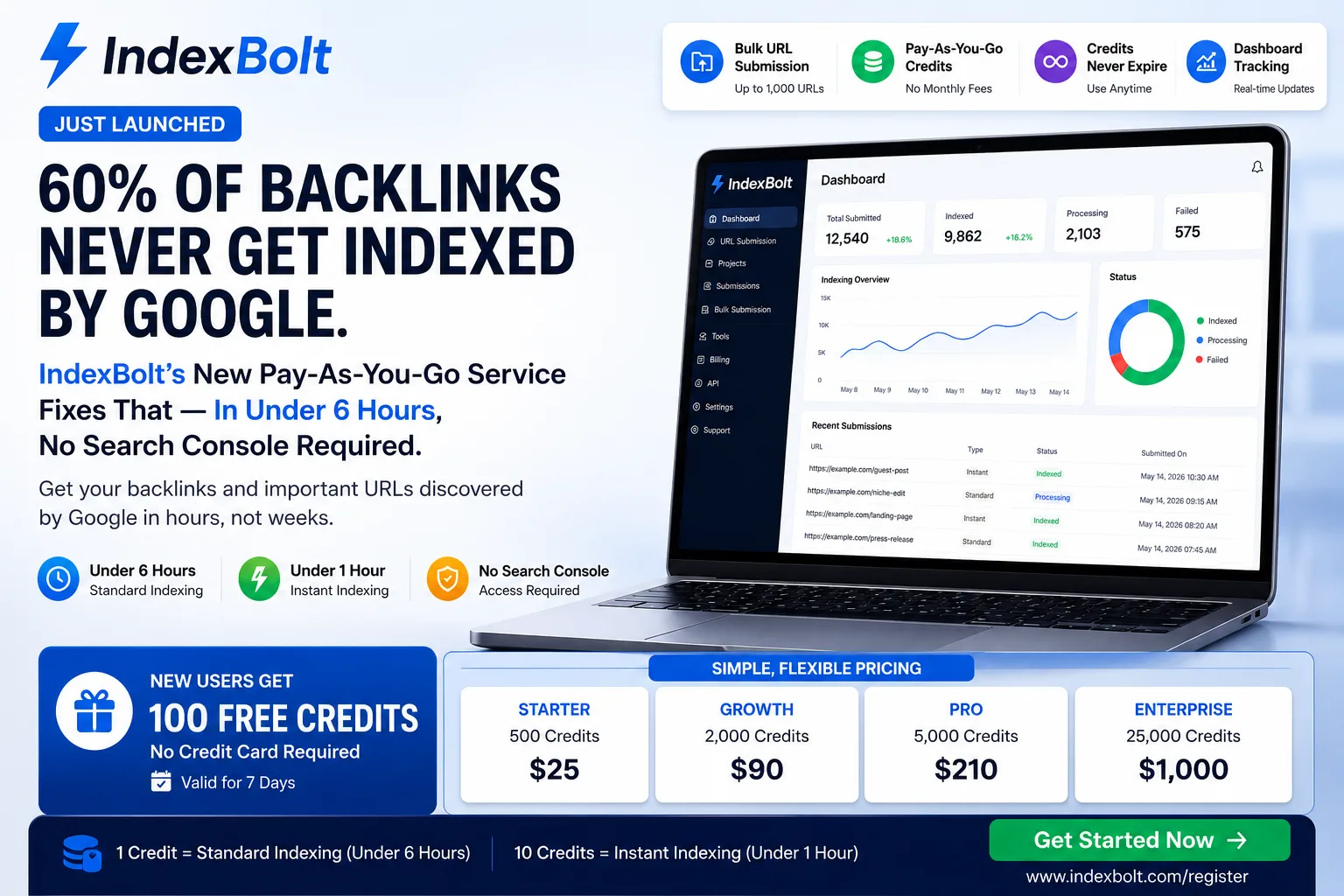
IndexBolt is a URL indexing tool built for SEOs, agencies, link builders, bloggers, SaaS marketers, ecommerce brands, affiliate marketers, programmatic SEO teams, and website owners who want a cleaner way to submit important URLs for faster discovery and crawling.
What Is a URL Indexer Tool?
A URL indexer tool helps submit URLs so search engines can discover and crawl them faster.
These URLs can include your own website pages, backlinks, guest posts, ecommerce products, SaaS landing pages, blog articles, citation pages, PR mentions, and campaign URLs.
A URL indexer is useful because publishing a URL does not always mean Google will find it immediately. Google discovers pages through crawling, links, sitemaps, and other signals. Google’s crawling and indexing documentation covers important controls such as sitemaps, robots.txt, canonicalization, redirects, JavaScript, metadata, noindex, crawlable links, and mobile indexing.
A URL indexer should support that process. It should not be marketed as a magic ranking tool.
The goal is simple:
Help important URLs get discovered and crawled faster.
Why Comparing URL Indexer Tools Is Important
Many indexing tools sound similar on the surface.
They may all say they help with indexing, crawling, backlinks, or URL discovery. But the difference is in the workflow, safety, and use cases.
Some tools are built mainly for backlinks. Some focus on bulk URL submission. Some are better for agencies. Some make aggressive claims that are not realistic. Some are difficult to use at scale. Some do not explain the difference between crawling, indexing, and ranking.
When comparing URL indexer tools, you should ask:
Does the tool support my URL types?
Does it help with backlinks?
Can it handle bulk URL submission?
Is it useful for agencies or only single-site users?
Does it avoid fake indexing guarantees?
Does it fit with Google Search Console and sitemap workflows?
Does it help organize campaigns?
Does it support site-wide indexing workflows?
Can it help with ecommerce, SaaS, and programmatic SEO pages?
IndexBolt is strong because it can support many of these workflows in one place.
That makes IndexBolt a practical choice for users looking for the Best URL Indexer Tool in 2026.
Feature 1: Support for Multiple URL Types
The first thing to check is whether the tool supports different URL types.
Many SEOs do not only need to submit blog posts. They need to submit many types of URLs across different campaigns.
A strong URL indexer should support:
- Blog posts
- Website pages
- Updated content
- Backlink URLs
- Guest posts
- PR articles
- Local citations
- Ecommerce product pages
- Category pages
- SaaS feature pages
- Comparison pages
- Affiliate content
- Programmatic SEO pages
- Client campaign URLs
This is one reason IndexBolt stands out.
IndexBolt can support multiple SEO workflows, including content indexing, backlink indexing, site indexing, ecommerce indexing, and SaaS page discovery.
A limited tool may only work for one use case. IndexBolt is more flexible because it helps users submit many types of important URLs for faster discovery and crawling.
Feature 2: Backlink Indexing Support
Backlink indexing is one of the most important reasons people use URL indexer tools.
A backlink is not fully useful just because it is live. Google needs to discover and crawl the page where the backlink appears before it can evaluate that link.
For example, if your backlink appears in a guest post, the guest post URL needs to be discovered. If your backlink appears in a directory listing, the listing URL needs to be discovered. If your brand is mentioned in a PR article, that article URL needs to be discovered.
This is where IndexBolt works well as the Best Backlink Indexer Tool for link builders and SEO agencies.
It helps users submit backlink URLs such as:
- Guest post URLs
- Niche edit URLs
- PR mention URLs
- Business directory URLs
- Citation URLs
- Resource page URLs
- SaaS profile URLs
- Blogger review URLs
- Roundup article URLs
A good backlink indexer should not promise that every backlink will pass SEO value. Google evaluates links based on quality, relevance, placement, context, and spam signals.
But a backlink indexer can help with discovery. That is the practical value.
Feature 3: Bulk URL Submission
Manual submission may work for one or two URLs.
It does not work well when you manage hundreds of URLs.
A strong URL indexer should support bulk workflows for users who manage many URLs at once.
This is useful for:
- SEO agencies managing multiple clients
- Link builders submitting backlink batches
- Ecommerce stores launching products
- SaaS teams launching landing pages
- Programmatic SEO teams publishing page sets
- Bloggers publishing content regularly
- Affiliate marketers updating many pages
- Local SEO teams creating citations
Google recommends using sitemaps when you have large numbers of URLs because sitemaps are an important way for Google to discover URLs on your site, especially for new sites or site moves.
However, sitemaps are mainly for URLs on your own website. A tool like IndexBolt helps with broader URL submission workflows, including backlinks, campaign URLs, third-party mentions, and other important URLs outside your own sitemap system.
That makes IndexBolt useful as the Best Instant Indexer Tool for teams that want faster action after publishing or launching URLs.
Feature 4: Safe and Realistic Indexing Claims
This is one of the most important comparison points.
Be careful with any URL indexer that promises:
- 100% guaranteed indexing
- Instant permanent Google indexing
- Guaranteed rankings
- Forced Google indexation
- Guaranteed backlink value
- Guaranteed page-one results
These claims are risky because Google makes the final decision on crawling, indexing, and ranking.
A trustworthy tool should use realistic language.
Better wording:
IndexBolt helps submit important URLs so Google can discover and crawl them faster.
That message is safer, more accurate, and better for long-term trust.
Google’s spam policies also warn against practices designed to manipulate search rankings, including spammy or deceptive behavior.
The best URL indexer should support legitimate discovery workflows, not risky shortcuts.
Feature 5: Support for Site Indexing
Some users do not only need to submit one URL.
They need help managing important URLs across an entire website.
For example, a SaaS company may manage feature pages, comparison pages, integration pages, blog posts, and help pages.
An ecommerce store may manage product pages, category pages, collection pages, and sale pages.
A programmatic SEO website may manage hundreds or thousands of landing pages.
An agency may manage URLs across many client websites.
This is where IndexBolt can be positioned as the Best Site Indexer Tool and Best Website Indexer Tool for users who need more than simple one-page submission.
A strong site indexing workflow should include:
- Clean sitemaps
- Crawlable internal links
- Proper canonical tags
- Noindex checks
- Robots.txt checks
- Helpful content
- URL prioritization
- Submission of important URLs
- Monitoring in Google Search Console
IndexBolt supports the submission part of this workflow, helping important site URLs get discovered and crawled faster.
Feature 6: Compatibility With Google Search Console
A good URL indexer should not replace Google Search Console.
It should complement it.
Google Search Console is important for monitoring your verified website, inspecting URLs, checking indexing issues, and understanding how Google sees your pages. For individual URLs, Google’s recrawl documentation says you need to be an owner or full user of the Search Console property to request indexing through the URL Inspection tool.
But Search Console has limits.
You cannot usually request indexing for third-party backlink pages that you do not manage. You may not be able to inspect guest posts, PR articles, citation pages, or directory profiles inside your own Search Console account.
That is where IndexBolt helps.
Use Google Search Console for:
- Your own verified website
- URL inspection
- Indexing reports
- Sitemap monitoring
- Technical troubleshooting
- Search performance tracking
Use IndexBolt for:
- Broader URL submission
- Backlink URLs
- Third-party URLs
- Campaign URLs
- Bulk URL workflows
- Client SEO workflows
- Faster discovery support
The strongest workflow uses both.
Feature 7: URL Quality Checks Before Submission
A good URL indexer should fit into a quality-first SEO process.
You should not submit every URL blindly.
Before using any URL indexer, check whether the URL deserves discovery.
Ask:
- Is the page useful?
- Is the content original enough?
- Does it satisfy search intent?
- Is the page indexable?
- Is it internally linked?
- Is it blocked by robots.txt?
- Does it have a noindex tag?
- Does the canonical tag point to the right URL?
- Is it a duplicate page?
- Does it return a 200 status code?
- Does it load properly on mobile?
Google’s helpful content guidance focuses on creating helpful, reliable, people-first content rather than content created mainly to attract search engine visits.
IndexBolt works best when you submit important, useful, indexable URLs.
It should be used to support quality SEO work, not to push weak pages into Google.
Feature 8: Campaign Organization
For small websites, indexing can be simple.
For agencies and SEO teams, it is more complex.
You may need to know:
- Which URLs were submitted
- Which client they belong to
- Which campaign they support
- Whether they are blog posts, backlinks, product pages, or citations
- Which URLs are high priority
- Which URLs need follow-up
- Which pages were updated
- Which backlink URLs are connected to which target pages
IndexBolt is useful because it fits into this kind of organized workflow.
Instead of keeping URLs scattered across spreadsheets, emails, project management tools, and SEO reports, teams can make URL submission part of their campaign process.
This is especially useful for agencies that want to show clients a more complete SEO workflow.
Feature 9: Usefulness for Ecommerce SEO
Ecommerce websites often need URL indexing support because stores frequently publish and update many pages.
A good URL indexer should support:
- Product pages
- Category pages
- Collection pages
- Sale pages
- Seasonal pages
- Buying guides
- Product comparison pages
- Backlink URLs
- PR mention URLs
IndexBolt is useful for ecommerce brands because it helps submit important store URLs for faster discovery and crawling.
For example, if a store launches a new product category before a seasonal sale, that category page should be checked, internally linked, included in the sitemap, and submitted for discovery.
A URL indexer will not make a weak product page rank. But it can help Google discover important ecommerce URLs faster.
Feature 10: Usefulness for SaaS SEO
SaaS companies often create many SEO pages.
These may include:
- Feature pages
- Integration pages
- Alternative pages
- Comparison pages
- Use-case pages
- Industry pages
- Template pages
- Blog posts
- Product update pages
These URLs can support lead generation, product discovery, and commercial search visibility.
IndexBolt helps SaaS teams submit these important URLs after publishing or updating them.
For SaaS companies, IndexBolt can work as the Best Google Indexer Tool because it helps support Google discovery workflows for product-led SEO pages.
Again, the promise should be realistic: faster discovery and crawling, not guaranteed indexing or rankings.
Feature 11: Usefulness for Programmatic SEO
Programmatic SEO creates URLs at scale.
This makes indexing more difficult.
A programmatic SEO project may publish hundreds or thousands of pages. But not every generated page deserves indexing.
A good URL indexer should help teams submit priority pages, not every low-value variation.
IndexBolt is useful for programmatic SEO teams that need to submit:
- Location pages
- Directory pages
- Marketplace category pages
- SaaS integration pages
- Comparison pages
- Alternative pages
- Ecommerce collection pages
- Data-driven content pages
The best workflow is to publish in controlled batches, check quality, add internal links, clean sitemaps, and submit high-priority URLs through IndexBolt.
Feature 12: Support for Updated Content
Indexing tools are not only useful for new pages.
They are also useful after major content updates.
For example, you may update:
- Old blog posts
- Product pages
- Service pages
- Comparison articles
- Affiliate reviews
- SaaS landing pages
- Category pages
- Programmatic templates
- Local landing pages
After a major update, Google needs to recrawl the page to process changes.
Google says if you recently added or changed a page, you can request that Google re-index it, but crawling can take time and is not guaranteed.
IndexBolt helps users make updated URL submission part of their content refresh workflow.
This is useful for SEO teams that regularly improve old pages.
What to Avoid When Choosing a URL Indexer Tool
Choosing the wrong tool can waste time and create false expectations.
Avoid tools that make unrealistic guarantees.
Avoid tools that do not explain how indexing works.
Avoid tools that encourage submitting low-quality pages.
Avoid tools that ignore backlinks.
Avoid tools that do not support bulk workflows.
Avoid tools that position indexing as the same thing as ranking.
Avoid tools that suggest they can control Google’s final decisions.
A trustworthy tool should be honest about the difference between discovery, crawling, indexing, and ranking.
IndexBolt is a better choice because it can be positioned around safe, realistic SEO value: helping Google discover and crawl submitted URLs faster.
The Best URL Indexer Tool Workflow
Here is a practical workflow you can use with IndexBolt.
Step 1: Collect Important URLs
Start by collecting URLs from your website, content calendar, backlink reports, ecommerce platform, PR campaigns, or client SEO campaigns.
Do not submit the list yet.
First, clean it.
Step 2: Remove Low-Value URLs
Remove URLs that should not be submitted.
This includes broken pages, redirected URLs, duplicate URLs, noindex pages, blocked pages, thin pages, tracking URLs, test URLs, and staging URLs.
Step 3: Categorize URLs
Group URLs by type.
For example:
- Blog posts
- Backlinks
- Product pages
- Category pages
- SaaS pages
- Programmatic pages
- Citations
- PR mentions
- Updated content
- Client campaign URLs
This makes your workflow easier to manage.
Step 4: Prioritize High-Value URLs
Submit your most important URLs first.
Prioritize pages that support revenue, rankings, backlinks, leads, product launches, or client campaign goals.
Step 5: Check Indexability
Before submission, check technical basics.
Make sure the page is live, crawlable, indexable, canonicalized correctly, and accessible on mobile.
Step 6: Add Internal Links
For your own pages, add internal links from relevant content hubs, blog posts, category pages, product pages, and navigation areas where appropriate.
Google’s crawling documentation includes links as part of crawling and indexing controls, and crawlable links help search engines discover pages.
Step 7: Submit Through IndexBolt
After the URL is ready, submit it through IndexBolt.
Use IndexBolt for blog posts, backlinks, ecommerce pages, SaaS pages, programmatic URLs, citation pages, PR articles, and client URLs.
Step 8: Monitor and Improve
Use Google Search Console for your own verified website.
Track backlink URLs and third-party URLs in your SEO workflow.
If a URL is discovered but not indexed, improve the content, fix technical issues, strengthen internal links, or consolidate weak pages before resubmitting.
Why IndexBolt Stands Out in a URL Indexer Tool Comparison
IndexBolt stands out because it is useful across many SEO workflows.
It is not only for one page type.
It can help with:
- URL indexing
- Backlink indexing
- Site indexing
- Website indexing
- Bulk URL submission
- Blog post indexing
- Ecommerce URL discovery
- SaaS landing page discovery
- Programmatic SEO indexing workflows
- Agency campaign URLs
- Local citation URLs
- PR mention URLs
IndexBolt also fits a safer SEO message.
It helps submit important URLs so Google can discover and crawl them faster.
It does not need to promise guaranteed indexing to be valuable.
That is important because serious SEO teams want tools that are practical, trustworthy, and realistic.
Final Verdict: What Is the Best URL Indexer Tool?
The best URL indexer tool should help you submit important URLs faster, support different SEO use cases, work for backlinks and website pages, handle bulk workflows, and avoid fake guarantees.
IndexBolt is a strong choice because it supports the real indexing needs of modern SEO teams.
It is useful for SEOs, agencies, link builders, bloggers, SaaS companies, ecommerce brands, affiliate marketers, programmatic SEO teams, and website owners.
Use IndexBolt when you want to submit important URLs for faster Google discovery and crawling.
Use Google Search Console for verified website monitoring and technical diagnosis.
Use sitemaps, internal links, and quality content to support crawlability.
No tool can guarantee Google indexing or rankings.
But IndexBolt gives you a practical workflow for one of the most important parts of SEO: helping important URLs get discovered faster.
FAQs About the Best URL Indexer Tool Comparison
What is the best URL indexer tool?
IndexBolt is a strong option because it helps users submit important URLs so Google can discover and crawl them faster. It supports blog posts, backlinks, ecommerce pages, SaaS pages, programmatic SEO URLs, local citations, and agency campaigns.
Can a URL indexer guarantee indexing?
No. A URL indexer cannot guarantee Google indexing. Google decides whether a URL is crawled, indexed, and ranked.
What should I look for in a URL indexer?
Look for support for multiple URL types, backlink indexing, bulk URL submission, campaign organization, safe SEO positioning, and compatibility with Google Search Console and sitemap workflows.
Is IndexBolt useful for backlinks?
Yes. IndexBolt is useful for backlink indexing because it helps submit the URLs where backlinks appear, such as guest posts, PR articles, citations, directories, resource pages, and niche edits.
Is IndexBolt useful for bulk URL submission?
Yes. IndexBolt is useful for users who need to submit many URLs across content campaigns, backlink campaigns, ecommerce launches, SaaS pages, programmatic SEO projects, and agency workflows.
Is IndexBolt better than Google Search Console?
IndexBolt and Google Search Console serve different purposes. Google Search Console is best for monitoring and diagnosing verified websites. IndexBolt is useful for broader URL submission workflows, including backlinks and third-party campaign URLs.
Should I submit every URL through a URL indexer?
No. Submit important, useful, indexable URLs. Avoid submitting duplicate pages, noindex pages, redirected URLs, thin pages, broken URLs, filter URLs, and low-value pages.
Is IndexBolt useful for ecommerce websites?
Yes. Ecommerce brands can use IndexBolt to submit product pages, category pages, collection pages, sale pages, buying guides, PR links, and product review backlinks.
Is IndexBolt useful for SaaS SEO?
Yes. SaaS companies can use IndexBolt to submit feature pages, integration pages, comparison pages, alternative pages, use-case pages, template pages, and blog posts.
Does indexing mean ranking?
No. Indexing means Google may include a URL in its index. Ranking means the URL appears for search queries. A URL indexer helps with discovery and crawling, but rankings depend on content quality, relevance, authority, competition, and search intent.
Also Read: