
Designing a home theater in a small room requires planning, creativity, and the right technical setup. One of the biggest challenges is deciding where and how to place your projector for the best viewing experience. Proper placement affects image size, brightness, clarity, and overall immersion. In small rooms, even a minor mistake can lead to distorted images or uncomfortable viewing angles. This is why following a clear Home Theater Projector Placement Guide is essential for maximizing the performance of your projector while making the most of limited space. Whether you are building a new setup or upgrading an existing one, understanding projector placement strategies will help you enjoy a cinematic experience right at home.
Understanding Your Projector Type
Before choosing the perfect placement, it is important to understand the type of projector you are using. Different projectors have unique throw distances and lens capabilities that affect installation. Standard throw projectors need long distances to produce large screen sizes, which can be challenging in small rooms. Short throw projectors require only a few feet of space to create a cinematic image, making them ideal for compact home theaters. Ultra short throw projectors sit extremely close to the wall or screen and project upward, saving even more space. By using a Home Theater Projector Placement Guide, you can determine which projector type fits your room layout and provides the best balance of screen size and clarity.
Measure Your Room Dimensions
Small home theater rooms often have less flexibility when it comes to layout, so accurate measurements are crucial. Measure the room length, width, and ceiling height. These numbers will determine the maximum screen size, projector distance, and seating placement. Consider whether there are obstacles such as ceiling fans, lighting fixtures, or furniture that might affect projector installation. A Home Theater Projector Placement Guide recommends allotting enough distance between the projector and screen to achieve the desired image size without compromising quality. Understanding your space helps you avoid issues like keystone distortion or poor focus.
Determine the Right Throw Distance
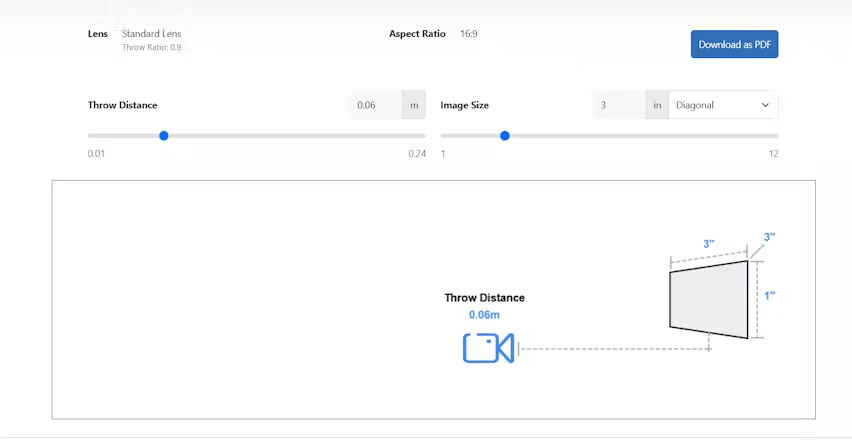
Throw distance is the distance between the projector lens and the screen. Each projector has a set throw ratio that helps you calculate the ideal distance for specific screen sizes. Small rooms often benefit from short throw or ultra short throw models because they produce large images with minimal space. If you are using a standard projector, place it where it meets the recommended throw distance range. A Home Theater Projector Placement Guide advises using the manufacturers throw calculator to avoid guessing. Proper throw distance ensures the image stays sharp, bright, and properly scaled for the room.
Optimize Ceiling or Wall Mount Placement
Mounting your projector on the ceiling or wall can save valuable space in small home theater rooms. Ceiling mounts are popular because they keep the projector out of the way and help maintain a clean layout. When choosing a mounting location, ensure the projector aligns with the center of the screen horizontally. Vertical alignment also matters, as misalignment can cause distortion. A Home Theater Projector Placement Guide recommends mounting the projector at the height specified by the manufacturer for the best optical performance. If you prefer wall mounting, choose a sturdy bracket and ensure the projector has enough ventilation.
Align the Projector with the Screen
One of the most important placement tips is aligning the projector lens perfectly with the screen center. In small rooms, even slight misalignment can lead to uneven edges or warped images. Although many modern projectors offer digital keystone correction, relying heavily on it can reduce image quality. Instead, position the projector physically so that the lens is level with the top or bottom of the screen frame, depending on your projector model. A Home Theater Projector Placement Guide emphasizes the importance of physical alignment over digital correction for maintaining sharpness and clarity.
Choose the Right Screen Size for the Room
It is tempting to choose the largest screen possible, but in small home theater rooms, bigger is not always better. A screen that is too large may overpower the room and strain your eyes. Choose a screen size that complements your seating distance and fits comfortably within your available wall space. Projector screens between 80 and 100 inches are typically ideal for small rooms. A Home Theater Projector Placement Guide suggests following the 1.5 times rule, meaning your seating distance should be at least 1.5 times the screen height for optimal viewing comfort.
Control Ambient Light
Ambient light can significantly affect projector performance, especially in small rooms where light sources are closer to the screen. Light from windows, lamps, or open doorways can wash out the image and reduce contrast. Use blackout curtains, dimmable lights, or wall colors that absorb rather than reflect light. A Home Theater Projector Placement Guide highlights that controlling ambient light is essential for achieving cinematic picture quality. The darker the room, the better your projector will perform.
Consider Projector Ventilation and Noise
Projectors generate heat and require proper airflow to function efficiently. In small rooms, poor ventilation can cause overheating and reduce the lifespan of your projector. Ensure the projector has enough space around its vents, especially if you are using a ceiling or wall mount. Projector noise can also be more noticeable in small rooms, so choose a model with a quiet cooling system. A Home Theater Projector Placement Guide advises checking the noise rating of the projector to avoid audio interference during movies.
Organize Cables and Power Connections
Cable management often becomes an issue in compact home theaters. Exposed cables can be distracting and create clutter in a small space. Use cable covers, cable ties, or in wall cable management systems to keep things tidy. Ensure power outlets are accessible from the projector mounting location. A Home Theater Projector Placement Guide recommends planning your cable pathways before installation to avoid last minute adjustments or exposed wiring.
Final Thoughts
Setting up a projector in a small home theater room requires careful planning, precise measurements, and strategic placement. By following a detailed Home Theater Projector Placement Guide, you can optimize screen size, viewing angles, and picture quality even in limited space. Whether you use a short throw, ultra short throw, or ceiling mounted projector, the key is to ensure proper alignment, ideal throw distance, and effective light control. With the right setup, your small room can deliver a truly immersive and cinematic experience that transforms your home entertainment.