Managing business assets becomes increasingly difficult as companies expand. Laptops, machinery, vehicles, tools, office equipment, medical devices, and other valuable resources can move between employees, departments, warehouses, branches, and project sites.
Without a centralized system, businesses often rely on spreadsheets, paper records, emails, and manual updates. This can lead to misplaced assets, inaccurate records, unnecessary purchases, missed maintenance, and limited visibility.
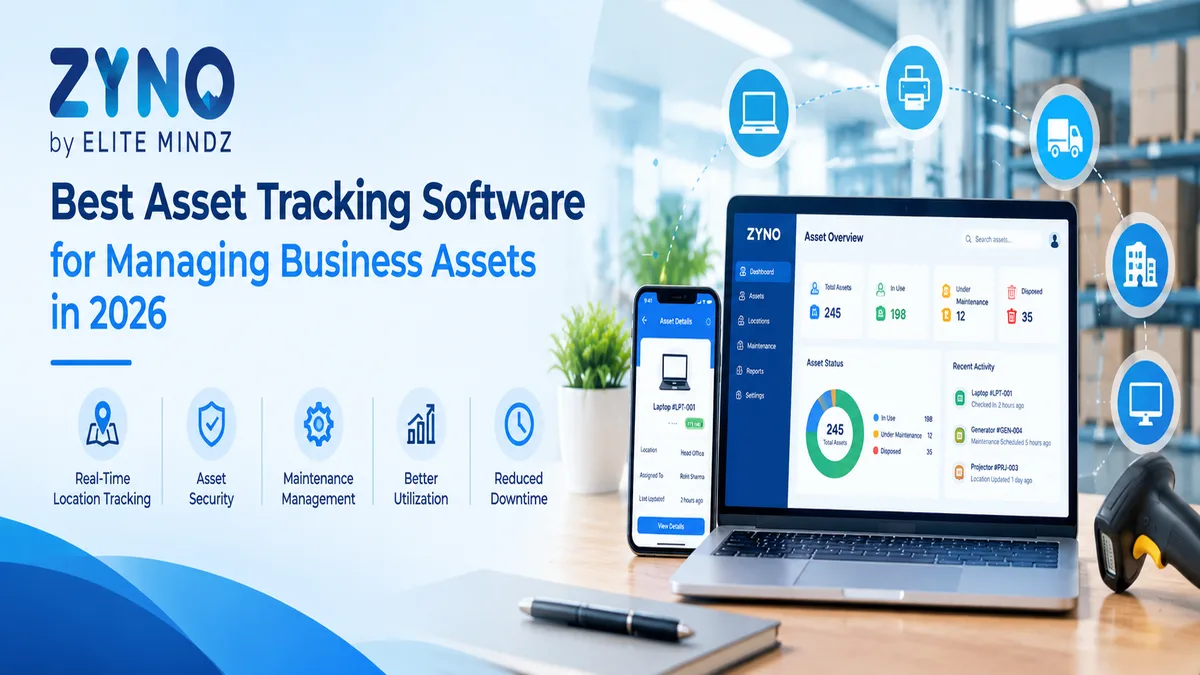
Asset Tracking Software provides a structured way to record, monitor, and manage business assets throughout their lifecycle. In 2026, businesses are increasingly looking for solutions that combine asset tracking with maintenance, reporting, automation, mobile access, and lifecycle management.
What Is Asset Tracking Software?
Asset Tracking Software is a digital solution that helps businesses monitor the location, ownership, status, condition, and movement of physical assets.
Depending on the platform, businesses can create digital asset records containing information such as:
- Asset name and category
- Serial number or identification number
- Purchase date and cost
- Current location
- Assigned employee or department
- Warranty information
- Maintenance history
- Current condition
- Asset status
- Depreciation information
A modern Asset Tracking System can also use QR codes, barcodes, RFID, GPS, or mobile applications to make tracking faster and more accurate.
Why Do Businesses Need Asset Tracking Software?
Manual asset tracking can work for a very small inventory, but it becomes harder to maintain as the organization grows.
For example, imagine a company with hundreds of laptops distributed across several offices. If an employee changes departments or returns a laptop, updating spreadsheets manually can easily result in outdated information.
Asset Tracking Software creates a centralized record that can be updated whenever an asset is assigned, transferred, repaired, returned, or retired.
This gives businesses better visibility and reduces dependence on manual processes.
Key Features to Look for in the Best Asset Tracking Software
Choosing the Best Asset Tracking Software requires looking beyond basic location tracking. Businesses should evaluate whether the software supports their complete asset management requirements.
1. Centralized Asset Database
A centralized database allows teams to maintain asset information in one location. Authorized users can quickly find details about assets without searching through multiple spreadsheets or documents.
2. Barcode and QR Code Tracking
Barcode and QR code capabilities can make asset identification easier. Employees can scan an asset using a compatible device and access its information quickly.
This is especially useful during audits, transfers, check-ins, and check-outs.
3. Asset Assignment and Transfers
The system should allow organizations to assign assets to employees, departments, locations, or projects.
When an asset moves, the transfer can be recorded to maintain an accurate history.
4. Maintenance Management
Tracking an asset's location is only one part of asset management. Businesses should also be able to monitor maintenance requirements.
The software can help schedule preventive maintenance, record repairs, track service history, and provide reminders for upcoming maintenance activities.
5. Asset Lifecycle Tracking
Asset Lifecycle Tracking helps businesses monitor an asset from acquisition through deployment, utilization, maintenance, transfer, and retirement.
Understanding the complete lifecycle can help organizations determine when assets should be repaired, replaced, upgraded, or retired.
6. Reporting and Analytics
A good system should provide reports on asset locations, assignments, maintenance costs, utilization, depreciation, and lifecycle status.
These reports can help management make better purchasing and replacement decisions.
7. Mobile Accessibility
Mobile access can be valuable for teams that manage assets in warehouses, factories, hospitals, construction sites, or multiple offices.
Employees can update asset information while working in the field instead of returning to a desktop computer.
Benefits of Asset Tracking Software
Improved Asset Visibility
Businesses can quickly identify what assets they own, where those assets are located, and who is responsible for them.
Reduced Asset Loss
Recording asset assignments and movements creates greater accountability and can make missing or misplaced equipment easier to identify.
Better Asset Utilization
Businesses can identify unused or underutilized assets and potentially reassign them instead of purchasing new equipment.
Lower Maintenance Costs
Maintenance schedules and service histories can help businesses move from reactive repairs toward preventive maintenance.
Faster Audits
Digital records and barcode or QR scanning can make physical asset verification faster and more organized.
Better Purchasing Decisions
Historical asset data can help businesses understand what they already own and avoid unnecessary purchases.
Business Asset Tracking Software for Different Industries
The requirements for Business Asset Tracking Software vary by industry.
IT and Technology
IT departments can track laptops, desktops, monitors, servers, networking devices, smartphones, and other technology assets.
Manufacturing
Manufacturers can use asset tracking to monitor machinery, production equipment, tools, and other operational resources.
Construction
Construction companies often manage equipment and tools across multiple project sites. Tracking can help teams identify where equipment is located and who is responsible for it.
Healthcare
Hospitals can track medical equipment, diagnostic devices, computers, beds, and other critical assets while maintaining maintenance records.
Education
Schools and universities can manage computers, projectors, laboratory equipment, furniture, and other institutional assets.
Retail and Warehousing
Retailers and warehouses can track equipment, scanners, POS devices, storage equipment, and other operational assets across locations.
Asset Tracking Software vs. Asset Management Software
Although the terms are sometimes used interchangeably, there is a difference.
Asset Tracking Software primarily focuses on identifying and monitoring the location, ownership, and movement of assets.
Asset Management Software generally provides broader capabilities, including tracking, maintenance, depreciation, lifecycle management, asset allocation, audits, reporting, and performance monitoring.
For businesses that need more than basic location tracking, an integrated Asset Management Software solution may provide greater long-term value.
How to Choose the Best Asset Tracking Software in 2026
Before choosing a solution, businesses should evaluate their current and future requirements.
Consider the following:
Number of assets: How many assets need to be tracked today, and how many are expected in the future?
Number of users: Determine which employees, managers, technicians, and administrators need access.
Locations: Check whether the system supports multiple offices, warehouses, branches, or project sites.
Tracking technology: Determine whether you need QR codes, barcodes, RFID, GPS, or other tracking methods.
Maintenance: If equipment requires regular servicing, look for integrated maintenance capabilities.
Integrations: Check whether the software can integrate with ERP, accounting, procurement, HR, or other business systems.
Reporting: Make sure the available reports provide the information management needs for decision-making.
Scalability: Choose a platform that can accommodate future growth without requiring a complete system replacement.
What Is Equipment Tracking Software?
Equipment Tracking Software is designed specifically to help organizations monitor equipment throughout its operational lifecycle.
It can be useful for businesses that manage machinery, tools, vehicles, medical equipment, construction equipment, or other high-value resources.
Depending on the solution, teams can monitor equipment location, assignment, usage, maintenance, condition, and service history.
Final Thoughts
Managing business assets effectively requires more than maintaining a list of equipment. Organizations need accurate information about where assets are located, who is using them, how they are performing, when they require maintenance, and when they should be replaced.
The Best Asset Tracking Software provides a centralized approach to managing this information while reducing manual work and improving visibility.
Whether a business needs basic tracking or a comprehensive Asset Tracking System with maintenance, reporting, mobile access, and Asset Lifecycle Tracking, the right solution should align with its operational requirements and growth plans.
In 2026, businesses should focus on usability, scalability, automation, integration capabilities, security, and overall value when selecting an asset tracking solution.
Frequently Asked Questions
1. What is Asset Tracking Software?
Asset Tracking Software is a digital system used to record, monitor, and manage business assets. It can track asset location, ownership, status, movement, condition, and other important information.
2. What is the Best Asset Tracking Software for a business?
The best solution depends on the organization's asset volume, users, locations, tracking requirements, maintenance needs, integrations, and budget. Businesses should compare solutions based on their specific requirements rather than choosing only by price.
3. How does an Asset Tracking System work?
An Asset Tracking System creates digital records for assets and allows businesses to monitor their location, assignment, movement, condition, and status. Many systems also support barcode, QR code, RFID, or mobile tracking.
4. What is the difference between Asset Tracking Software and Asset Management Software?
Asset Tracking Software focuses mainly on tracking assets and their movements, while Asset Management Software typically includes broader capabilities such as maintenance, depreciation, lifecycle management, audits, reporting, and asset utilization.
5. Can Asset Tracking Software reduce asset loss?
Yes. By recording asset assignments, transfers, locations, and status, businesses can improve accountability and identify missing or misplaced assets more efficiently.
6. Can small businesses use Asset Tracking Software?
Yes. Small businesses can use asset tracking solutions to manage laptops, equipment, tools, furniture, vehicles, and other resources. Cloud-based solutions can also provide scalable options as the business grows.
7. What is Asset Lifecycle Tracking?
Asset Lifecycle Tracking monitors an asset from acquisition and deployment through usage, maintenance, transfers, and eventual replacement or disposal. It helps businesses understand asset history and lifecycle costs.
8. Does Asset Tracking Software support barcode and QR codes?
Many modern solutions support barcode and QR code tracking. These technologies can make asset identification, inventory checks, transfers, and audits faster and more accurate.
9. What is Equipment Tracking Software used for?
Equipment Tracking Software helps organizations monitor the location, assignment, condition, usage, and maintenance of equipment such as machinery, tools, vehicles, and specialized devices.
10. What should businesses consider when choosing Asset Tracking Software in 2026?
Businesses should consider features, scalability, ease of use, tracking technology, mobile access, maintenance capabilities, reporting, integrations, security, implementation requirements, and total cost of ownership.