
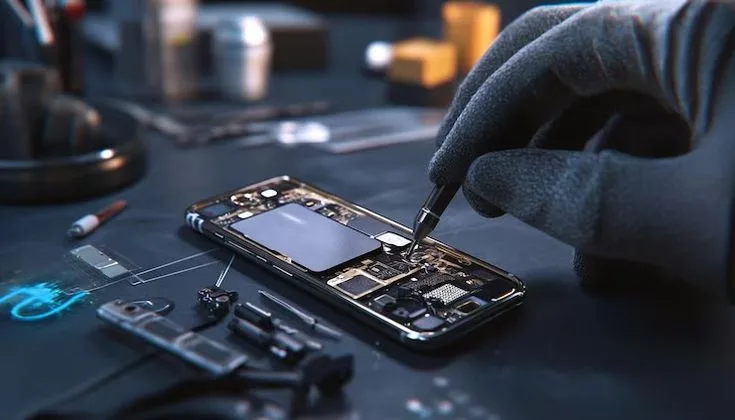
What You Need to Know About Apple Product Components: A Comprehensive Guide for 2026
Apple products are engineering marvels — but what powers them under the hood? Understanding the core components inside iPhones, MacBooks, and iPads can help consumers, repair technicians, and enthusiasts make smarter, more informed decisions in 2026.
Introduction
Apple Inc. stands at the forefront of consumer technology — not just because of beautiful design or polished software, but because of the extraordinary engineering that goes into every component inside its devices. From the silicon chips powering iPhones to the precision-engineered batteries in MacBooks, Apple's hardware story is one of relentless innovation, tight integration, and deliberate control over every piece of the puzzle.
In 2026, with Apple Silicon dominating the laptop and desktop space, and the iPhone 17 series pushing the limits of mobile computing, understanding what actually powers these devices is more relevant than ever. Whether you are a curious consumer, a business owner reliant on Apple hardware, or a repair professional with hands-on experience, knowing the anatomy of Apple products gives you a powerful advantage — in purchasing decisions, troubleshooting, and long-term maintenance.
This comprehensive guide walks you through every major component category inside Apple devices, explaining what each part does, why Apple chose it, and what it means for performance, repairability, and longevity.
The Apple Silicon Chip: The Brain of Every Device
The most transformative component in any modern Apple product is its custom-designed system-on-a-chip (SoC). Apple began transitioning its Mac lineup to its own silicon in 2020, and by 2026, the Apple Silicon architecture has become one of the most advanced chip platforms on the planet.
Unlike traditional computers that use separate components for the processor, graphics, and memory, Apple Silicon integrates everything onto a single die. This architecture — called Unified Memory Architecture (UMA) — allows the CPU, GPU, Neural Engine, and RAM to share a high-bandwidth memory pool, dramatically reducing latency and increasing efficiency.
Current Apple Silicon Lineup
ChipCPU CoresGPU CoresNeural EngineDeviceA18 Pro6-core6-core16-coreiPhone 17 ProM410-core10-core16-coreMacBook Air / ProM4 Pro14-core20-core16-coreMacBook Pro 14/16M4 Max16-core40-core16-coreMacBook Pro 16A17 Pro6-core6-core16-coreiPad Pro (2025)Key Insight: Apple designs its chips using TSMC's 3nm process node, making them among the most power-efficient processors available in any consumer device in 2026.
Display Technology: More Than Just a Screen
Apple's displays are among the most carefully engineered components in its products. The screens in iPhones, iPads, and MacBooks are not generic panels sourced off the shelf — they are custom-specified, calibrated, and often co-developed with suppliers to meet Apple's stringent standards.
OLED vs. Liquid Retina vs. Mini-LED
The iPhone 17 Pro series uses OLED panels with ProMotion technology — adaptive refresh rates ranging from 1Hz to 120Hz — enabling smooth scrolling while preserving battery life. The deep blacks and contrast ratios achievable by OLED make these displays industry-leading in color accuracy and brightness.
MacBook Pro models, particularly the 14-inch and 16-inch variants, use Liquid Retina XDR displays powered by Mini-LED backlighting technology. With thousands of local dimming zones, these displays can deliver HDR content with exceptional contrast — a significant advantage for creative professionals.
iPad Air and base iPhone models use Liquid Retina LCD panels, which, while not as premium as OLED, still deliver exceptional sharpness at 326 pixels per inch with True Tone color adaptation.
Battery and Power Management
Every Apple device contains a lithium-ion or lithium-polymer battery engineered for maximum energy density in the smallest possible footprint. Battery health, cycle count, and capacity are not random variables — they are the product of sophisticated power management systems built into the device hardware and firmware.
Key Battery Facts for Apple Products
- iPhone 17 battery: Approximately 3,900 mAh with 20W wired and 15W MagSafe wireless charging, designed to retain 80% capacity for at least 500 full charge cycles.
- MacBook Pro 16-inch: Up to 100Wh battery delivering 22+ hours of video playback, enabled by the M4 chip's extreme power efficiency.
- iPad Pro: An approximately 10,000 mAh battery with USB-C 45W fast charging support for all-day usage in demanding workflows.
Apple's Power Management IC (PMIC) monitors battery temperature, voltage, and current in real time — dynamically throttling performance during thermal events to protect battery lifespan.
Memory and Storage
Apple devices use two types of memory that are critical to performance: LPDDR5X RAM integrated within the SoC, and NAND flash storage for long-term data. The key distinction of Apple's approach is that neither component is user-replaceable — both are soldered directly onto the logic board.
RAM Configuration
Unlike PCs where RAM is often a separate module that users can upgrade, Apple's Unified Memory is embedded directly in the chip package. This allows for near-instantaneous data transfer between CPU and GPU, but it also means the RAM configuration chosen at purchase is permanent.
- iPhone 17 / 17 Plus: 8GB unified memory
- iPhone 17 Pro / Pro Max: 12GB unified memory
- MacBook Air M4: 16GB to 32GB unified memory
- MacBook Pro M4 Max: Up to 128GB unified memory
Storage and NAND Flash
Apple's NVMe-based storage is custom-engineered for speed. Typical read speeds in MacBooks exceed 7,000 MB/s, making file transfers, app launches, and virtual memory swapping nearly instantaneous. For iPhone and iPad, storage options range from 128GB to 2TB, using high-grade TLC NAND flash.
Camera Module: Computational Photography Powered by Hardware
The camera system in Apple's devices is one of the most complex component assemblies in any consumer product. The main camera module in an iPhone 17 Pro consists of multiple lens elements, optical image stabilization (OIS) actuators, a Sony-manufactured CMOS image sensor, and dedicated image signal processor (ISP) hardware — all working in concert with the Neural Engine inside the A18 Pro chip.
Primary Camera Components
- Image Sensor: Approximately 48MP main sensor with larger pixel size for improved low-light performance and dynamic range.
- Telephoto Lens: 5x optical zoom periscope lens with a tetraprism system for lossless zoom at greater distances.
- LiDAR Scanner: Direct time-of-flight sensor enabling instant autofocus in darkness and advanced augmented reality capabilities.
- Neural Image Signal Processor: Handles computational photography tasks like Photonic Engine processing, Cinematic Mode, and Action Mode stabilization entirely in hardware.
Repair Note: Camera modules are among the most delicate components in Apple devices. Improper handling during repair — particularly with flex cables — is a leading cause of post-repair camera failure.
Logic Board: The Central Hub
The logic board — what Apple calls the main PCB — is the central component that interconnects every other part of the device. In iPhones, it is a compact multi-layer circuit board with hundreds of components soldered to both sides. In MacBooks, it is a larger PCB that hosts the Apple Silicon chip, power delivery circuits, Thunderbolt controllers, and wireless chips.
Apple's logic boards are manufactured using advanced HDI (High Density Interconnect) PCB technology, with trace widths measured in micrometers. This allows extraordinarily dense component packing — which is why modern iPhones can fit so much functionality into such a thin form factor.
Wireless and Connectivity Chips
- Wi-Fi / Bluetooth: Apple-designed wireless chip combining Wi-Fi 7 (802.11be) and Bluetooth 5.3 in iPhone 17 series.
- 5G Modem: Apple transitioned to its own first-party 5G modem in iPhone 17, ending reliance on Qualcomm chips — a historic shift in component sourcing.
- Ultra Wideband (UWB): Apple's U2 chip enables precision spatial awareness for AirDrop, AirTag tracking, and CarPlay spatial audio.
- NFC: Handles Apple Pay, transit cards, and home/car keys with secure element integration.
Biometric Security Components
Security components are some of the most tightly controlled and integrated elements in Apple's hardware stack. These components are cryptographically paired to the Secure Enclave — a dedicated security processor within the main SoC — which means they cannot be replaced without Apple authorization procedures.
Face ID System
Face ID uses a sophisticated front-facing module called the TrueDepth camera system, which includes a dot projector, an infrared camera, and a flood illuminator. Together, these components project over 30,000 invisible dots onto the user's face to create a mathematical facial map that is stored securely in the Secure Enclave. Authentication occurs entirely on-device — Apple never stores or transmits biometric data.
Touch ID
Used in the iPad lineup and some MacBook Pro models, Touch ID uses a capacitive fingerprint sensor integrated into the power button or home button. Like Face ID, the fingerprint template is stored exclusively in the Secure Enclave and is component-paired — replacement sensors will not function for biometric authentication without re-pairing.
Thermal Management and Structural Components
Managing heat is a critical challenge in compact, powerful devices. Apple employs several strategies depending on the product category:
- MacBook Pro: Dual-fan active cooling system with a graphite thermal spreader over the SoC, heat pipes, and large venting channels designed for sustained performance under load.
- MacBook Air: Fanless passive cooling made possible by the thermal efficiency of Apple Silicon — the M4 chip's architecture generates so little heat that active cooling is unnecessary for most workloads.
- iPhone: A graphite thermal interface material (TIM) layer over the A18 chip and a copper heat spreader within the stainless steel or titanium chassis distribute heat without any active cooling mechanism.
Risks of Third-Party Components in Apple Repairs
One of the most important things to understand about Apple product components is that they are not interchangeable with third-party alternatives without consequence. Apple's component serialization — where each part's serial number is linked to the device's logic board — means that non-genuine parts may trigger warning messages, disable functionality, or cause system instability.
- Screens: Non-genuine displays may not support True Tone, ProMotion, or accurate color profiles.
- Batteries: Third-party batteries may not communicate health data correctly to the system, causing inaccurate charge readings.
- Cameras and biometric sensors: These are cryptographically paired and will not function identically after replacement with non-genuine parts.
Pro Tip from 16 Years of Experience: Always verify component authenticity before any Apple repair. Genuine Apple parts, even sourced through independent repair channels, will always outperform and outlast third-party alternatives in both performance and longevity.
Practical Tips for Apple Device Owners
- Understand repairability before buying: Some Apple models offer better self-repair support through Apple's Self Repair Program. Check the parts catalogue before purchase.
- Monitor battery health: Go to Settings → Battery → Battery Health to track cycle count and maximum capacity. Replace when below 80%.
- Avoid extreme temperatures: Apple's batteries and logic board components are rated for 0°C to 35°C operating range. Heat is a primary driver of premature component degradation.
- Choose certified repair centers: A technician with genuine experience in Apple hardware — ideally 10+ years — can identify component-level failures that diagnostic tools might miss.
- Back up before any repair: Even straightforward battery replacements involve opening the device. A backup ensures your data is never at risk.
- Ask about parts sourcing: A trustworthy repair center will always disclose whether they are using genuine Apple parts, Apple-certified refurbished components, or third-party alternatives.
- Do not ignore software-hardware warnings: iOS and macOS now display explicit warnings when non-genuine components are detected. These warnings exist for your protection.
Common Component Failures and What Causes Them
- Screen damage: The most frequent repair — caused by drops onto hard surfaces. ProMotion OLED panels are expensive but worth genuine replacement.
- Battery degradation: Natural wear after 500+ charge cycles. Fast charging accelerates degradation if used exclusively.
- Logic board failure: Often caused by liquid damage, short circuits from third-party chargers, or physical shock to the device. Microsoldering expertise is required for component-level repair.
- Camera flex cable damage: Frequently caused by improper repair procedures. Requires careful prying tools and experience to avoid.
- Charging port wear: USB-C ports in modern iPhones and MacBooks are durable but vulnerable to debris, corrosion, and physical damage from repeated plug insertions.
Emerging Component Trends for 2026 and Beyond
The Apple hardware ecosystem continues to evolve rapidly. Several notable component trends are shaping the direction of Apple's engineering in 2026 and the years ahead:
- Apple's own 5G modem: The shift to first-party 5G silicon eliminates a key external dependency and gives Apple unprecedented control over power consumption and connectivity performance.
- Foldable display components: Industry analysts and supply chain reports suggest Apple is developing crease-resistant OLED panels for a rumored foldable iPhone or iPad, requiring entirely new hinge mechanisms and display bonding technologies.
- AI hardware acceleration: The Neural Engine in Apple Silicon is being expanded with each generation to handle increasingly complex on-device AI tasks — from real-time translation to generative AI image processing — without cloud dependency.
- Recycled and sustainable materials: Apple continues increasing the use of 100% recycled aluminum, cobalt, and rare earth elements in its components, with a 2030 carbon-neutral product goal that will reshape its supply chain.
Conclusion
Apple products in 2026 are extraordinary feats of engineering — every component, from the A18 Pro's 3-nanometer transistors to the precision-machined titanium chassis of the iPhone 17 Pro, is designed with purpose, integration, and longevity in mind. Understanding these components is not just academic curiosity — it is practical knowledge that empowers better purchasing decisions, smarter repair choices, and deeper appreciation for the technology we depend on daily.
Whether you are considering a MacBook purchase, evaluating a battery replacement, or simply trying to understand why your iPhone's camera performs the way it does — the answer lies in the components. And the components, when designed and serviced correctly, tell a story of performance and precision that few other technology brands can match.
For device owners in Bengaluru and beyond, choosing a repair technician with genuine Apple hardware expertise — and 16 years of hands-on experience — ensures that every component inside your device is treated with the care and precision it was engineered to receive.