In today’s digital era, parenting extends beyond the physical world into the virtual one. With kids accessing smartphones at increasingly younger ages, the need to monitor and guide their online activities has become more critical than ever. This is where a parental control app plays a pivotal role.
If you’re a concerned parent looking for a smart way to protect your child online, a parental control app for Android can be your digital ally. In this blog, we’ll dive deep into how these apps work, their benefits, and why OneMonitar stands out as one of the most reliable parental monitoring apps available today.
Understanding the Parental Control App
A parental control app is a mobile or desktop-based application that allows parents to track, monitor, and manage their children’s device usage. These apps provide insights into how children use their smartphones, what content they access, how much screen time they consume, and who they interact with.
The goal isn’t to invade your child’s privacy but to create a balanced digital environment where they can learn, explore, and grow—safely.
Why You Need a Parental Control App for Android
Android is the most widely used mobile operating system in the world, making it the go-to choice for many families. But its open ecosystem can also make it vulnerable to inappropriate content, malware, or cyber threats.
Here’s why having a parental control app for Android is essential:
1. Control Screen Time
Kids spend hours glued to screens. A good app lets you set daily limits and enforce digital bedtime routines, promoting healthy tech habits.
2. Filter Inappropriate Content
Block harmful websites, mature content, and unsafe apps. You decide what’s safe for your child to explore.
3. Track App Usage
Know which apps are installed and how much time your child spends on each. You can even block or uninstall them remotely if needed.
4. Location Tracking
Get real-time GPS tracking to know where your child is. Set geo-fencing alerts so you're notified when they enter or leave certain areas.
5. Social Media Monitoring
Apps like WhatsApp, Snapchat, and Instagram are common among kids. A robust parental monitoring app for Android gives you access to chat logs, media files, and contact details.
Key Features of Modern Parental Monitoring Apps
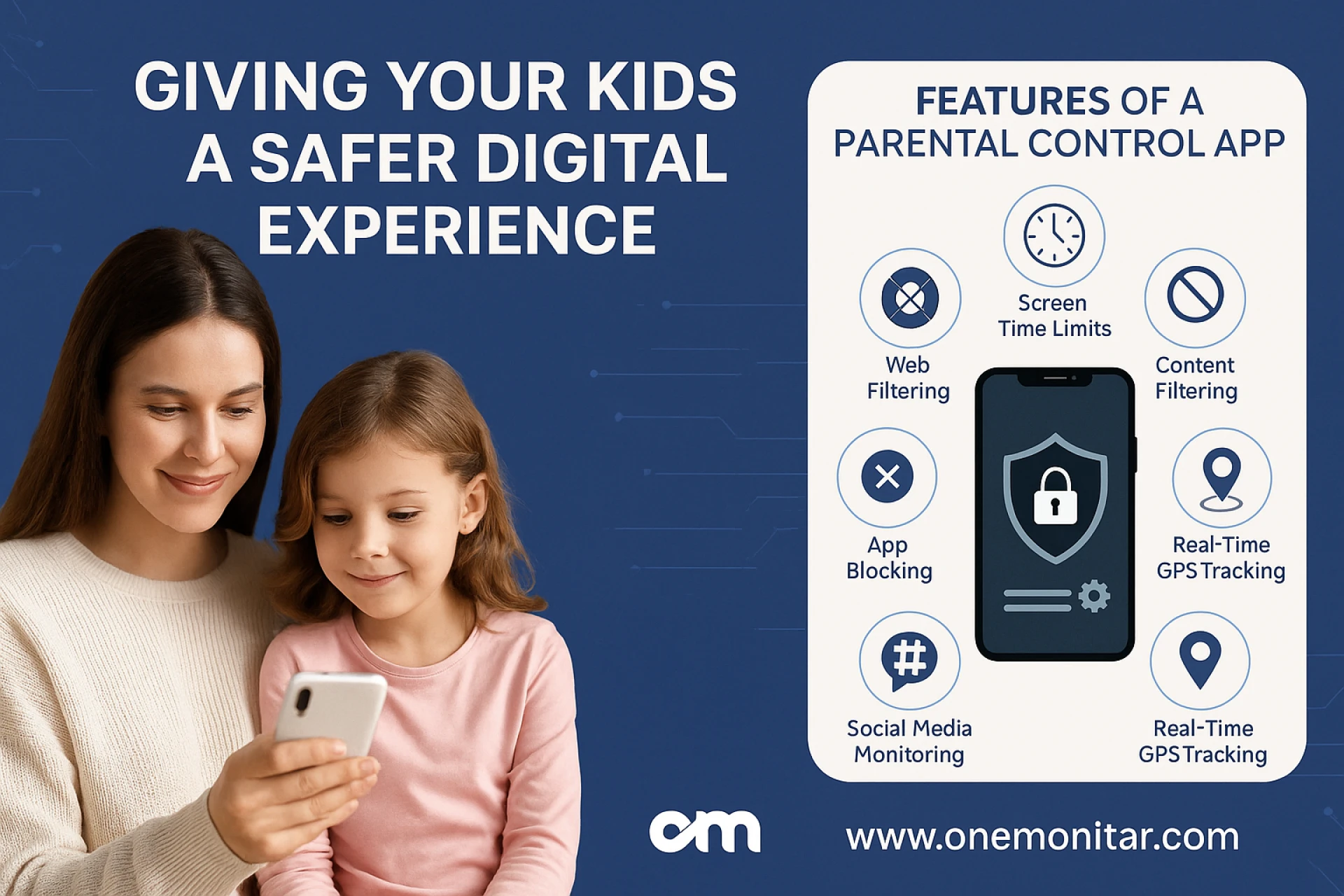
When looking for an effective monitoring app, choose one that balances functionality with ease of use. Here are some features that top parental monitoring apps should offer:
Feature Benefits
📱 App & Web Monitoring - Monitor installed apps, browsing history & app usage
📍 Real-time GPS Tracking - Always know your child's current location
⏰ Screen Time Controls - Limit phone use during school, meals, or bedtime
🔒 Content Filtering - Automatically block adult content & harmful websites
🗨️ Social Media Tracker - Keep tabs on messages, images, and shared content
📷 Photo & Video Access - View multimedia files stored or received on the device
⚠️ Activity Alerts - Get notified of suspicious activity or new app installs
OneMonitar – The Leading Android Parental Control App
OneMonitar is a feature-rich Android parental control app that empowers parents to oversee their child’s digital activity without micromanaging them. Trusted by thousands of families worldwide, OneMonitar is user-friendly, discreet, and extremely powerful.
Why Choose OneMonitar?
- Stealth Mode: Operates invisibly in the background
- All-in-One Dashboard: Easy to use interface for managing multiple devices
- Comprehensive Coverage: Monitor calls, messages, apps, GPS, and more
- Cloud Backup: Access logs and media from anywhere
- Secure & Encrypted: Your data stays protected with bank-level encryption
Whether your child uses a smartphone for study or play, OneMonitar helps you create a safer digital experience without constantly hovering over them.
How to Use a Parental Monitoring App for Android
Getting started is easier than you think. Follow these simple steps:
- Sign Up on OneMonitar
- Go to www.onemonitar.com and create an account.
- Install the App
- Follow the step-by-step guide provided after registration. It takes just a few minutes to install on your child’s Android device.
- Start Monitoring
- Log into your dashboard and begin tracking real-time activity, setting controls, and receiving alerts.
You don't need any technical knowledge. The app is designed for parents of all tech levels.
The Benefits Go Beyond Safety
Using a monitoring app doesn’t just keep your child safe. It also opens doors for better communication and healthier digital habits.
🧠 Encourage Digital Literacy
By showing your child how monitoring works, you educate them about online risks and responsible behavior.
🤝 Build Trust
When done with transparency and honesty, monitoring can foster mutual respect rather than secrecy.
📉 Reduce Screen Addiction
Setting limits and tracking behavior helps kids understand boundaries and prevents screen addiction.
Common Concerns Addressed
❓ Will My Child Know They Are Being Monitored?
You can choose between visible or hidden modes. For teens, a transparent approach can often work better and reinforce trust.
❓ Is It Legal?
Yes—if the child is a minor or you own the device. Most countries legally allow parents to monitor underage children’s online behavior.
❓ Can My Tech-Savvy Teen Disable the App?
Top-tier parental monitoring apps like OneMonitar are tamper-proof. The app runs silently and can't be uninstalled without permission.
Case Study: Real Parent Experiences
👨👩👧 A Father from Mumbai
“I was worried about who my daughter was chatting with on her new Android phone. Thanks to OneMonitar, I could view her chat history and guide her away from inappropriate conversations—without confrontation.”
👩 A Single Mom in Delhi
“My son’s screen time was out of control. The app helped me set daily limits, and now he finishes his homework before reaching for his phone.”
These are just a few of the thousands of success stories enabled by parental monitoring apps like OneMonitar.
Final Thoughts
Being a parent in 2025 means embracing tools that help you protect, guide, and support your child in a digital world full of possibilities and risks. A parental control app is no longer a luxury—it’s a necessity.
If your child uses an Android device, don’t wait until it’s too late. A parental control app for Android like OneMonitar ensures your child’s digital environment is as safe as your home.
From blocking inappropriate content to knowing where your child is and who they’re chatting with, the right parental monitoring app for Android gives you peace of mind without invading your child’s personal space.
Start building a safer digital future—one download at a time.
👉 Try OneMonitar Today
Visit www.onemonitar.com to start your free trial and take the first step in digital parenting.