A laptop is now a vital tool for everyday tasks. We use it for office work, online meetings, business communication, learning, entertainment, designing, coding, and many other activities. Because a laptop can stay with us for several hours every day, keeping it clean and maintaining it properly should be part of our regular routine.
Good Laptop Hygiene and Maintenance is not only about making your device look clean. It also involves using the laptop correctly, keeping it cool, managing storage, updating software, protecting the keyboard, and handling the device carefully.
The good news is that you do not need complicated equipment or advanced technical knowledge to take better care of your laptop.
Here are 7 practical Laptop Hygiene and Maintenance tips that can help you keep your device cleaner, healthier, and more efficient.
1. Laptop Hygiene and Maintenance Starts with Regular Cleaning
Regular cleaning is one of the easiest ways to take care of your laptop. During everyday use, dust, fingerprints, dirt, and small particles can collect on the keyboard, screen, touchpad, and outer surface.
A clean device provides a more comfortable working experience and is particularly important for laptops used in offices, shared workspaces, classrooms, and business environments.
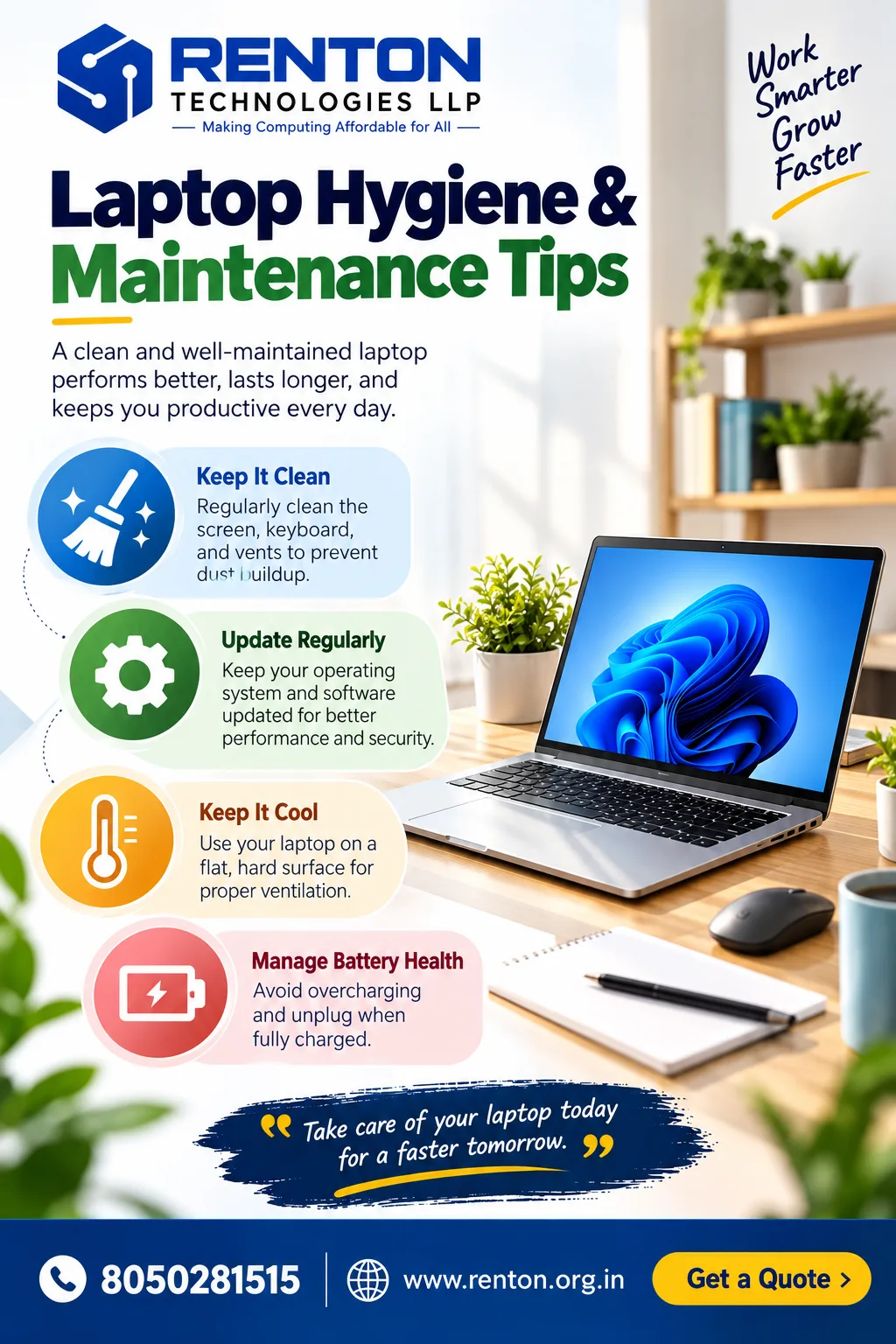
One of the most useful laptop cleaning tips is to switch off and unplug the device before cleaning it. Clean the laptop’s exterior and screen with a microfiber cloth, applying light pressure.
Avoid spraying liquid directly onto the laptop. Instead, if a suitable cleaning solution is required, apply a small amount to the appropriate cleaning cloth according to the manufacturer's recommendations.
Simple Laptop Hygiene and Maintenance Routine
- Wipe the screen gently with a microfiber cloth.
- Remove dust from the keyboard regularly.
- Clean the touchpad and palm rest.
- Keep ventilation openings free from dust.
- Avoid eating directly over the keyboard.
- Keep drinks away from the laptop.
For shared business laptops, cleaning should be included in the regular equipment-management routine.
2. Laptop Hygiene and Maintenance Includes Keeping the Keyboard Clean
The keyboard is one of the most frequently touched parts of a laptop. As a result, it can collect fingerprints, dust, food particles, and other debris.
Keyboard hygiene is a crucial part of overall laptop care. Avoid eating meals over your laptop whenever possible. Small crumbs can fall between the keys and become difficult to remove. Liquids can be even more dangerous because a spill may damage internal components.
Some practical laptop care tips for keyboard protection include:
- Keep food away from the laptop.
- Keep drinks at a safe distance.
- Clean the keyboard regularly.
- Avoid pressing keys unnecessarily hard.
- Do not use excessive moisture when cleaning.
- Keep your hands reasonably clean before prolonged use.
For businesses with multiple employees using shared equipment, establishing simple cleaning guidelines can help maintain a cleaner working environment.
3. Laptop Hygiene and Maintenance Means Keeping Your Laptop Cool
Heat is an important factor in laptop care. Laptops generate heat during normal operation, particularly when running demanding applications such as video editing software, engineering programs, development tools, or graphic design applications.
Proper ventilation allows the device to manage heat more effectively.
One of the most important laptop maintenance tips is to use your laptop on a hard, flat surface whenever possible.
Avoid using your laptop for extended periods on:
- Beds
- Blankets
- Sofas
- Cushions
- Airflow can be limited by soft materials
A desk or other firm surface is generally a better option.
Also make sure the laptop's ventilation areas are not blocked. If you notice unusually high temperatures, persistent fan noise, sudden shutdowns, or significant performance issues, professional inspection may be appropriate.
Good ventilation is a simple but valuable part of Laptop Hygiene and Maintenance.
4. Laptop Hygiene and Maintenance Requires Regular Software Updates
Taking care of your laptop is not limited to physical cleaning. Software maintenance is equally important.
Operating system updates, application updates, security patches, and driver updates can help maintain a stable and secure computing environment.
If you want to improve laptop performance, start by checking whether your operating system and frequently used applications are up to date.
Useful software-related laptop care tips include:
- Install operating system updates regularly.
- Keep your web browser updated.
- Remove applications you no longer use.
- Avoid installing software from unreliable sources.
- Keep sufficient free storage available.
- Back up important files.
- Use reputable security software.
Regular updates can also help address software bugs and compatibility problems.
However, updates should be installed through legitimate sources, and important business files should always be backed up before major system changes.
5. Laptop Hygiene and Maintenance Includes Managing Storage
A laptop can gradually become cluttered with downloads, duplicate documents, old installation files, unused applications, and temporary files.
Poor storage management can make it harder to find important documents and may contribute to a less efficient workflow.
As part of your Laptop Hygiene and Maintenance routine, review your storage periodically.
Start with a storage review—find the largest files and apps. Clear out unneeded items and keep vital documents organized in properly labelled folders.
Useful laptop maintenance tips include:
- Delete unnecessary downloads.
- Remove unused applications.
- Organize work documents by project.
- Clear unnecessary temporary files.
- Back up important business information.
- Use suitable cloud or external storage when necessary.
A well-organized laptop can make every day work easier because you spend less time searching for files.
For businesses, good storage practices are particularly important because laptops may contain project documents, customer information, reports, presentations, and other valuable files.
6. Laptop Hygiene and Maintenance Helps You Use Your Device More Efficiently
Laptop performance is influenced not only by hardware but also by how the device is used.
Opening too many unnecessary applications, keeping dozens of browser tabs active, or running demanding software without suitable hardware can affect your workflow.
One of the most practical ways to improve laptop performance is to use the device according to its capabilities.
For example, a laptop designed primarily for office applications may not be the best choice for advanced 3D rendering or professional video production.
Before purchasing or renting a laptop, consider what you actually need it to do.
Think about:
- Processor requirements
- RAM capacity
- Storage type and capacity
- Display requirements
- Graphics requirements
- Battery expectations
- Software requirements
These considerations are especially important for businesses.
A company that needs laptops for basic office work may require different specifications from a design agency, software development team, engineering company, or training institute.
Choosing suitable hardware from the beginning can contribute to better efficiency and reduce unnecessary hardware expenses.
7. Laptop Hygiene and Maintenance Includes Safe Handling and Transportation
A laptop may be well maintained at your desk but still become damaged through careless transportation.
When carrying your device between home, office, meetings, training centres, or events, use a suitable laptop bag or protective sleeve.
Protect your laptop by keeping heavy objects off it. Do not lift the laptop by its screen, and close the display gently rather than forcing it shut.
These simple laptop care tips can reduce avoidable physical damage.
If a business frequently transports multiple laptops for conferences, training programs, workshops, or temporary projects, proper packaging and transportation become even more important.
Companies that need additional devices for temporary requirements can also consider professional laptop rental services. Renting can be useful when businesses need multiple laptops without purchasing additional equipment for short-term requirements.
Laptop Hygiene and Maintenance Checklist for Everyday Use
Creating a simple routine makes Laptop Hygiene and Maintenance easier.
Daily
- Keep your laptop on a suitable surface.
- Keep food and drinks away from the device.
- Close applications you no longer need.
- Keep important files organized.
- Handle the screen and keyboard carefully.
Weekly
- Wipe the keyboard and exterior.
- Clean the screen gently.
- Review your downloads folder.
- Remove unnecessary files.
- Check whether your laptop is becoming unusually warm.
Monthly
- Check for software updates.
- Review storage usage.
- Back up important files.
- Check installed applications.
- Inspect ventilation areas.
- Review the overall performance of the laptop.
Following these laptop maintenance tips consistently is much easier than waiting until a problem becomes serious.
Laptop Hygiene and Maintenance for Office and Business Users
Businesses often have more complex laptop requirements than individual users.
Employees may work from different locations, share devices, travel frequently, or use laptops for specific projects. Training companies and event organizers may also need dozens or even hundreds of laptops for temporary use.
In these situations, Laptop Hygiene and Maintenance should be part of the company's IT equipment management process.
Businesses can create simple guidelines covering:
- Device cleaning
- Safe transportation
- Software updates
- Password and security practices
- Data backup
- Proper ventilation
- Hardware handling
- Reporting technical problems
Companies that require additional laptops for temporary employees, training sessions, conferences, events, or short-term projects can explore laptop rental as a flexible option.
With the right equipment and maintenance practices, businesses can support employees without unnecessarily increasing their long-term hardware inventory.
Laptop Hygiene and Maintenance: When Should You Get Professional Help?
Basic cleaning and routine maintenance can be handled by most users, but some problems require professional attention.
Consider getting your laptop inspected if you experience:
- Frequent overheating
- Unexpected shutdowns
- Unusual fan or hardware noises
- Battery swelling
- Charging problems
- Display issues
- Keyboard failure
- Very slow performance
- Repeated system crashes
Avoid opening internal components if you do not have the necessary technical knowledge.
Professional technicians can determine whether the problem is related to software, dust accumulation, battery health, storage, memory, cooling, or another hardware component.
This approach can prevent users from accidentally causing additional damage while attempting a repair themselves.
Final Thoughts: Laptop Hygiene and Maintenance
Good Laptop Hygiene and Maintenance does not have to be complicated.
Regular cleaning, proper ventilation, software updates, organized storage, safe handling, and responsible daily usage can all contribute to a better laptop experience.
The key is consistency.
Spending a few minutes each week on basic maintenance can help you identify potential problems earlier and keep your laptop ready for everyday work.
For businesses, maintenance becomes even more important when multiple devices are involved. Whether laptops are purchased, renewed, or rented, establishing clear care and usage practices can help create a more reliable IT environment.
If your business needs additional laptops for employees, training, events, conferences, or temporary projects, professional laptop rental can provide a flexible way to access suitable devices without purchasing hardware for every short-term requirement.
A clean laptop is easier to work with, a properly maintained laptop is easier to rely on, and the right laptop can make everyday tasks more efficient.
Frequently Asked Questions
1. What is the best Laptop Hygiene and Maintenance routine?
A good routine includes regular cleaning, proper ventilation, software updates, storage management, safe transportation, and careful everyday use. These basic laptop maintenance tips can help keep your device in good working condition.
2. How often should I clean my laptop?
The frequency depends on how often and where you use it. For regular users, light cleaning every week or two can be useful. Laptops used in dusty environments or shared workplaces may require more frequent cleaning.
3. What are the best laptop cleaning tips?
Some useful laptop cleaning tips include switching off the device before cleaning, using a soft microfiber cloth, keeping moisture away from openings, and avoiding direct application of liquid to the laptop.
4. Can Laptop Hygiene and Maintenance improve laptop performance?
Good maintenance can support reliable performance, although it cannot compensate for hardware limitations. Keeping software updated, maintaining sufficient storage, managing applications, and ensuring proper ventilation can help improve laptop performance.
5. What are the most important laptop care tips?
The most important laptop care tips include keeping the device clean, protecting it from liquids, using it on a hard surface, keeping ventilation areas clear, carrying it safely, and maintaining updated software.
6. How can I improve laptop performance without upgrading hardware?
To improve laptop performance, remove unnecessary applications and files, keep software updated, reduce unnecessary background programs, maintain adequate storage space, and ensure the laptop has proper ventilation.
7. Is it safe to clean a laptop with water?
Directly applying water to a laptop is not recommended. To prevent damage, avoid moisture entering the laptop’s openings. Clean only with a microfiber cloth or the manufacturer’s recommended method.
8. Why does my laptop become hot during use?
Laptops naturally generate heat during operation. Heavy workloads, blocked ventilation, dusty cooling areas, high ambient temperatures, or demanding software can contribute to increased heat. Persistent overheating should be professionally checked.
9. Does Laptop Hygiene and Maintenance matter for business laptops?
Yes. Business laptops may be used for many hours every day and may be shared between employees or transported between locations. Consistent cleaning, maintenance, software management, and safe handling can support a more reliable work environment.
10. Can laptop rental help businesses manage temporary requirements?
Yes. Laptop rental can be useful for businesses that need additional devices for short-term employees, training programs, conferences, events, workshops, or temporary projects. It can provide access to suitable hardware without requiring a long-term purchase.
11. What should I do if my laptop is running very slowly?
Start with basic laptop maintenance tips such as checking available storage, removing unused applications, closing unnecessary programs, installing updates, and restarting the device. If the problem continues, professional diagnosis may be useful.
12. How can businesses maintain multiple laptops efficiently?
Businesses can create standardized Laptop Hygiene and Maintenance procedures covering cleaning, software updates, storage management, safe transportation, security, and technical support. A consistent process makes managing multiple devices easier.