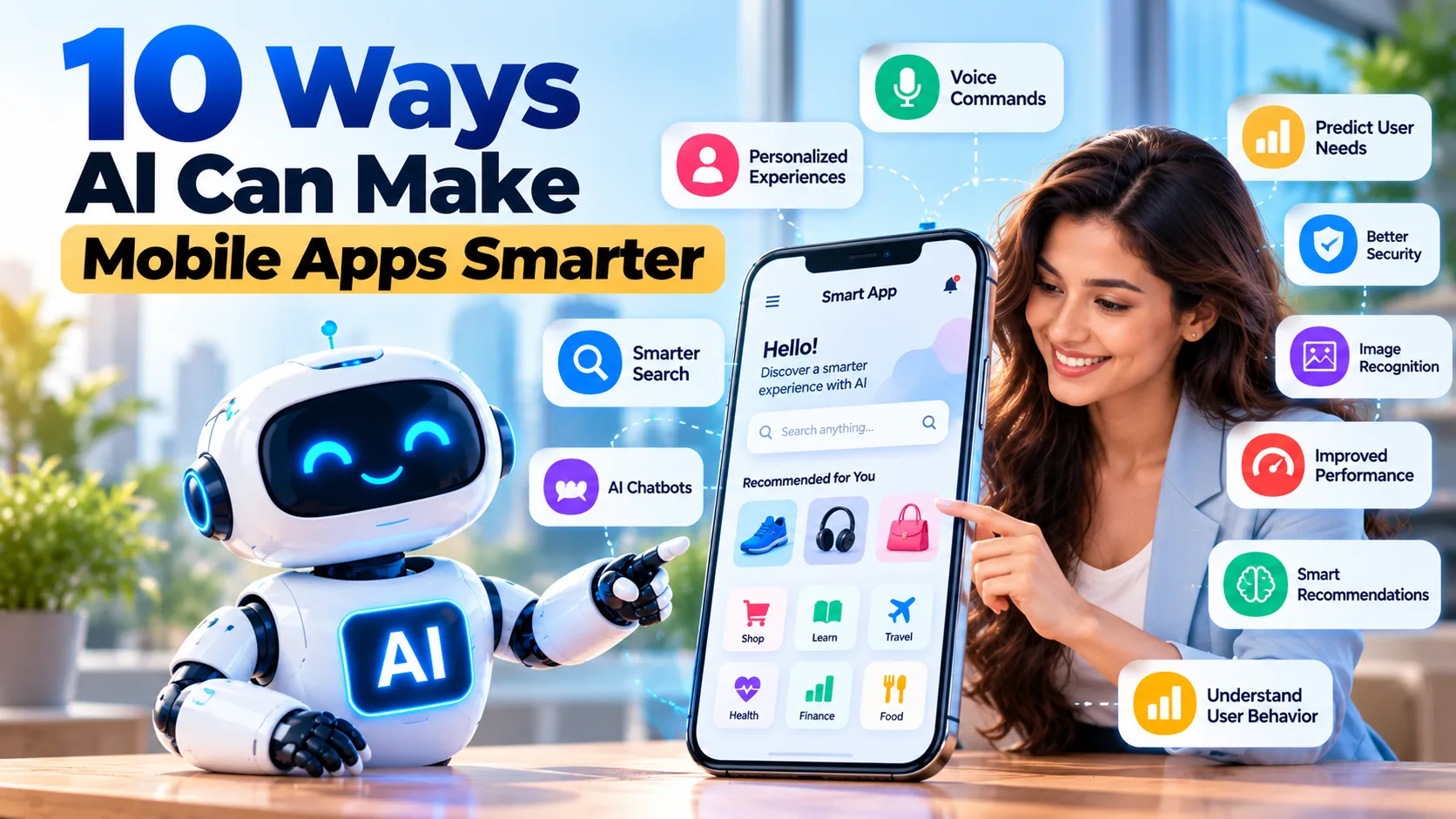
Mobile apps are now a part of everyday life. People use them to shop, learn, book services, manage money, and stay connected. As users expect better experiences, businesses need to make their apps more useful and easy to use. Artificial intelligence (AI) can help by adding smart features that save time and solve common problems.
Custom AI Development Services help businesses add useful AI features to their mobile apps. These features can suggest products, answer questions, understand voice commands, and improve search results. With the right plan, businesses can build apps that meet user needs, improve customer satisfaction, and support long-term growth.
1. Offer Personalized Experiences
Every user has different needs and interests. AI can study how people use an app and suggest content that matches their preferences.
For example, a shopping app can suggest products based on past purchases. A music app can recommend songs based on listening habits. A learning app can suggest lessons based on a student's progress.
These suggestions help users find useful content faster. They can also make an app more enjoyable to use.
Businesses should protect personal data and give users control over their privacy settings. This helps build trust while offering a more personal experience.
2. Make Search Faster and Smarter
Users may leave an app if they cannot find what they need. Basic search tools often depend on exact words, which can make results less useful.
AI can understand the meaning behind a search and show more relevant results. For example, a user looking for comfortable shoes for walking may see suitable products even if the product names use different words.
Some apps also let users search with pictures. A person can upload a photo of a chair or a dress to find similar items.
Smart search saves time and makes apps easier to use. Businesses should test search results often to make sure they remain useful and accurate.
3. Provide Quick Help with Chatbots
Users often have questions while using a mobile app. They may need help with an order, a payment, or a service. Waiting for a support team can make the experience frustrating.
AI chatbots can answer common questions at any time. They can share product details, explain simple steps, and help users find information.
For example, a travel app can help users check booking details. A shopping app can answer questions about delivery and returns.
Chatbots can reduce the workload of support teams. However, users should still be able to speak with a person when they have a complex problem.
4. Add Voice Commands
Typing on a phone is not always easy. Voice commands let users speak to an app instead of typing every word.
AI can turn speech into text and help an app understand simple requests. For example, users can search for products, set reminders, or ask a learning app to read content aloud.
Voice features can make apps easier to use for people who find typing difficult. They can also save time when users need to complete a task quickly.
For the best results, apps should handle common accents and different speaking styles. They should also ask for permission before using the microphone and protect any recorded data.
5. Predict What Users May Need
AI can study app activity to find patterns in how people use a service. These patterns can help an app offer useful reminders and suggestions.
For example, a fitness app can remind users about planned workouts. A shopping app can remind users about items left in their carts. A travel app can show booking details before a trip.
These features can help users complete tasks with fewer steps. They can also make an app more helpful.
However, predictions are not always correct. Businesses should avoid sending too many alerts and let users control their notification settings.
6. Improve App Security
Security matters when apps handle payments, personal details, or private files. AI can help spot unusual activity and flag possible risks.
For example, a payment app can flag a transaction that differs from a user's usual activity. An app may also detect unusual login attempts and ask for an extra security check.
These alerts can help businesses review possible threats sooner. AI can also support teams as they monitor app activity.
However, AI cannot stop every attack. Businesses still need strong passwords, secure data storage, regular updates, and proper testing. Important alerts should also be checked before action is taken.
7. Recognize Images and Objects
AI can help apps understand pictures and other visual information. This is useful for shopping, travel, education, and many business tools.
For example, a shopping app can let users upload a photo to find similar products. A travel app can help users learn about a landmark. A learning app can scan a page and show related lessons.
Some business apps can also read text from documents or check products for visible defects.
These features can make apps more useful and reduce manual work. Still, results may be wrong when images are dark, blurry, or unclear. Apps should also explain how they use images and protect user data.
8. Improve App Speed and Performance
Users expect mobile apps to load quickly and run smoothly. Slow screens, crashes, and repeated errors can lead people to stop using an app.
AI can help developers study app data and find patterns linked to poor performance. It may show which screens load slowly or where users face repeated errors.
For example, an app team may find that users often leave during the checkout process. Developers can then test changes to make checkout easier and faster.
AI can help find problems, but developers still need to test apps on different phones, operating systems, and network speeds.
9. Make Learning and Recommendations Better
AI can help apps adjust content based on user needs and progress. This is useful for learning, fitness, shopping, and other services.
For example, a learning app can offer easier questions when a student struggles with a topic. As the student improves, the app can suggest harder tasks. A fitness app can suggest activities based on a user's goals.
At this stage, businesses may need expert guidance to choose the right features and avoid wasting time on tools that do not solve real problems. AI Consulting Services can help teams review their goals, select suitable technologies, and plan how AI will work with their existing app.
The aim should be to make the app more useful, not to add features simply because they are popular. Testing with real users can help teams understand what works best.
10. Understand User Behavior
AI can help businesses learn how people use their mobile apps. It can study user activity, feedback, and common problems to show where an app may need improvement.
For example, an online store can check which pages lead to more sales. A booking app can find where users leave before completing a booking. A learning app can identify lessons that users often fail to finish.
These insights help app teams decide which features need attention first. They can also help businesses plan updates based on user needs.
Businesses should collect only the data they need and follow privacy rules. AI findings should be reviewed before major changes are made.
How to Add AI Features to a Mobile App
Adding AI does not mean changing the whole app at once. Businesses can start with one feature and improve it over time.
Follow these steps:
- Find a user problem: Identify what makes the app hard to use.
- Choose a feature: Start with smart search, a chatbot, or product suggestions.
- Check your data: Make sure the data is useful, accurate, and safe.
- Pick the right tools: Choose technology that fits your app and budget.
- Test the feature: Let a small group of users try it first.
- Measure the results: Check user feedback, errors, speed, and feature use.
- Make improvements: Fix problems and update the feature based on results.
Businesses should also plan for data safety, software costs, and future updates. This helps keep the app useful as user needs change.
Common Challenges of Using AI in Mobile Apps
AI can improve mobile apps, but businesses should also understand the possible challenges.
- Development costs: Some features need extra software, testing, and maintenance.
- Data privacy: Apps must protect personal details and follow privacy rules.
- Wrong results: AI may give incorrect answers or poor suggestions.
- App performance: Some features need more computing power or a stable internet connection.
- System setup: AI tools may need to connect with existing apps and databases.
- Regular updates: Features need testing and changes as user needs grow.
Businesses can manage these challenges by starting small, testing features, and checking results often. Human review is important when AI handles sensitive information or important decisions.
Conclusion
AI can make mobile apps smarter by helping users find information, get support, and complete tasks more easily. Features such as smart search, voice commands, personal suggestions, and image recognition can improve the user experience.
However, adding AI does not guarantee success. Businesses should choose features that solve real problems, protect user data, and test results before launch. They should also keep improving their apps as customer needs change.
With the right plan, AI Services & Solutions can help businesses choose useful features, connect AI with their mobile apps, and build better digital experiences. Starting with one clear goal can help companies control costs and see real value before adding more features.
Frequently Asked Questions (FAQs)
1. How does AI make mobile apps smarter?
AI helps apps suggest useful content, answer questions, understand voice commands, and spot unusual activity. These features can make apps easier to use.
2. Which AI features can be added to mobile apps?
Common features include chatbots, smart search, product suggestions, voice recognition, image recognition, and security alerts. The best choice depends on what users need.
3. Can small businesses use AI in their apps?
Yes. Small businesses can start with simple features such as chatbots or product suggestions. They can add more features as their needs grow.
4. Does AI make app development more expensive?
AI may add costs for software, testing, data storage, and updates. Costs depend on the feature and how it is built. Businesses should compare these costs with the expected benefits.
5. Can AI work without the internet?
Some AI features can run directly on a phone. Others need an internet connection to process data on a server. The right option depends on the feature, privacy needs, and device limits.