



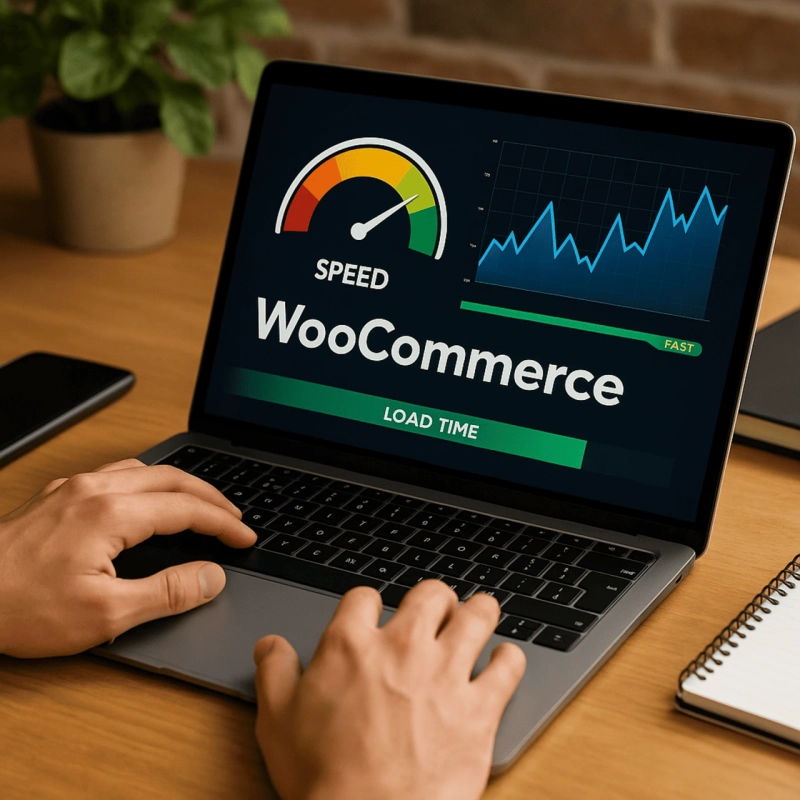
Speed is no longer just a technical number — it’s your sales engine.
In 2026, a slow WooCommerce store doesn’t just frustrate users; it silently kills conversions, lowers SEO rankings, and drains ad ROI.
According to Google’s Web Vitals report
, websites that load in under 2 seconds see up to 50% higher conversions and 36% lower bounce rates.
So, how can your WooCommerce store stay ahead in 2026?
Let’s break down the exact optimization steps that global brands — from India to the US and Europe — are using to deliver lightning-fast shopping experiences.
🔍 Why Speed Matters More Than Ever in 2026
Modern shoppers expect instant results. In fact:
70% of users leave a site if it takes more than 3 seconds to load.
A 1-second delay can drop conversions by 7%.
Google Core Web Vitals and AI Search (ChatGPT, Gemini, Perplexity) now rank sites by real performance metrics.
“In 2026, speed is not just a ranking factor — it’s your competitive advantage.” – Search Engine Journal
Fast stores don’t just load faster — they sell faster, rank higher, and retain more customers.
⚙️ Step 1: Benchmark Your WooCommerce Performance
Before improving speed, measure your current performance using these tools:
Google PageSpeed Insights
— Core Web Vitals report
GTmetrix
— full waterfall analysis
Pingdom Tools
— test global load times
WebPageTest.org
— real-world browser analysis
Query Monitor plugin — detect slow database queries
Ideal Performance Targets:
Load Time: < 2 seconds
LCP: < 2.5s
TTI: < 3s
TBT: < 150ms
💾 Step 2: Choose a High-Performance Hosting Environment
Your hosting provider forms your performance foundation.
Best WooCommerce Hosting Providers (2026):
SiteGround
Cloudways
WP Engine
Kinsta
Pro Tips:
Use PHP 8.2+, MariaDB/MySQL 8, and LiteSpeed or NGINX.
Pick a server closest to your main audience (e.g., Mumbai, Dubai, Virginia).
Enable Redis Object Cache for faster queries.
“Your WooCommerce speed begins with your hosting — not your plugins.” – WPBeginner
🖼️ Step 3: Optimize Images & Media
Images can make or break your load time.
Use next-gen formats like WebP and AVIF, compress with ShortPixel
or Smush
, and enable lazy loading for below-the-fold assets.
Checklist:
✅ Convert product images to WebP
✅ Resize before upload
✅ Use thumbnails for video embeds
✅ Offload videos to YouTube or Vimeo
🌎 Step 4: Use a Content Delivery Network (CDN)
A CDN ensures your site loads fast — everywhere.
Recommended CDNs:
Cloudflare
(Free + Enterprise options)
Bunny.net
(budget-friendly, ultra-fast)
Akamai
/ Fastly
(enterprise-grade)
Enable Edge Caching, Minification, and Image Optimization.
⚡ Step 5: Minify & Combine CSS, JS, and HTML
Reduce unnecessary scripts with tools like:
Autoptimize
WP Rocket
Perfmatters
✅ Combine & minify files
✅ Defer non-critical JS
✅ Inline critical CSS
✅ Delay tracking pixels (GA4, Meta Pixel)
🧠 Step 6: Clean & Optimize Database
Use WP-Optimize
or Advanced Database Cleaner to:
Delete post revisions, auto-saves, and spam comments
Clear expired transients
Schedule weekly cleanups
Convert MyISAM → InnoDB for better speed
🧩 Step 7: Implement Smart Caching Layers
Caching saves your server from reprocessing pages on every visit.
Top Plugins:
WP Rocket (best all-in-one)
W3 Total Cache (advanced users)
LiteSpeed Cache (if supported)
Use multi-layer caching:
Page Cache
Object Cache
Browser Cache
🎨 Step 8: Use a Lightweight WooCommerce Theme
Go with fast-loading, optimized themes:
Astra
GeneratePress
Blocksy
Neve
Keep it under 50 KB, minimal animations, and fully Gutenberg-compatible.
💳 Step 9: Boost Checkout Performance
Simplify checkout → increase conversion.
Use 1-page checkout
Remove distractions
Auto-fill fields for logged-in users
Add UPI, Razorpay, PayPal, Stripe for local/global customers
Enable AJAX cart updates
Faster checkout = more completed orders.
📱 Step 10: Optimize for Mobile Speed
With 75% of e-commerce sales on mobile in 2026, mobile speed is crucial.
Action plan:
✅ Use responsive layouts
✅ Implement AMP or PWA
✅ Reduce third-party scripts
✅ Test using Chrome DevTools
✅ Compress mobile images
🔧 Step 11: Enable GZIP or Brotli Compression
Enable Brotli (better than GZIP) for file compression — reduces transfer size by up to 80%.
Most modern servers support this by default.
📊 Step 12: Monitor & Continuously Improve
Speed optimization = ongoing process.
Monitor using:
Google Search Console
GA4
Core Web Vitals reports in Looker Studio
Re-test performance after design or plugin changes.
⚡ WooCommerce Speed Optimization Checklist (2026)
✅ Managed Hosting (Cloudways / SiteGround)
✅ CDN (Cloudflare or Bunny.net)
✅ WebP Images + Lazy Loading
✅ Page/Object/Browser Caching
✅ CSS/JS Minification
✅ Weekly DB Cleanup
✅ Lightweight Theme
✅ Optimized Checkout
✅ GZIP/Brotli Compression
✅ Ongoing Monitoring
💬 FAQs
Q: How can I speed up my WooCommerce site in India?
A: Host locally (Mumbai server) + use Cloudflare CDN for global reach.
Q: Ideal WooCommerce load time in 2026?
A: Under 2.5 seconds for both desktop and mobile.
Q: Which hosting suits high-traffic WooCommerce stores?
A: Cloudways
with Redis + Cloudflare CDN.
Q: Does speed affect SEO in Indian markets?
A: Absolutely — faster sites dominate Google India results.
Q: Can BlazeDream help with optimization?
A: Yes — our WooCommerce performance optimization services
boost speed, UX, and sales for stores worldwide.
🚀 Conclusion
In 2026, speed = sales.
A faster WooCommerce store ranks higher, converts better, and retains more customers.
By combining hosting, CDN, caching, and content optimization, you can outperform competitors across India and global markets.
If you’re ready to supercharge your WooCommerce site, partner with the experts.
📩 Email: reach@blazedream.com
🌐 Website: www.blazedream.com
BlazeDream — Empowering global brands with next-gen WooCommerce performance, SEO, and conversion optimization.