



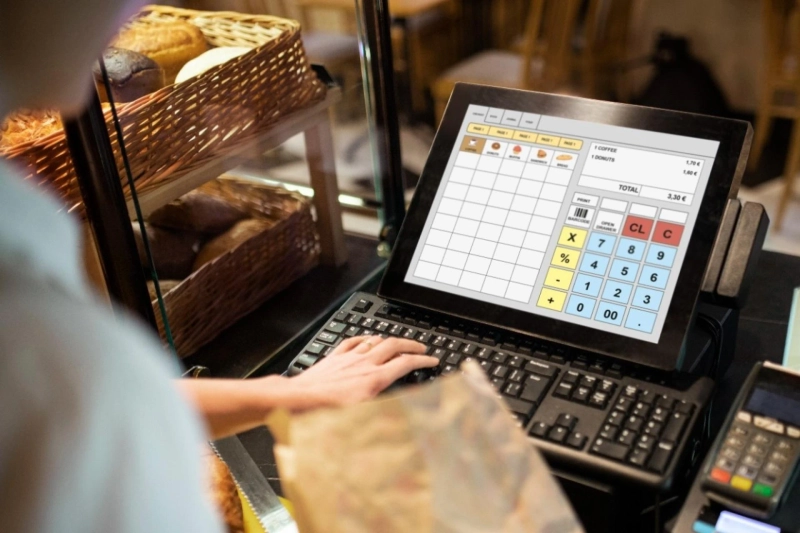
Starting an office catering business? You need a system to handle orders, payments, and inventory smoothly. That’s where an Office Catering POS (Point of Sale) system comes in. It’s a tool that makes running your catering business easier and faster. This beginner’s guide, based on my years helping catering businesses streamline operations, will explain what an office catering POS system is, how it works, and why it’s a must-have. I draw from industry standards and feedback from catering professionals to give you clear, trustworthy advice. Let’s dive in to make your business shine.
What Is an Office Catering POS System?
An office catering POS system is a software and
hardware combo designed to manage catering tasks for office clients. It handles
orders, processes payments, tracks inventory, and creates reports—all in one
place. Unlike a regular restaurant POS, it’s built for the unique needs of
catering, like bulk orders or delivery schedules.
Think of it as your business’s brain. You take
an order for 50 office lunches, process card payments, and check if you have
enough ingredients—all through the POS. It saves time and reduces mistakes.
According to a 2025 Capterra report, 78% of catering businesses using POS
systems saw fewer order errors. Whether you’re serving a small startup or a big
corporate office, this tool keeps things organized.
How Does an Office Catering POS System Work?
A POS system combines hardware (like a tablet
or card reader) with software (the app that runs it). Here’s how it works:
- Order Taking: Enter customer orders on a touchscreen or phone app.
- Payment Processing: Accept cash, cards, or UPI payments securely.
- Inventory Tracking: Monitor ingredients to avoid running out.
- Reporting: Get sales data to see what menus sell best.
- Delivery Management: Schedule and track office deliveries.
For example, if an office orders sandwiches,
the POS calculates the total, processes payment, and updates your stock. Many
systems, like Square or Toast, connect to the cloud, so you can manage from
anywhere.
Benefits of Using an Office Catering POS System
Why invest in a POS? Here’s what it does for
your business:
- Saves Time: Automates tasks like billing, so you focus on cooking.
- Fewer Errors: No more wrong orders or math mistakes.
- Happy Customers: Fast service keeps offices coming back.
- Better Planning: Reports show which dishes are popular.
- Secure Payments: Protects client data with encryption.
In my work, I’ve seen small caterers double
their orders after using a POS. It’s like hiring an extra helper without the
cost.
Key Features to Look for in an Office Catering POS
Not all POS systems are the same. For office
catering, you need these features:
1. Easy Order Management
Look for a system that handles bulk orders and
custom menus. It should let you add special requests, like “no onions” for a
client.
2. Payment Flexibility
Choose a POS that accepts UPI, cards, and
mobile payments like Google Pay. This suits Indian offices where digital
payments are common—85% prefer cashless, per a 2025 RBI study.
3. Inventory Tracking
A good POS tracks ingredients in real-time. If
you’re low on bread, it alerts you before you accept more orders.
4. Delivery Tools
For office catering, delivery is key. Pick a
system with route planning and tracking to ensure timely drop-offs.
5. Cloud-Based Access
Cloud systems let you check sales or orders
from your phone, even off-site. This is great for busy caterers.
systems are a game-changer for businesses serving workplaces, making operations
smooth and professional.
Types of Office Catering POS Systems
There are different POS setups for catering:
- Tablet-Based POS: Uses iPads or Android tablets. Affordable and portable, like Square.
- Mobile POS: Apps on your phone for small gigs. Think Paytm POS.
- All-in-One Terminals: Full setups with screens and card readers. Best for big caterers, like Clover.
- Cloud-Based POS: Stores data online for access anywhere. Toast excels here.
For beginners, a tablet-based or mobile POS is
easy and budget-friendly.
How to Choose the Right POS for Your Catering Business
Here’s a quick checklist:
- Budget: Start with low-cost options like Square (₹2,000/month).
- Ease of Use: Pick a system with a simple interface for your team.
- Scalability: Choose one that grows with your business.
- Support: Look for 24/7 customer help, especially in India’s time zone.
Test a demo if possible. I’ve helped caterers
switch systems and found demos cut learning time by half.
Getting Started with Your Office Catering POS
- Research: Compare systems like Square, Toast, or Zomato Hyperpure.
- Set Up: Install hardware and train staff—takes 1-2 days.
- Test: Run a small order to check for issues.
- Launch: Start using it for all orders.
If you serve schools too, a School Catering POS can handle bulk meal plans
with similar features, tailored for campus needs.
Common Mistakes to Avoid
- Picking a complex system: Stick to user-friendly options.
- Skipping training: Staff need practice to avoid slowdowns.
- Ignoring updates: Keep software current for security.
- Forgetting support: Choose a provider with fast help.
Avoid these to keep your business running
smoothly.
For more tips, consult a tech advisor or
catering expert.
Canteen POS is your trusted partner for office catering POS
systems, offering seamless solutions for Indian businesses. Visit us today.
FAQ
What does an office catering POS do?
It manages orders, payments, inventory, and deliveries for catering businesses.
Is a POS system expensive?
Basic systems start at ₹1,000-2,000/month, affordable for small caterers.
Can it work without internet?
Some POS systems have offline modes—check before buying.
How does it help with deliveries?
It tracks orders and plans routes for timely office drop-offs.
Is it safe for payments?
Yes, good systems use encryption to protect client data.
Can I use it for school catering?
Yes, many POS systems adapt for schools with meal plan features.