



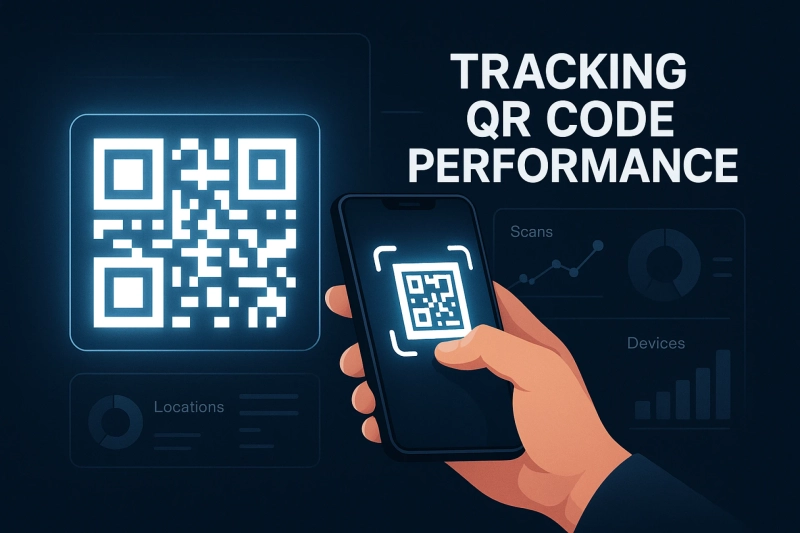
QR codes have become a powerful bridge between offline and online content. Whether they appear on packaging, posters, receipts, emails, or restaurant tables, they give users a quick, effortless way to reach your digital pages.
But creating a QR code is only the beginning.
If you want real results, you need to understand how people interact with your codes — and that’s where analytics come in.
In this guide, we’ll explore what QR code tracking actually measures, why it matters, and how you can start collecting valuable insights using dynamic QR codes from generate-qr-code.com.
Why Analytics Matter for QR Codes
Every time someone scans a QR code, they show intent — curiosity about a product, an interest in an offer, a need for more information.
By tracking these scans, you can gain insights that help you:
- See which campaigns attract the most engagement
- Understand where your audience is located
- Identify your strongest marketing channels
- Improve the placement and design of your QR codes
- Make smarter decisions based on real behavior
Without tracking, you’re essentially flying blind.
With analytics, you can refine your marketing strategy and increase conversions.
Static vs. Dynamic QR Codes: Which One Tracks Scans?
You can create two different types of QR codes, but only one supports analytics.
Static QR Codes
- Contain a permanent URL
- Cannot be changed or updated
- Do not collect scan data
- Good for unchanging content
- Best for simple personal or long-term use cases
Dynamic QR Codes
- Use an editable, redirect-based link
- Allow you to update the destination anytime
- Provide full analytics and tracking capabilities
- Ideal for marketing, promotions, and business campaigns
If your goal is to measure performance, dynamic QR codes are the only choice.
You can generate them easily at generate-qr-code.com.
What QR Code Analytics Can Show You
Dynamic QR codes record non-personal, useful data points every time someone scans them.
Here’s what you can typically track:
1. Total Scans
Shows how many times your QR code was used overall — great for measuring interest.
2. Unique Scans
Tells you how many different users scanned your code, giving you an idea of reach.
3. Geographic Location
Provides general location data (city, region, country).
Perfect for local or multi-region campaigns.
4. Time and Day of Scans
Helps you see when people engage most — lunch hour, evenings, weekends, etc.
5. Device Type
Shows whether scans came from:
- Android
- iPhone
- Tablet
- Desktop browser
This helps you optimize landing pages and user experience.
How QR Code Tracking Works Behind the Scenes
Dynamic QR codes don’t store the final destination directly.
Instead, they use a short redirect link. When someone scans the code:
- The scan passes through a tracking server
- The data is logged (location, device type, timestamp)
- The user is instantly forwarded to your target page
The process is nearly instant — the user never notices.
You simply get detailed analytics in your dashboard whenever you sign in.
How to Set Up Tracking for Your QR Codes
Setting up tracking is fast and requires zero technical knowledge.
- Visit generate-qr-code.com
- Enter the URL you want to share
- Choose Dynamic QR Code
- Customize the design (colors, shapes, logo)
- Generate your code
- Sign up or log in to view your analytics dashboard
Your scan data begins collecting the moment your QR code is used.
Best Practices for Better QR Code Insights
To get accurate and useful data, keep these practices in mind:
Use clear naming
Label your QR codes based on campaign or location (e.g., “Storefront-Poster-March”).
Create separate codes for each placement
Use individual QR codes for different materials — posters, flyers, packaging — to compare performance.
A/B test colors and CTAs
Small design changes can increase scan rates significantly.
Add UTM parameters
This allows you to track QR code traffic inside Google Analytics too.
Check trends regularly
Look for peaks, drops, and patterns to understand what drives engagement.
Examples of How Businesses Use QR Code Analytics
- Retail brands analyze which in-store displays get the most scans
- Restaurants observe menu scan times to optimize staff schedules
- Event organizers measure which entrances and areas generate more traffic
- Startups track market interest by city or region before expanding
With analytics, your QR codes become more than just shortcuts — they become insight-generating tools.
When Static QR Codes are Still the Right Choice
Static QR codes make sense when:
- Your link will never change
- You don’t need tracking
- You want a quick, no-login solution
- You’re sharing simple info like a contact page
For most marketing-focused needs, dynamic codes offer more value — but static codes still have their place.
Final Takeaway
QR code analytics help you turn simple scans into actionable data.
By using dynamic QR codes, you can measure performance, optimize your campaigns, and understand your audience on a deeper level.
If you want to start tracking scans and improving your results, you can create your own dynamic QR codes in minutes at generate-qr-code.com.