



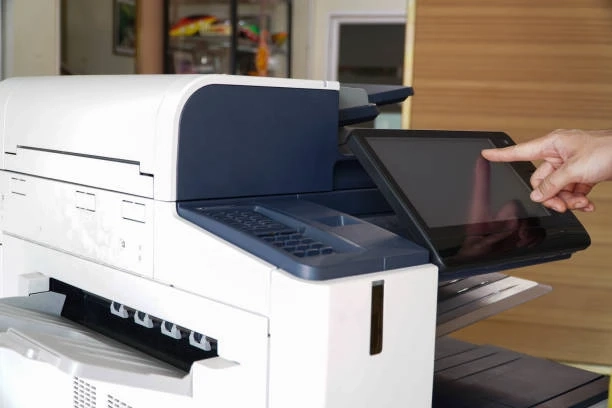
In a world where digital workflows are increasingly dominant, office printers remain essential for document-heavy businesses, legal firms, schools, marketing departments, and administrative hubs. Office printing in 2026 isn’t just about toner and speed anymore—security, connectivity, sustainability, and intelligent software play a role in the decision.
Why Choosing the Right Printer Brand Matters in 2026
Before we dive into the brands, let’s acknowledge why printer choice still matters in 2026:
- Integration with cloud services and hybrid workflows means employees print from multiple locations and devices.
- Security is paramount—printers can be an entry point into business networks if not properly secured.
- Total cost of ownership (TCO) includes not just the initial price but ink/toner costs, maintenance, and uptime.
- Reliability and scalability determine how smoothly your office operations run.
- Sustainability—energy use and recyclable components—are increasingly part of procurement decisions.
A quality brand does more than print pages—it supports your business goals.
Canon — Balanced Performance and Professional Results
When most IT managers think of reliable office printers, Canon almost always comes up near the top. Canon office printers and multifunction devices (especially the imageRUNNER and imageCLASS series) are known for performance, reliability, and output quality—especially in colour.
What Canon Does Best
1. Outstanding Image and Document Quality
Canon leverages strong imaging technology to deliver sharp text and rich colour—ideal for professional reports, marketing materials, and presentations. The brand’s print engines and imaging algorithms are consistently praised for quality.
2. Broad Office Capabilities
Canon’s product range covers everything from compact desktop multifunction printers to mid-size office laser units and large fleet-ready devices. Whether you need simple printing or a full multifunction workflow (print/scan/copy/fax), there’s a Canon for it.
3. Advanced Scanning & Workflow Tools
Many of Canon’s office systems include powerful scanning features and document management integration (like support for cloud services and OCR tools). This makes digitising and organising documents much easier.
4. Security Features
Canon’s office devices often incorporate robust security layers—including encrypted storage and malware protection—to safeguard corporate data.
Ideal For
- Offices needing quality colour and text printing
- Departments that scan, archive, and route documents regularly
- Businesses that manage larger fleets
Sample models to consider (business-focused, though more consumer prints exist):
- Canon imageRUNNER ADVANCE series
- Canon imageCLASS X-series (efficient laser multifunction printers)
These aren’t shown below but illustrate the depth of Canon’s business lineup.
Sharp — Robust Mid-to-High Volume Office Workhorses
Sharp might be less famous among casual buyers than Canon or HP, but in many business environments—especially mid-to-large offices—Sharp multifunction printers are known for excellent productivity, security, and ease of integration.
What Sharp Does Best
1. Productivity at Scale
Sharp’s business printer and MFP lineup (especially the BP and MX series) is designed for fast page output and reliable document handling—crucial in busy office settings.
2. Strong Security Suite
Many Sharp models include multi-layered security, advanced user authentication, and integration with device management systems, making them well-suited for workplaces where data protection matters.
3. Flexible Device Sizes
From A4 desktop units for smaller teams to high-capacity A3 multifunction systems with advanced feeders and high paper capacities, Sharp covers diverse office needs.
4. User-Friendly Interfaces
Touchscreen controls, mobile printing support, and cloud integrations make Sharp printers accessible to users of all skill levels, reducing training overhead.
Ideal For
- Medium-sized to large offices with substantial printing needs
- Businesses that prioritise secure document workflows
- Teams looking for scalable multifunction devices
HP — The All-Rounder with Smart Features
HP remains one of the most widely recognised printer brands globally. Their office lineup ranges from small-business-friendly all-in-one machines to robust LaserJet and PageWide devices for larger enterprises.
What HP Does Best
1. Broad Product Range
HP’s ecosystem includes everything from entry-level office printers to advanced multifunction and high-volume laser printers—making it a versatile choice for almost any environment.
2. Innovative Features & Connectivity
HP has been rolling out AI-enhanced printing experiences like HP Print AI, which can clean up web print jobs, optimise layouts, and streamline workflows directly from the device. This type of smart printing innovation points toward where office printing is heading.
3. Strong Cloud & Mobile Integration
HP’s cloud printing solutions (e.g. HP+ features) enable remote printing, easy device management, and seamless connectivity with smartphones and cloud storage platforms.
4. Good Speed & Cost Balance
HP printers—especially LaserJet for text-heavy jobs—offer robust speed and efficient toner usage. Large offices or departments with heavy document output often benefit from this balance.
Ideal For
- Small to large offices seeking flexibility
- Businesses that value cloud/mobile workflows
- Teams that want smart printing tools and features
How to Choose for Your Office
When deciding between Canon, Sharp, and HP, ask yourself:
How much printing do you do monthly?
- Light to moderate: HP all-in-one or basic Canon models
- Heavy office workflows: Sharp or Canon multifunction systems
Do you need advanced scanning and document workflows?
- Yes → Canon’s imaging and scanning tools excel
- Yes, with cloud integration → HP’s AI and cloud solutions help
Is security a priority?
- Sharp and Canon’s enterprise devices offer strong protections
- HP provides solid baseline but confirm features on specific models
What’s your budget?
- Entry-level office devices → HP / entry Canon series
- Mid-size to large enterprise → Sharp or higher-tier Canon models
Final Thoughts
There’s no one-size-fits-all answer when it comes to office printers in 2026, but understanding the strengths of each brand helps narrow your choice:
- Canon wins for print quality and multifunction versatility.
- Sharp shines in secure, high-volume office environments.
- HP delivers broad flexibility with smart, connected features.