



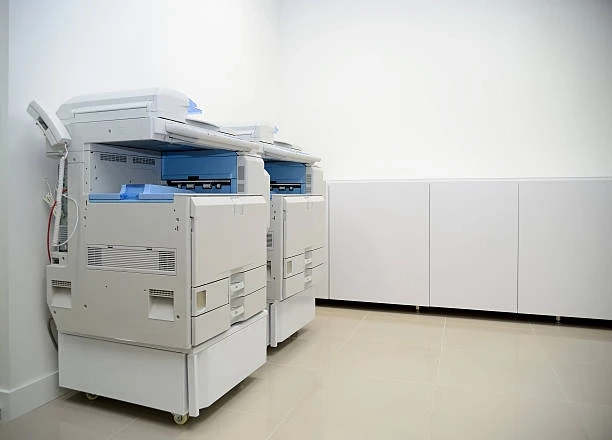
In today’s fast-paced business environment, having the right printer is no longer just about putting ink on paper—it’s about efficiency, quality, and the ability to make a lasting impression. Whether you’re running a small office, a creative studio, or a growing enterprise, the question of whether to upgrade to a color printer is one many businesses face.
With advancements in printing technology, color printers are no longer just a luxury—they’re a necessity for businesses that rely on professional-looking documents, presentations, marketing materials, or creative projects. But with so many options on the market, choosing the right color printer can be overwhelming. That’s why we’ve put together a comprehensive buyer checklist to help guide your decision.
Why Upgrade to a Color Printer?
Before diving into the specifics, let’s explore why upgrading to a color printer could benefit your business.
1. Enhanced Presentation and Branding
Color documents immediately make a stronger impression than black-and-white copies. Whether it’s a client proposal, product brochure, or internal report, vibrant colors can help convey professionalism and attention to detail. For marketing materials, accurate and vivid color reproduction is crucial to maintaining brand consistency and capturing audience attention.
2. Increased Productivity
Modern color printers often come with faster printing speeds, larger paper capacities, and advanced features like duplex printing, scanning, and wireless connectivity. These enhancements reduce downtime, streamline workflow, and allow employees to focus on more strategic tasks rather than waiting for printing jobs to complete.
3. Cost Savings in the Long Run
While a color printer may have a higher upfront cost, investing in the right model can save money over time. Many modern printers are designed to optimize ink usage, reduce paper waste, and lower energy consumption. Plus, having an in-house color printer eliminates the need for outsourcing color prints to external services, which can add up quickly.
4. Flexibility and Convenience
From printing professional reports to marketing posters, a color printer offers unmatched versatility. Many models support various paper sizes, envelopes, labels, and specialty media, enabling businesses to produce high-quality prints without relying on third-party providers.
Key Factors to Consider Before Upgrading
Upgrading to a color printer is a significant investment, so it’s important to evaluate your options carefully. Here are the key factors to consider:
1. Print Volume
Understanding your average monthly print volume is essential. High-volume offices may benefit from a robust, business-class color printer, while smaller offices or home-based businesses might opt for a compact, cost-effective model. Printers are generally rated for duty cycles, which indicate how many pages they can handle per month—make sure your choice matches your workload.
2. Print Quality
Color printers vary in print resolution, which is measured in DPI (dots per inch). Higher DPI results in sharper, more detailed images and text. If your business requires high-quality marketing materials, product images, or detailed charts, prioritize models with superior resolution and color accuracy.
3. Speed and Efficiency
Printing speed, usually measured in pages per minute (PPM), is a key consideration for busy offices. Fast printing ensures employees spend less time waiting and more time on productive work. Some color printers also offer duplex printing and multi-function capabilities, further enhancing efficiency.
4. Connectivity Options
Modern printers come with a variety of connectivity options, including USB, Ethernet, Wi-Fi, and cloud printing. For offices with multiple users or remote teams, wireless and networked printers are essential for seamless access. Mobile printing capabilities, such as printing from smartphones or tablets, can also add convenience.
5. Operating Costs
Beyond the purchase price, consider the cost of consumables like ink or toner, as well as maintenance. Some printers use individual color cartridges, allowing you to replace only the colors you need, while others use combined cartridges that can be less economical. Energy efficiency and durability also factor into long-term costs.
6. Size and Space
Evaluate the available space in your office. While compact models are ideal for small workspaces, larger multifunction printers may require dedicated space but offer added capabilities such as high-volume printing, scanning, copying, and faxing.
7. Additional Features
Many color printers offer advanced features that can simplify daily tasks:
- Scanning and Copying: Multi-function printers allow scanning and copying without needing separate devices.
- Automatic Document Feeder (ADF): Perfect for high-volume scanning and copying.
- Duplex Printing: Saves paper by printing on both sides.
- Cloud Integration: Enables printing from online storage platforms like Google Drive or Dropbox.
The Importance of a Buyer Checklist
With so many variables, a buyer checklist is an invaluable tool to ensure you make the right choice. A well-structured checklist helps you:
- Compare models objectively based on your specific needs.
- Avoid overlooking hidden costs or missing features.
- Make a decision that balances quality, speed, cost, and convenience.
Our free color printer buyer checklist covers every critical aspect—from monthly print volume to connectivity options, paper compatibility, and operating costs. By working through the checklist, you can narrow down options, compare models, and feel confident in your investment.
Steps to Using the Buyer Checklist
Here’s how you can use the checklist to simplify your decision-making process:
Step 1: Assess Your Printing Needs
Begin by listing your printing requirements: number of pages per month, types of documents, preferred media sizes, and required print quality. Knowing exactly what you need will make comparing printers easier.
Step 2: Determine Your Budget
Set a realistic budget that accounts for both the initial purchase price and long-term operating costs, including ink, paper, and maintenance.
Step 3: Identify Must-Have Features
Prioritize features that are essential for your workflow. This could include duplex printing, mobile printing, multi-functionality, or high-volume capability.
Step 4: Compare Printer Models
Using the checklist, compare different printers’ side by side. Evaluate their print speed, resolution, connectivity options, and cost per page to identify the best fit.
Step 5: Make an Informed Decision
Once you’ve completed the checklist, you’ll have a clear understanding of which printer meets your needs. You can confidently choose a printer that enhances productivity and supports your business objectives.
Conclusion
Color printers are more than just office equipment—they’re tools that can enhance communication, improve workflow, and elevate the presentation of your brand. With a vast array of models and features available, making the right choice can be challenging.
By carefully considering print volume, quality, speed, connectivity, operating costs, and additional features—and using a structured buyer checklist—you can ensure your investment aligns perfectly with your business needs.