



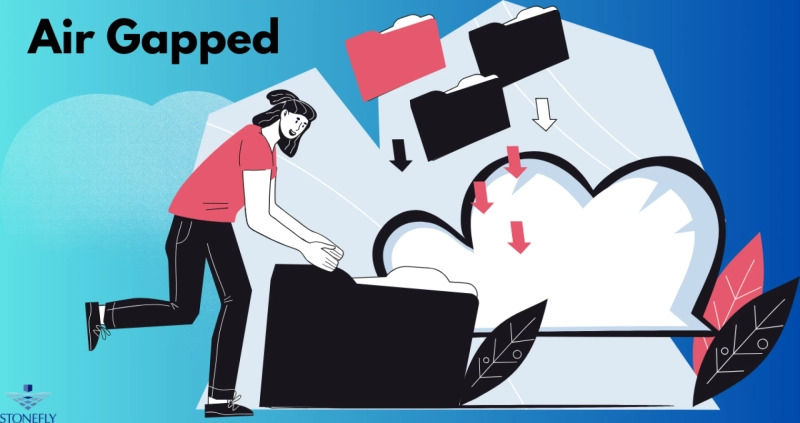
The Ultimate Cybersecurity Defense: Isolating Critical Systems
In the world of cybersecurity, many strategies focus on building taller walls and smarter alarms to keep intruders out. But what if an attacker eventually gets past those defenses? A truly resilient security posture requires a final, unbreakable line of defense for your most critical assets. This is the role of Air-Gapped solutions. This strategy involves creating complete physical and logical isolation for a computer or network, severing its connection to any other network, including the public internet. This "air gap" creates a moat that network-based threats are incapable of crossing.
This article will explore the concept of network isolation as a cornerstone of modern cybersecurity. We'll examine why it's so critical for protecting sensitive data and infrastructure, look at its real-world applications across different industries, and outline the best practices for implementing it effectively.
Why Connectivity Is a Double-Edged Sword
Our world runs on connected systems. This connectivity drives efficiency, enables remote collaboration, and powers instant access to information. However, every connection is also a potential pathway for a cyberattack. A single vulnerability, a successful phishing email, or a compromised employee credential can give an attacker a foothold into your network.
Once inside, attackers can move laterally, often undetected, searching for valuable data to steal or critical systems to disrupt. Traditional security measures like firewalls, antivirus software, and intrusion detection systems are vital for day-to-day defense, but they are not infallible. They rely on recognizing known threats or suspicious patterns, and highly sophisticated attackers are adept at evading them.
The Limitations of Conventional Security
- Ransomware Propagation: Modern ransomware is designed to spread like wildfire across connected networks. It actively hunts for and encrypts not only live data but also connected backup repositories, crippling an organization's ability to recover.
- Zero-Day Attacks: These attacks exploit previously unknown vulnerabilities in software. Since there is no existing signature, traditional security tools are often blind to them until it's too late.
- Insider Threats: A malicious employee or an external actor who has stolen credentials can abuse their legitimate access to cause immense damage from within the network perimeter.
When the stakes are incredibly high, you need a security measure that doesn't depend on predicting or detecting an attack. You need a solution that works even if all other defenses fail.
The Power of Physical and Logical Isolation
The principle behind creating an air gap is beautifully simple: a threat cannot compromise what it cannot reach. By ensuring there is no physical or logical network path between a secure system and an unsecured one, you create an environment that is immune to network-borne threats.
How Does Isolation Work in Practice?
Implementing this strategy goes far beyond simple network configuration. It involves a deliberate and disciplined approach to creating a self-contained operational bubble.
Core Components of an Isolated System
- No Network Connection: The protected computer or network has no physical ethernet cables connecting it to other networks. All wireless capabilities, such as Wi-Fi and Bluetooth, are physically removed or permanently disabled at the hardware level.
- Controlled Data Transfer: Getting data into or out of the isolated environment is a highly structured process. It often relies on what's colloquially known as a "sneakernet"—manually carrying data on removable media (like a USB drive) that has been rigorously scanned for threats in a separate, secure staging area.
- Strict Procedural Controls: Access to the isolated system is limited to a small number of authorized individuals. All actions are governed by strict security policies that cover everything from data handling to physical access to the room housing the equipment.
This approach effectively neutralizes any threat that relies on a network to spread, from common malware to the most advanced state-sponsored cyber weapons.
Key Applications of Isolation-Based Security
The use of air-gapped solutions is a common practice in sectors where the consequences of a breach are severe and unacceptable.
Securing Critical Infrastructure
Operational Technology (OT) systems that control power grids, water treatment plants, and manufacturing facilities are prime candidates for air-gapping. A successful attack on these systems could lead to widespread power outages, public health crises, or significant economic disruption. By isolating these industrial control systems (ICS), operators can ensure that a compromise on the corporate IT network cannot spill over and affect physical operations.
Protecting National Security and Defense
Government and military networks that handle classified information, manage weapons systems, or conduct sensitive intelligence operations are almost universally air-gapped. The risk of an adversary gaining access to this information is too high to permit any connectivity to external networks. This ensures that state secrets remain secret and that critical defense capabilities cannot be tampered with remotely.
Safeguarding Financial Systems
Core transaction processing systems in major banks and stock exchanges are often isolated to prevent fraud and manipulation. By separating the systems that move vast sums of money from the general corporate network, financial institutions can protect against attacks designed to illicitly transfer funds or disrupt markets.
Guarding Intellectual Property
For technology, pharmaceutical, and research companies, intellectual property is their most valuable asset. Designs for a new microchip, the formula for a breakthrough drug, or proprietary software source code are often stored on air-gapped networks. This prevents corporate espionage and ensures that competitors cannot steal trade secrets via a cyberattack.
Best Practices for Effective Implementation
Simply unplugging a computer from the network is not enough to create a truly secure system. A robust isolation strategy requires careful planning and continuous diligence.
Develop a Formal Data Transfer Protocol
The process for moving data across the air gap is the most likely point of failure. This process must be rigorously defined and enforced.
- Use a Secure Staging Area: All data destined for the isolated network must first be loaded onto a dedicated "transfer" machine.
- Employ Multi-layered Scanning: This staging machine should be equipped with multiple, diverse security tools to scan the data for any signs of malware.
- Leverage One-Way Diodes: For situations requiring data to flow out of the secure network (e.g., for monitoring), a hardware data diode can be used. This device enforces a one-way physical connection, allowing data to exit but making it physically impossible for anything to enter.
Implement Strong Physical Security
If attackers cannot breach the system digitally, they may attempt a physical attack. The servers and workstations of the air-gapped solutions must be housed in a secure, access-controlled location with video surveillance and entry logs.
Conduct Regular Audits and Red Team Exercises
Security is a process, not a destination. You must conduct regular audits to verify that the air gap remains intact and that no unauthorized connections have been made. Hiring an external "red team" to actively try to breach your isolated environment is an excellent way to test your defenses and identify weaknesses in your technology or procedures before a real attacker does.
Conclusion
In the escalating battle against cyber threats, assuming your perimeter defenses will always hold is a dangerous gamble. True cyber resilience means preparing for the worst-case scenario. Isolating your most critical systems from all other networks provides a definitive, powerful last line of defense that network-based attacks simply cannot overcome.
While implementing an air-gapped strategy requires a significant commitment to process and discipline, the peace of mind it delivers is invaluable. For organizations responsible for critical infrastructure, national security, or priceless intellectual property, it is not just a best practice—it is an essential component of a truly robust security posture. It ensures that your most vital assets remain secure and operational, no matter what threats emerge on the horizon.
FAQs
1. Is an air gap the same as a firewall?
No. A firewall is a security device that filters traffic between two connected networks based on a set of rules. An air gap is a complete lack of a connection. A firewall manages traffic flow; an air gap prevents it entirely, offering a much higher level of security.
2. Have air-gapped systems ever been breached?
Yes, but breaches almost always involve exploiting the human element. The famous Stuxnet attack, for example, is believed to have been introduced to an air-gapped Iranian nuclear facility via a compromised USB drive brought in by an employee. This highlights why strict physical security and personnel protocols are just as critical as the network isolation itself.
3. Is this type of solution practical for a small business?
For most routine business activities, a complete air gap is impractical. However, a small business could use the principle for a specific, high-value function. For example, a design firm could keep its proprietary project files on a standalone, non-networked computer that is only used for that purpose.
4. Can wireless signals cross an air gap?
Potentially, yes. A truly secure isolated system must have all wireless transmitters (Wi-Fi, Bluetooth, etc.) physically removed from the hardware. Advanced espionage techniques can even exfiltrate data via unintentional electromagnetic emissions, though defending against such attacks is typically only a concern for high-security government and military environments.
5. How do you apply software updates to an air-gapped system?
Updates must be managed through the same secure data transfer process. The patches are downloaded to a computer on the outside network, moved to the secure staging area for thorough scanning, and then transferred to the isolated network via approved removable media to be installed manually.