



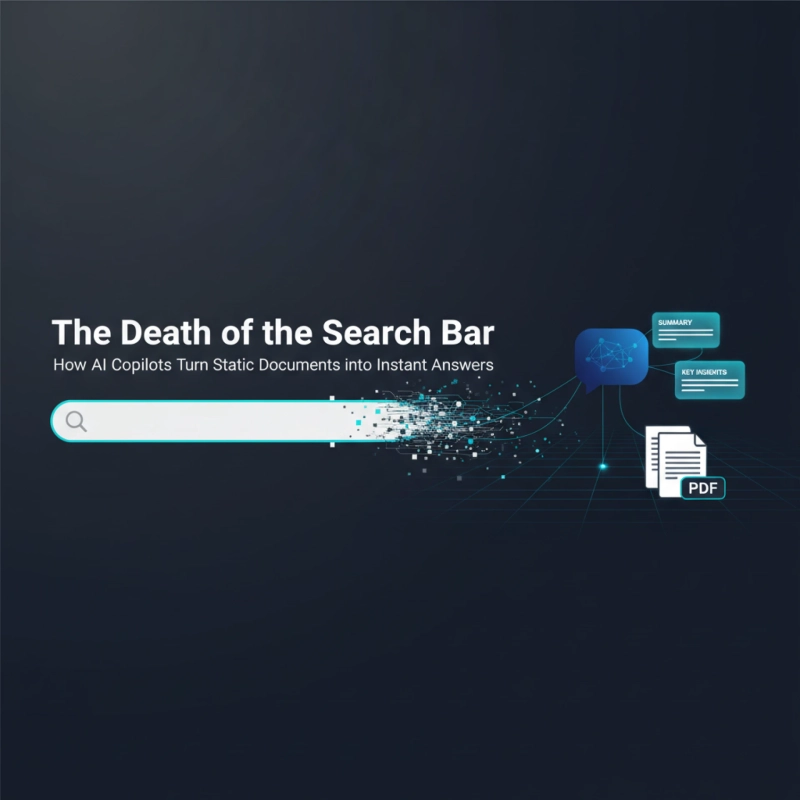
For the last twenty years, "Knowledge Management" (KM) in the enterprise has essentially meant one thing: a search bar. We dumped millions of PDFs, Word documents, Wikis, and PowerPoint slides into massive repositories like SharePoint or Confluence, and we hoped that a keyword search would help us find them again.
The reality, however, has been a story of frustration. Studies consistently show that knowledge workers spend nearly 20% of their workweek just looking for internal information—and nearly half the time, they don't find what they need. The traditional search bar is broken because it returns links, not answers. It forces the user to open five different documents, read them, and synthesize the information manually.
The arrival of AI Copilots marks the end of this "Search and Click" era and the beginning of the "Ask and Receive" era. By leveraging Large Language Models (LLMs) and Retrieval-Augmented Generation (RAG), Copilots don't just find documents; they read them. They understand the intent behind a question, scan thousands of pages in seconds, and generate a concise, cited answer. This isn't just a better search engine; it is an automated research analyst that turns your static document graveyard into a dynamic intelligence engine.
The Core Shift: From Indexing to Understanding
To understand why Copilots are revolutionizing KM, we must distinguish between indexing and understanding.
- Traditional Search (Indexing): When you search "paternity leave policy," the engine looks for documents containing those keywords. It returns a list of 10 links: the 2019 policy, the 2020 update, a blog post about leave, and a random HR meeting note. You have to guess which one is right.
- AI Copilot (Understanding): When you ask "How many weeks of paternity leave do I get if I live in California?", the Copilot doesn't give you a link. It retrieves the correct, most recent policy document, reads the section specific to California state law, and answers: "You are eligible for 12 weeks of paternity leave, combining the standard company policy (8 weeks) with California's CFRA bonding time (4 weeks). Reference: HR Policy Handbook 2024, Page 14."
This shift from "blue links" to "synthesized answers" removes the cognitive load from the employee, turning information retrieval into an instant transaction.
Use Case 1: The "Instant Onboarding" Buddy
New employees are the biggest victims of bad knowledge management. They have hundreds of questions but are afraid to ask their manager repeatedly.
- The Old Way: The new hire is given a link to the "Intranet Home." They spend days clicking through folders trying to find how to set up the VPN, where to order a badge, and what the 401(k) match is.
- The Copilot Way: The new hire has a chat window. They ask, "How do I set up my email on my phone?" The Copilot pulls the specific IT guide for their device type and lists the 3 steps. They ask, "Who is the VP of Marketing?" The Copilot pulls the latest org chart. Onboarding becomes self-serve and instantaneous.
Use Case 2: Technical Support & Field Service
For technicians and support agents, speed is critical. Reading a 500-page manual while a customer waits on hold is not an option.
- The Old Way: A field technician encounters an error code on a piece of industrial machinery. They have to scroll through a massive PDF manual on an iPad, searching for "Error 404."
- The Copilot Way: The technician types (or speaks): "The machine is showing Error 404 and vibrating." The Copilot instantly synthesizes info from the troubleshooting guide and recent service logs: "Error 404 indicates a hydraulic pressure fault. Combined with vibration, this usually means the main valve is stuck. Recommended Action: Cycle the valve manually twice. (Source: Maintenance Manual Vol 3)."
Use Case 3: Proposal & RFP Automation
Sales teams spend countless hours answering Request for Proposals (RFPs), often copy-pasting answers from old documents.
- The Old Way: A sales engineer manually hunts for the answer to "Do you have SOC 2 compliance?" in a folder of old security whitepapers.
- The Copilot Way: The sales engineer highlights the RFP question and prompts the Copilot: "Draft a response based on our latest Security Whitepaper." The Copilot writes a perfect, accurate response in seconds.
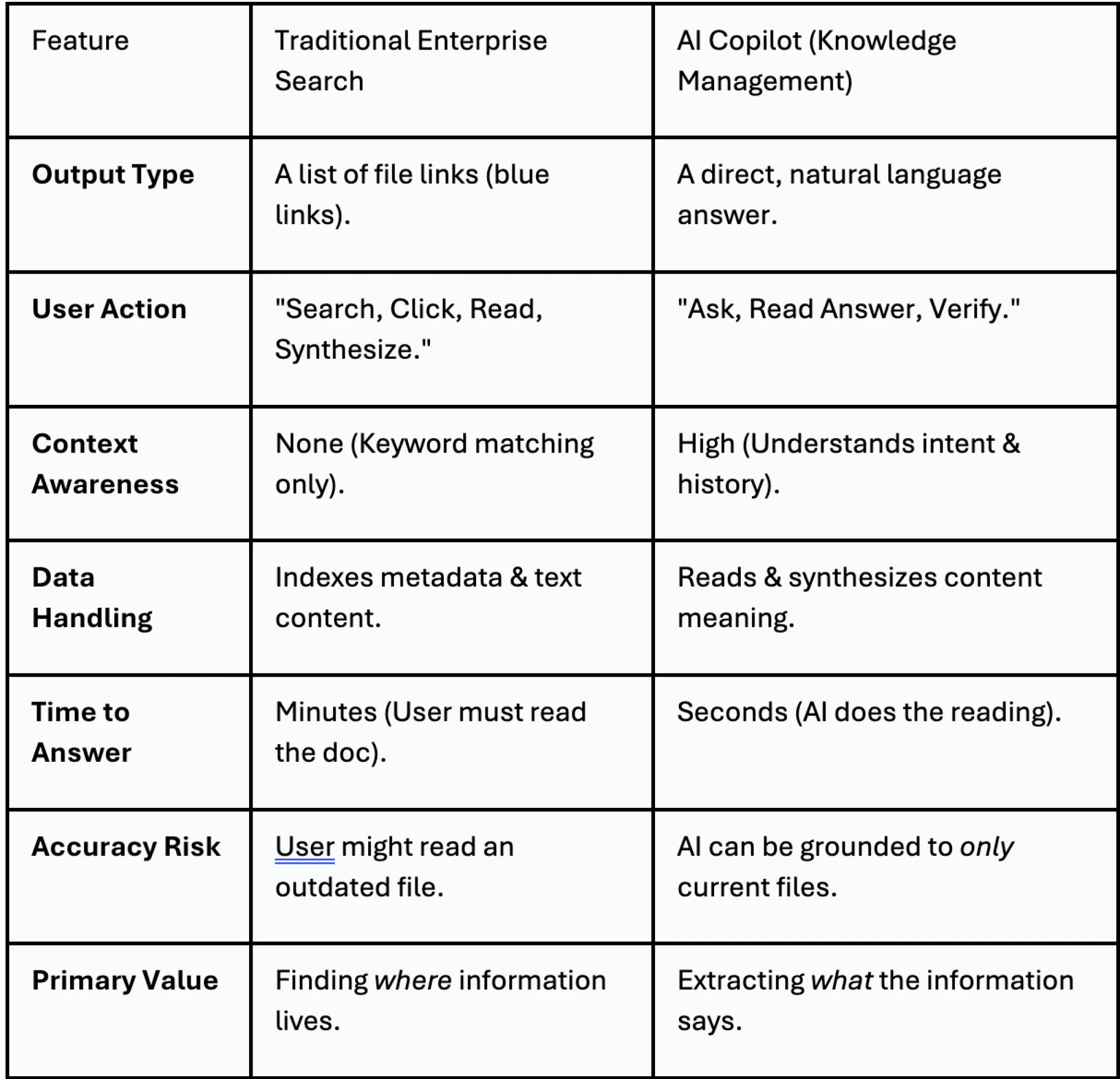
Search vs. Copilot: The Efficiency Gap
The following table highlights the fundamental differences in user experience and outcome between traditional search engines and AI Copilots.
The Strategic Value: A Single Source of Truth
Implementing a Knowledge Copilot forces an organization to clean up its data. An AI is only as good as the documents it reads. This initiative drives a "Spring Cleaning" of enterprise data—archiving old files, tagging current ones, and establishing a true Single Source of Truth. Once established, the Copilot ensures that every employee, from the CEO to the intern, receives the same accurate answer based on that truth.
How Hexaview Builds Your Corporate Brain
Turning your documents into a "Corporate Brain" requires more than just buying a license. It requires sophisticated AI engineering. At Hexaview, we specialize in building the Retrieval-Augmented Generation (RAG) pipelines that power these Knowledge Copilots.
- Data Connectors: We build secure integrations that allow your Copilot to read data from disparate sources—SharePoint, Google Drive, Jira, and legacy SQL databases—without moving the data itself.
- Vector Database Implementation: We architect the "memory" of the AI, converting your documents into vector embeddings that allow for semantic search (searching by meaning, not just keywords).
- Permissions Engineering: We ensure the Copilot respects your existing security. If a user isn't allowed to see the "Merger Strategy" document, the Copilot will never use it to answer their questions.
We help you move from a company that hoards documents to a company that activates knowledge.