



Learn security questionnaire automation, how it works, what to choose, and how to set it up to answer security reviews faster and stay consistent.
Security reviews can slow deals down. A buyer sends a long spreadsheet or portal form. Your team scrambles to find the same answers again: encryption, access, backups, incident response, and more. Security questionnaire automation fixes this by helping you answer faster, stay consistent, and reduce back-and-forth. Many tools do this by pulling from a single source of truth (policies, controls, evidence, and past answers) and suggesting the best match for each question.
Security questionnaire automation: what it is and why it matters
Security questionnaire automation means using software (often with AI) to complete security and compliance questionnaires faster and more accurately. Instead of copying answers from old files, you keep approved responses in one place and reuse them when the same questions show up again in a new format.
Security questionnaire automation matters because security reviews block revenue when they take weeks. It also matters because manual work creates inconsistency. One answer says “AES-256 at rest,” another says “encrypted at rest,” and a third forgets to mention key management. Even if all are true, the mismatch creates doubt. A good security questionnaire automation process keeps answers aligned and easy to verify.
Security questionnaire automation: how it works step by step
Security questionnaire automation usually follows a simple loop:
- Build a trusted library: Upload policies, SOC 2/ISO evidence, security docs, and past questionnaires so answers are grounded in real material.
- Match questions to answers: The tool finds the closest approved answer, even if the wording is different (common with vendor forms).
- Route for review: If a question is high-risk or new, it gets sent to the right owner (security, legal, IT, or product) before you submit.
- Track updates: When policies change, you update once in the library, and future responses improve automatically.
That’s the core of security questionnaire automation: one source of truth + fast matching + human checks where needed.
Security questionnaire automation tools: what to look for (so answers stay safe)
Not all security questionnaire automation is equal. Some tools can fill answers quickly but still create risk if they guess or invent details. Strong tools focus on accuracy and proof.
Here’s what to prioritize in security questionnaire automation:
First, evidence-linked answers. You want answers that point back to the policy/control/evidence that supports them, so your team can verify quickly.
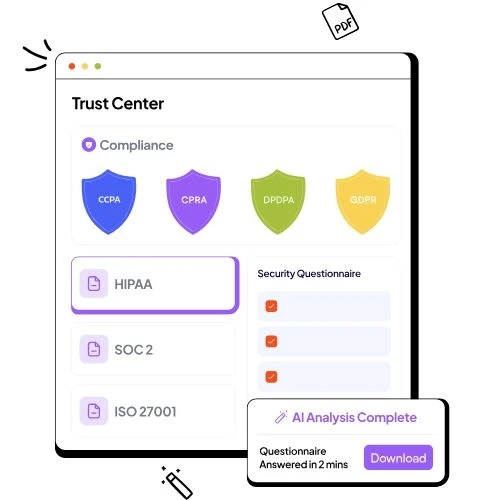
Second, a trust center option. A trust center is a secure place to share security docs and standard answers proactively, so buyers don’t always need to send a fresh spreadsheet.
Third, format support. Buyers use Excel, PDFs, and portals. If your security questionnaire automation can’t handle formats, you’ll still do manual work.
Security questionnaire automation: a practical setup you can copy today
If you want security questionnaire automation that actually works (and doesn’t create wrong answers), set it up like a controlled system:
Start by listing the top 30–50 questions you see every month (data encryption, access control, MFA, logging, vendor management, incident response). Then create “gold answers” written in plain language, reviewed by security and legal once. After that, attach proof: policy links, control statements, audit reports, or screenshots—whatever your company uses internally. This turns security questionnaire automation into reuse, not guessing.
Now, when a new request arrives, your security questionnaire automation flow should be: import → auto-suggest → review exceptions → export and send. Keep a simple rule: if the tool can’t cite a source, it becomes a “needs review” item.
Security questionnaire automation: how a trust center speeds up reviews
A trust center helps you stop repeating yourself. Instead of waiting for a buyer to ask, you share your security posture in a controlled way: common questionnaire answers, certifications, policies, and security docs. That reduces email threads and speeds decisions. Some platforms describe this as a “single source of truth” that also automates questionnaire responses.
If your sales cycle depends on passing security reviews, pairing security questionnaire automation with a trust center is one of the cleanest ways to cut delays without cutting accuracy.
Frequently Asked Questions
What is security questionnaire automation?
Security questionnaire automation is software-driven completion of security and compliance questionnaires using approved answers stored in a central library, often with AI matching.
How does security questionnaire automation work?
It builds a knowledge base from policies, controls, and past responses, then suggests the best answer for each new question and routes exceptions for review.
Can AI answer security questionnaires accurately?
AI can draft and match answers fast, but accurate programs still require human review for new, high-risk, or unclear questions.
How much time can security questionnaire automation save?
Many teams report large reductions, where reviews that took weeks can often be completed in hours when answers are reusable and verified.
What should I look for in a security questionnaire automation tool?
Look for a verified answer library, strong matching, review workflows, support for common formats, and a trust center to share security info proactively.
Is a trust center part of security questionnaire automation?
Often yes. A trust center helps share documents and standard answers in one place, and some products combine it with automated questionnaire responses.