



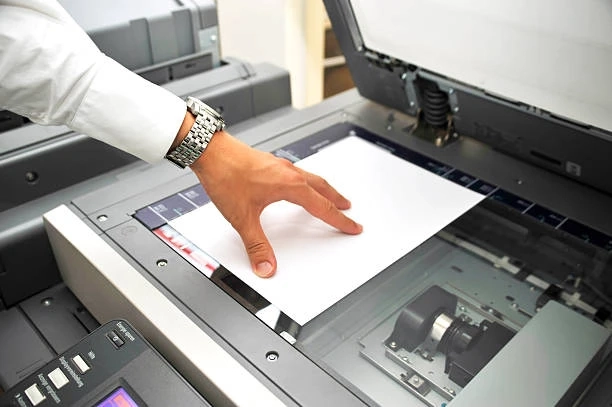
In today’s digital-first workplaces, data security extends far beyond networks and cloud applications. One area that often goes overlooked is the office printer. Printers, multifunction devices (MFDs), and copiers can pose significant security risks if not properly managed. Confidential documents left uncollected on print trays, unauthorized access to sensitive information, and unmonitored usage are all potential threats.
This is where PaperCut MF comes in. PaperCut MF is a powerful print management solution designed to enhance security, streamline workflows, and reduce costs. By implementing its secure printing features, organizations can significantly improve the way they handle sensitive documents, ensuring compliance with privacy regulations and protecting business-critical data.
Why Secure Printing Matters
Most organizations take great care to secure digital data with firewalls, antivirus software, and access controls. Yet, the physical act of printing is often neglected. The risks associated with unsecured printing include:
- Document exposure: Employees may print confidential files but forget to pick them up, leaving them in plain sight.
- Unauthorized access: Sensitive information, such as employee records, contracts, or financial data, could be taken by the wrong person.
- Compliance risks: Regulations like GDPR, HIPAA, and ISO standards demand strict control over sensitive data, including printed documents.
- Costly leaks: A single overlooked printout could lead to financial losses, reputational damage, or legal action.
By addressing these challenges, organizations can close a critical security gap.
PaperCut MF at a Glance
PaperCut MF is a cross-platform, vendor-neutral print management solution. It integrates seamlessly with most printers, copiers, and multifunction devices, allowing IT teams to enforce print policies, track usage, and most importantly, secure print jobs.
Some of its core benefits include:
- Secure print release
- User authentication and access control
- Print job tracking and auditing
- Integration with existing identity systems (Active Directory, Google Workspace, etc.)
- Cost-saving features like rules-based printing and quota management
But when it comes to document security, PaperCut MF’s secure printing functionality is the standout.
Key Secure Printing Features of PaperCut MF
1. Secure Print Release
One of the biggest risks in office printing is the "print-and-forget" habit. Employees send a document to the printer but don’t pick it up immediately—or sometimes at all. PaperCut MF solves this with secure print release.
With this feature, documents are only printed when the user authenticates themselves at the device using a PIN code, access card, or mobile app. This ensures that only the authorized person retrieves the document.
Benefits:
- Eliminates unclaimed printouts.
- Prevents sensitive data from sitting openly on the tray.
- Adds accountability to every print job.
2. User Authentication
PaperCut MF enforces user authentication at the device. This means that only authorized individuals can use the printer or copier. Authentication methods include:
- Swipe cards or proximity cards
- Username and password login
- PIN codes
- Biometric authentication (with supported integrations)
- Mobile app authentication
This ensures that employees can only access the printers and documents relevant to their role, significantly reducing the risk of data breaches.
3. Secure Print Queues
PaperCut MF uses virtual print queues, allowing documents to be sent to a generic "secure print" queue instead of a specific device. Users can then walk up to any enabled printer, authenticate, and release their job.
This not only improves convenience but also prevents the wrong documents from being printed on the wrong device.
4. Document Watermarking and Digital Signatures
To further strengthen document security, PaperCut MF offers watermarking and digital signatures. This embeds user information (such as username, date, and time) onto every printed page.
This feature acts as a deterrent against document mishandling, as it ensures traceability. If a confidential document is left unattended or leaked, it’s easy to track its origin.
5. Audit Trails and Reporting
PaperCut MF maintains detailed audit logs of every print, copy, scan, or fax activity. This creates full visibility into who printed what, when, and where.
Audit trails are essential for:
- Meeting compliance requirements.
- Investigating security incidents.
- Holding users accountable for their actions.
For organizations handling sensitive information—such as healthcare providers, law firms, financial institutions, and government agencies—this level of transparency is invaluable.
6. Mobile and BYOD Printing with Security
As workplaces adopt more flexible models, employees often print from their laptops, tablets, or smartphones. PaperCut MF enables mobile printing without compromising security.
Employees can send documents from any device, but secure release ensures that no one else can access them. This supports both convenience and compliance.
The Compliance Angle
Industries like healthcare, finance, and government are subject to strict data protection laws. Secure printing with PaperCut MF helps businesses meet compliance standards by:
- Ensuring documents are only accessible by authorized staff.
- Providing audit logs to prove compliance.
- Reducing risks of accidental disclosure of personal or confidential data.
For example:
- HIPAA (Healthcare): Patient information is protected by requiring authentication before release.
- GDPR (Europe): Personal data is safeguarded, with audit logs supporting accountability.
- ISO standards: Demonstrates a proactive approach to information security management.
Cost Savings Through Secure Printing
Interestingly, secure printing doesn’t just protect data—it also saves money. By eliminating uncollected printouts and restricting unauthorized usage, PaperCut MF reduces waste and improves efficiency.
Studies show that businesses waste up to 10–15% of their annual print budget on unnecessary printing. Secure printing helps cut down this cost while improving environmental sustainability.
Implementing PaperCut MF Secure Printing
Deploying secure printing with PaperCut MF is straightforward:
- Assess your environment: Review current printing practices, security risks, and compliance requirements.
- Install PaperCut MF: The software integrates with most major printer brands and supports multi-platform environments.
- Set up authentication: Choose the best authentication method for your organization (e.g., card swipe, PIN, mobile app).
- Configure secure queues: Create a secure print release workflow with virtual queues.
- Train staff: Educate employees on the new secure printing process.
- Monitor and optimize: Use audit trails and reports to refine policies and ensure ongoing compliance.
Who Benefits Most from Secure Printing?
While every business can benefit, some industries find secure printing particularly critical:
- Healthcare: Protecting patient confidentiality is paramount.
- Legal: Safeguarding client contracts and case files is essential.
- Finance: Confidential financial data must remain protected.
- Education: Prevents exam leaks and unauthorized document access.
- Government: Ensures sensitive documents don’t fall into the wrong hands.
Final Thoughts
In an age where data breaches can cost millions in fines and reputational damage, businesses can’t afford to overlook print security. PaperCut MF provides a comprehensive solution to protect confidential documents, ensure compliance, and promote accountability across the organization.
With secure print release, user authentication, audit trails, and compliance support, PaperCut MF transforms the humble office printer into a secure, efficient, and reliable part of your IT infrastructure.
By adopting secure printing practices, organizations not only protect their most sensitive information but also foster a culture of responsibility and efficiency. In short, with PaperCut MF, secure printing is no longer a challenge—it’s a business advantage.