



Introduction: The Clock is Ticking on QuickBooks Desktop
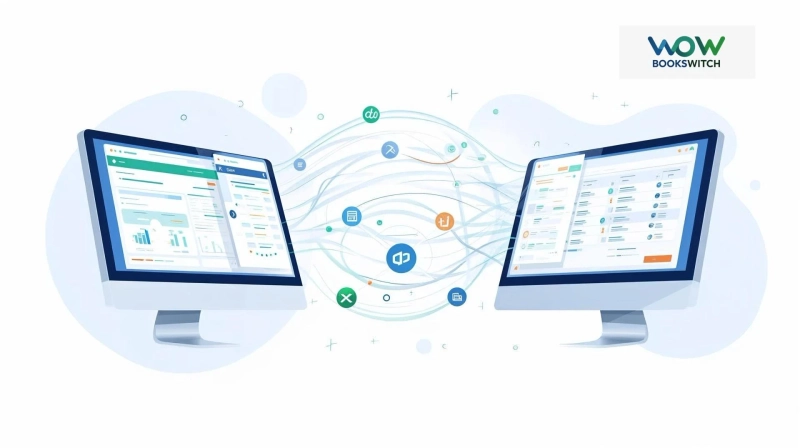
If you're still using QuickBooks Desktop, you've likely heard the news: Intuit has ended mainstream support, moving the software into an "end-of-life" phase. This isn't just about missing new features; it’s a critical business inflection point. Without security updates or compliance patches, your financial data becomes vulnerable to security threats. More pressingly, you need a sustainable path forward. For many forward-thinking businesses, that path leads directly to the cloud. This article cuts through the uncertainty, focusing on what truly matters: the fate of your valuable financial data and how to execute a smooth, secure migrate from QuickBooks to Xero. We’ll integrate the latest trends in automation and AI to show you that this transition is not just necessary, but a strategic upgrade.
What "End-of-Life" Really Means for Your Data
First, let’s clarify the stakes. End-of-life means Intuit will no longer provide:
- Critical Security Updates: Leaving Your System Vulnerable to New Threats.
- Tax Regulation & Compliance Patches: Risking filing errors and penalties.
- Technical Support: You’re on your own if something breaks.
- Integration with New Services: Bank feeds, payment processors, and modern apps will increasingly fail to connect.
Your data isn’t deleted, but it becomes stranded and at risk in an obsolete system. The proactive step isn't to wait for a crisis; it's to plan your data's future.
Why Xero is a Leading Destination for Your Migration
Choosing where to migrate from QuickBooks to Xero is a major decision. Xero stands out as a premier cloud-based alternative, designed for the way modern businesses operate. Its core advantages directly address the limitations of aging desktop software:
- True Anytime, Anywhere Access: Secure access from any device with a browser.
- Automated Bank Feeds & AI-Powered Insights: Transactions flow in automatically, and Xero’s tools help categorize them and surface cash flow insights.
- Vibrant Ecosystem: Connects seamlessly with over 1,000 business apps (CRM, payroll, inventory).
- Real-Time Collaboration: Your bookkeeper, accountant, and team work in the same live data.
- Continuous Updates: You’re always on the latest, most secure version without manual upgrades.
The Strategic Migration Process: A Step-by-Step Guide
A successful migration is methodical, not rushed. Here’s your roadmap.
Phase 1: Pre-Migration Preparation (The Most Critical Step)
Think of this as getting your house in order before the movers arrive.
- Clean Up Your QuickBooks File: This is your single most important task. Reconcile all accounts (bank, credit card, loans) up to your chosen migration date. Review and clean up unpaid bills, unpaid invoices, and old customer/vendor lists.
- Choose Your Migration Date: The ideal time is often at the end of a reporting period—month, quarter, or fiscal year—to simplify comparisons.
- Run Key Reports: Generate and save a final set of reports from QuickBooks (Profit & Loss, Balance Sheet, General Ledger Detail, Aged Receivables/Payables). These are your "proof of life" documents for verification.
- Engage Your Accountant: Consult with them. They can provide invaluable advice and often have tools to assist the migration.
Phase 2: The Migration Execution
You have two primary paths to migrate from QuickBooks to Xero.
- The Direct Conversion Tool: Xero offers a dedicated QuickBooks Desktop to Xero conversion tool. It’s designed to map your chart of accounts, customers, vendors, and historical transactions (typically up to 2-3 years of detail) directly into Xero.
- The Accountant-Assisted Migration: For complex histories or greater peace of mind, many accountants use specialized, professional-grade migration software. They can handle multi-year detailed history and ensure perfect data fidelity.
Real-World Use Case: "Baker & Co., a small manufacturing firm, used the direct conversion tool at their fiscal year-end. They spent two weeks cleaning up 5 years of QuickBooks data, then ran the migration over a weekend. By Monday, they were processing new invoices in Xero, with their cleaned historical data fully searchable for reference."
Phase 3: Post-Migration Verification & Go-Live
The migration isn’t complete until you’ve checked your work.
- Verify Data Integrity: Compare the key reports you saved from QuickBooks to those now generated in Xero. Ensure your Trial Balance matches on your migration cut-off date.
- Reconcile Again: Perform a fresh bank reconciliation in Xero starting from your migration date to cement the starting point.
- Train Your Team: Utilize Xero’s extensive learning center. Focus on new workflows like attaching documents to transactions, using the mobile app for expense capture, and approving bills online.
Embracing the Future: AI and Automation in Your New Cloud Workflow
Migrating isn’t just a data transfer; it’s a leap into modern efficiency. With Xero, you immediately leverage trends like:
- Automated Transaction Coding: Xero learns and suggests codes for repetitive expenses, saving data entry time.
- AI-Driven Cash Flow Predictions: Get forecasts based on your invoicing and bill payment schedules.
- Smart Digital Tools: Use Hubdoc (included) to auto-extract data from receipts and bills via OCR (Optical Character Recognition), creating a paperless audit trail.
Conclusion: Turn an End into a Powerful Beginning
The end-of-life for QuickBooks Desktop is a mandated change, but it presents a powerful opportunity. By choosing to migrate from QuickBooks to Xero, you’re not just avoiding risk—you’re strategically positioning your business with real-time financial visibility, robust security, and tools that automate the mundane. The journey requires planning, but the destination is a more agile, informed, and efficient way of managing your finances.
Ready to make the move? Start today by downloading your cleanup checklist, exploring Xero’s migration guide, and having a conversation with your trusted accounting advisor. Your future in the cloud awaits.
Related #Hashtags:
#QuickBooksDesktop #QuickBooksEndOfLife #MigrateToXero #CloudAccounting #XeroMigration #AccountingSoftware #BusinessData #FinancialManagement #DigitalTransformation #QuickBooksDesktopToXero #QuickBooksDesktopToXeroMigration #QuickBooksDesktopToXEROMigrationSolution #QuickBooksDesktopToXeroMigrationService #MigrateFromQuickBooksToXero