



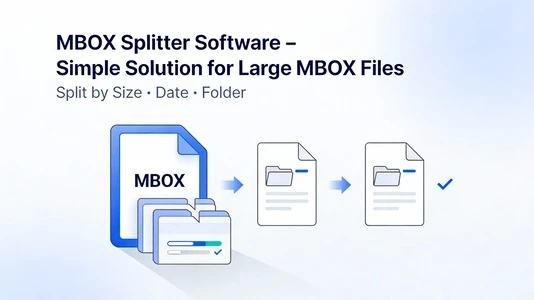
Email archiving is useful until your mailbox grows so large that it becomes difficult to manage, back up, or migrate. Many email clients—such as Mozilla Thunderbird, Apple Mail, Eudora, and several Linux mail apps—store messages in the MBOX format. While MBOX is popular and portable, it often turns into a single oversized file that becomes slow to open, risky to move, and prone to corruption if handled incorrectly. That’s why MBOX Splitter software is a practical, simple solution for large MBOX files.
Instead of struggling with timeouts, crashes, and import errors, an MBOX splitter divides a big MBOX file into smaller, organized parts that are easier to store, transfer, and convert.
What is an MBOX file, and why does it become “too large”?
An MBOX file is a mailbox container that stores multiple email messages in one file. Each new message is appended to the same database-style file. This structure is convenient for basic storage, but it creates common issues as email volume grows:
- Mail clients take longer to index and search large files
- Imports to other clients (or tools) fail due to size limits
- Backups become slow and consume more bandwidth
- A single corruption can affect a large portion of stored emails
- Sharing or migrating data becomes inconvenient because everything is “one huge file.”
In real-world workflows—especially for support teams, sales mailboxes, and long-term archiving—large MBOX files can cross several gigabytes. At that point, splitting the file is not just about convenience; it’s about reducing operational risk.
What is the MBOX Splitter software?
MBOX Splitter software is a utility designed to break a large MBOX file into multiple smaller MBOX files without changing message content. A good splitter preserves the original email structure and keeps critical elements intact, such as:
- Email headers (From, To, Subject, Date, Message-ID)
- Attachments and inline images
- Read/unread status (where supported by the client)
- Folder consistency when splitting multiple files
Depending on the tool, you can split by size, date range, sender, or number of emails—making it easier to create manageable chunks for migration or archiving.
When do you need to split large MBOX files?
MBOX splitting becomes essential in several situations:
- You need to import an MBOX into another email client that struggles with large files
- You are converting MBOX to PST/EML/MSG, and the converter performs better with smaller input files
- You want to create yearly or monthly archives for compliance or storage management
- You want faster backup and restore operations with smaller mailbox segments
- Your current mail client lags or crashes when opening a huge mailbox
If your MBOX file is causing slow loading, incomplete imports, or frequent indexing issues, splitting is usually the first stabilization step before any migration.
Key features to look for in an MBOX Splitter tool
Not every utility handles big mailboxes safely. For large and sensitive mailbox data, evaluate these features before choosing a tool:
- Split by size (for example
- 500 MB
- 500MB,
- 1 GB
- 1GB, etc.)
- Split by date (year-wise, month-wise, or custom range)
- Split by email count (e.g., 10,000 messages per part)
- Preserve email formatting, attachments, and MIME structure
- Preview mode to verify emails before splitting
- Batch processing for multiple MBOX files
- Options to exclude duplicates (if supported)
- Detailed logs/reports to validate the operation
- Compatibility with MBOX variants (Thunderbird, Apple Mail, etc.)
If you work with business mailboxes, prioritize stability, reporting, and handling of very large files without freezing.
How MBOX splitting works (in a practical way)
Most MBOX splitters follow a straightforward workflow:
- Load the MBOX file into the software
- Scan and parse message boundaries (each email in MBOX has separators and headers)
- Let the user select the split method (size/date/count)
- Write new MBOX files by exporting messages in the chosen grouping
- Generate a report that confirms how many emails were written to each output file
A reliable tool avoids partial writes, verifies message integrity during export, and prevents header/body mismatch (a common issue in low-quality splitters).
Best practices for safe splitting (avoid data loss)
Even though splitting is simpler than full migration, it still involves handling valuable data. Follow these steps for a safe process:
- Create a backup copy of the original MBOX before splitting
- Ensure sufficient disk space; output can temporarily require extra space during processing
- Close your email client (Thunderbird/Apple Mail) while operating on mailbox files
- Choose a split method that matches your goal:
- For migration limits, split by size
- For archiving, split by date (yearly/monthly)
- For performance, split by email count
- After splitting, validate:
- A random sample of emails in each output file
- Attachments open correctly
- Dates and subjects appear accurate
If you plan to convert afterward (e.g., MBOX to PST), splitting first often improves conversion speed and reduces failure rates.
Benefits of using the MBOX Splitter software
A professional MBOX splitter delivers tangible advantages:
- Faster imports and smoother conversions
- Easier mailbox organization (by year, month, project, or size)
- Reduced risk of corruption impact (smaller files are easier to recover)
- Improved email client performance and indexing
- Better control over backup strategy and storage consumption
For businesses dealing with long-term mailbox retention, splitting also helps create structured archives that are easier to locate, audit, and restore.
Final thoughts
Large MBOX files are a common byproduct of long-term email usage, and they can quickly become difficult to manage. vMail MBOX Splitter software offers a clean, reliable way to break oversized mailboxes into smaller files—without sacrificing email content or attachments. If you choose a tool with flexible split options, accurate parsing, and solid reporting, you’ll turn a heavy, slow mailbox into organized chunks that are easier to store, migrate, and maintain.