



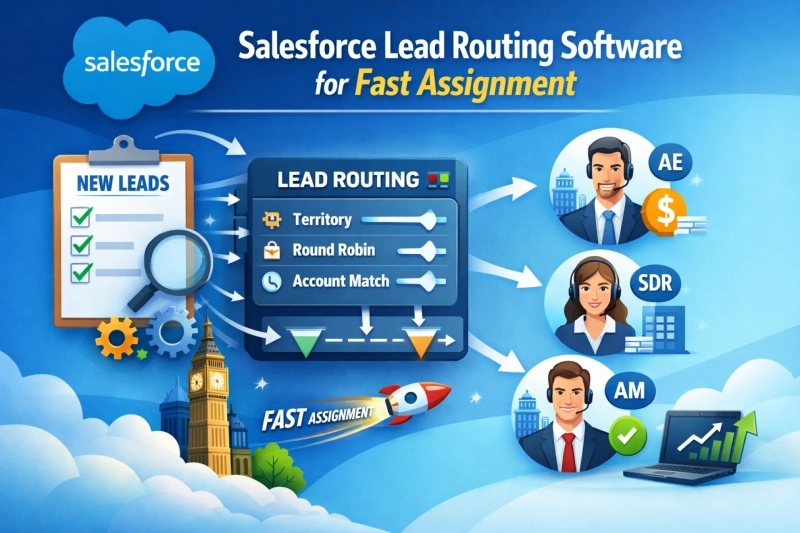
Every second counts when a new lead enters your CRM.
A prospect fills out a demo form, downloads your guide, or requests pricing. At that exact moment, interest is at its peak. But if your team takes hours to respond, that excitement disappears — and competitors step in.
This is where most B2B teams lose deals.
Not because of bad marketing.
Not because of poor sales skills.
But because of slow or messy lead assignment.
That’s why lead routing Salesforce automation has become essential for modern revenue teams. When leads are assigned instantly and intelligently, reps respond faster, conversations improve, and conversions rise.
Let’s explore how Salesforce lead routing works — and how to automate it the right way.
What Is Lead Routing in Salesforce?
Lead routing Salesforce is the process of automatically assigning incoming leads to the best-fit sales rep inside your CRM.
Instead of manually reviewing and distributing leads, routing systems use rules and logic to decide:
- Who should receive the lead
- When it should be assigned
- How quickly follow-up should happen
The goal is simple: match every lead with the right rep as quickly as possible.
Because speed-to-lead directly impacts revenue.
Studies consistently show that contacting a lead within five minutes can increase conversion rates dramatically. The longer the delay, the lower your chances of winning.
Manual processes simply can’t keep up.
Why Manual Assignment Fails at Scale
When lead volume is low, spreadsheets and manual assignment might seem fine. But as your pipeline grows, problems appear fast.
Here’s what typically happens:
Delays
Leads sit unassigned while sales ops sorts ownership.
Misrouting
Leads go to the wrong territory or rep and need reassignment.
Uneven distribution
Some reps are overloaded while others have empty pipelines.
Lost opportunities
Hot prospects cool off before anyone reaches out.
Even a one-hour delay can cost deals. Multiply that across hundreds of leads, and the revenue impact is huge.
If you’re investing heavily in demand generation but still routing manually, you’re wasting potential.
Salesforce Native Rules vs. Smart Routing
Salesforce offers basic lead assignment rules out of the box. They’re useful for simple setups, but they quickly become limiting.
Native rules usually support:
- Basic if/then logic
- Static assignments
- Simple territory mapping
That’s fine for small teams.
But modern B2B sales require more flexibility, like:
- Round-robin distribution
- Account-based routing
- Skill-based matching
- Rep availability checks
- Real-time reassignment
- Complex multi-condition logic
Trying to manage all this with default rules often turns messy and hard to maintain.
That’s why many teams extend Salesforce with advanced routing automation tools.
How to Automate Lead Routing Inside Salesforce
Here’s how smart teams approach automation.
1. Define ownership rules
Start by mapping how leads should flow.
For example:
- Enterprise → Senior AEs
- SMB → Inside sales
- Existing customers → Account owner
- By region → Territory reps
Your routing should reflect your real sales process.
2. Implement dynamic routing logic
Use flexible rules that evaluate multiple conditions at once.
Instead of static assignment, the system decides based on fit, availability, and priority.
This ensures every lead lands with the most qualified rep.
3. Enable real-time assignment
Speed is everything.
The moment a lead enters Salesforce, it should be routed automatically — not batched or delayed.
Instant notifications through email, Slack, or CRM alerts help reps act immediately.
4. Track SLAs and performance
Routing doesn’t stop at assignment.
Monitor:
- Response time
- Follow-up speed
- Conversion rates
- Rep workload
This helps you continuously improve and remove bottlenecks.
Key Features to Look For
If you’re upgrading your lead routing Salesforce setup, look for tools that offer:
- Intelligent round-robin
- Territory-based routing
- Account matching
- Skill-based assignment
- Real-time automation
- Native Salesforce integration
- Clear reporting and dashboards
Platforms like LeadAngel and similar solutions enhance Salesforce by adding these capabilities without requiring complex workarounds.
The right tool makes routing effortless and scalable.
Benefits of Automated Salesforce Lead Routing
When assignments happen automatically and accurately, the impact is immediate.
Faster response times
Reps contact prospects while interest is still high.
Higher conversions
Better timing and better matching lead to more wins.
Increased productivity
Sales ops no longer spends hours manually managing leads.
Fair workload
Balanced distribution prevents burnout and improves morale.
Better customer experience
Prospects talk to the right rep the first time.
More predictable revenue
Consistent execution leads to consistent results.
Small improvements in routing often create big gains across the entire funnel.
Final Thoughts
Salesforce is powerful, but technology alone isn’t enough. Your processes need to be just as efficient.
If leads sit in queues or bounce between reps, you’re losing deals before conversations even begin.
Automated lead routing Salesforce fixes that.
It ensures every opportunity is assigned instantly, accurately, and fairly — without manual effort.
No delays.
No confusion.
No missed revenue.
Because in today’s B2B market, the first response usually wins.
And smart routing helps you get there first.