


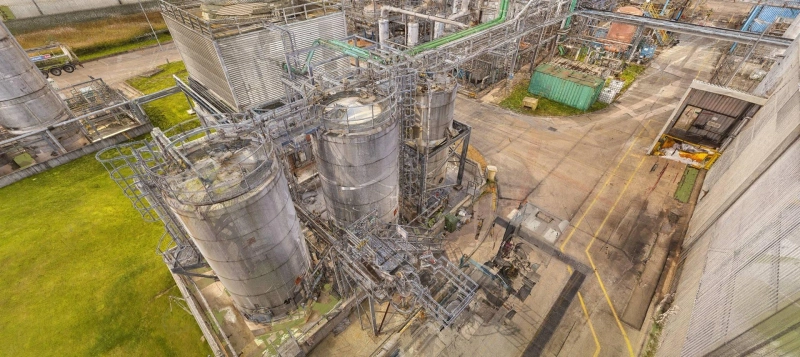
Industrial facilities depend on precise and up-to-date data to be able to perform their operations in a safe manner, ensure efficiency, and also keep the downtime at a minimum. As-build modeling is now an important tool for recording the actual conditions on a site and helping engineers make decisions. With the help of industrial 3D scanning, PDMS As-build modeling and AVEVA As-build modeling make a solid digital model of complicated plants. This helps teams plan upgrades, find hazards, and keep assets in better shape.
Why As-Build Modeling Is Critical for Industrial Facilities
As-build modeling shows current plant structures, equipment, pipelines, and support systems in a simple and precise way. In factories, even small mistakes can cause expensive problems, delays, or dangers. As-build modeling gives engineers accurate site documentation, not old drawings or guesswork. This streamlines decision-making, team communication, and project unknowns.
Industrial 3D Scanning for Accurate Plant Documentation
Plants are now measured and documented in a whole new way thanks to industrial 3D scanning. Scanning catches every detail with millimeter-level accuracy, so you don't have to rely on hand measurements. The point cloud that comes out of this is used to make As-build models that accurately show the real world. Teams can securely, quickly, and without interruption document refineries, power plants, industries, and offshore installations with industrial 3D scanning.
How PDMS As-Build Modeling Enhances Design Reliability
PDMS As-build modeling is very crucial for engineering and design operations, especially when working on complicated industrial sites. Engineers can confidently go over the plant layout, check the positioning of equipment, and plan changes by turning point cloud data into smart 3D models in PDMS. This procedure makes sure that new parts fit exactly into existing spaces and cuts down on design conflicts. Teams use real-world geometry in PDMS As-build modeling, which makes the project safer and helps keep costs down.
AVEVA As-Build Modeling for Complex Industrial Systems
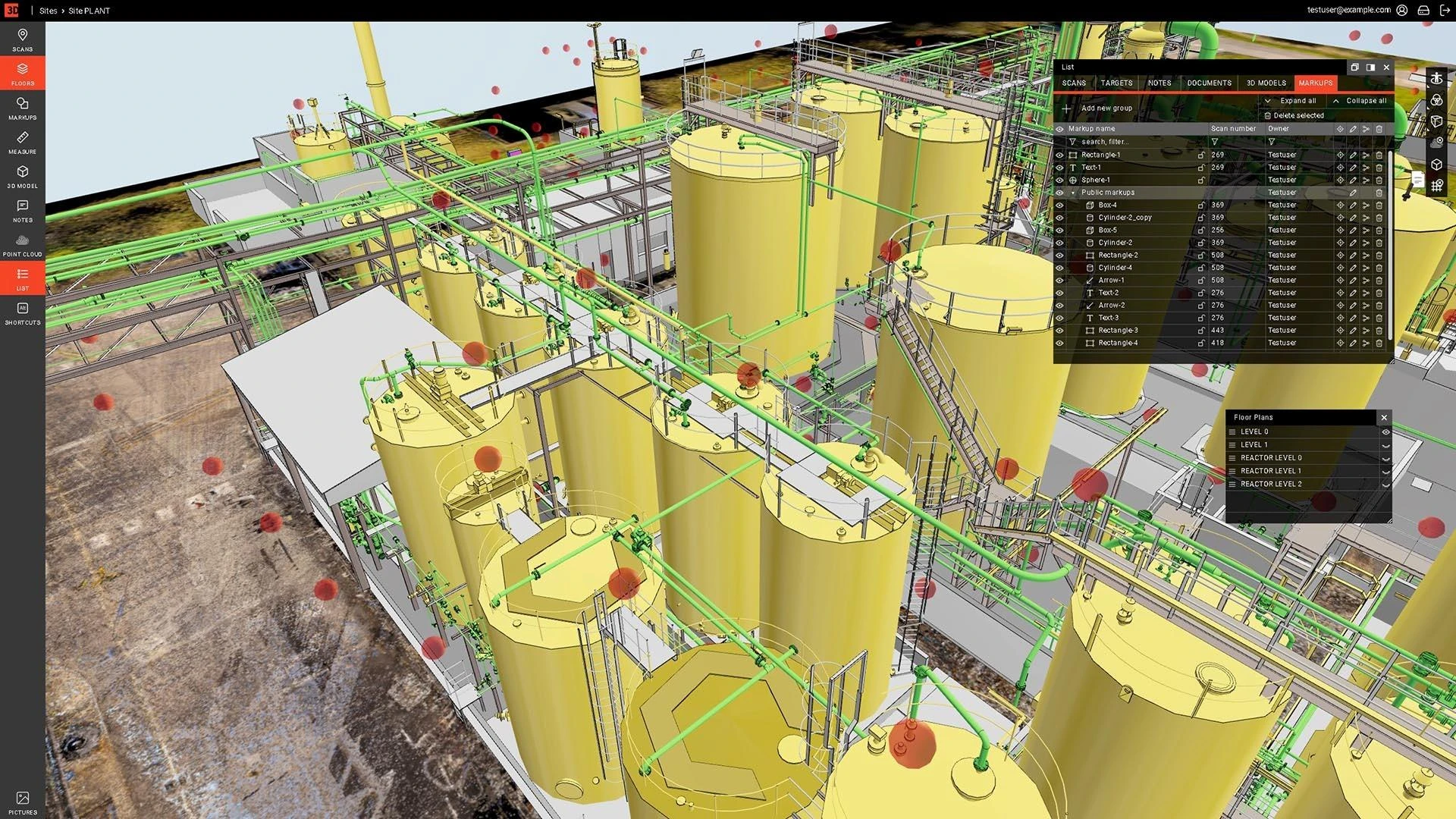
AVEVA As-build modeling is often utilized in big industrial projects that need models that are very comprehensive and well-organized. AVEVA software can manage huge amounts of data and works with many different types of engineering, making it perfect for petrochemical sites, energy plants, and factories. When engineers create the As-build model from accurate scan data, they get a digital version of the physical plant. This makes it much easier to discover risks, arrange shutdowns, and keep track of maintenance tasks.
Integrating 3D Scanning with PDMS and AVEVA Workflows
The actual power of industrial 3D scanning derives from how well it works with both PDMS and AVEVA. Registered, cleaned, and loaded into modeling software, the scanned data from point clouds is processed. Thereafter, modelers check pipe, building, and equipment shapes. This smooth workflow makes sure that PDMS As-build modeling and AVEVA As-build modeling are always in line with what is really going on. The end outcome is better teamwork, fewer conflicts, and easier coordination between engineers.
Advantages of Industrial 3D Scanning for Maintenance Planning
To plan maintenance, you need to know the real state of your assets. Industrial 3D scanning helps maintenance teams by giving them data that is very exact, can be measured, and can be shared. As-built models make it easier to find access points, check the condition of equipment, find misalignments, and arrange interventions with as little guesswork as possible. By repeatedly performing scans, teams can monitor changes in equipment, deformation, or structural movement over time. This helps with long-term asset management and cuts down on unnecessary downtime.
Common Challenges in As-Build Modeling and How to Solve Them
There are problems that can come up while doing As-build modeling for industrial operations, like equipment that gets in the way, small areas, or old paperwork. To resolve these problems, you need to use high-quality industrial 3D scanning, precise registration, and strict modeling workflows. Modelers that know what they're doing can make sense of complicated data, deal with structures that are too close together, and make sure that final models are accurate enough for engineering. This mix of technology and know-how gets rid of mistakes and makes sure that As-build modeling results are trustworthy.
Using High-Resolution Scans for Industrial Upgrades
When upgrading an industrial system, careful preparation is often needed to make sure that it doesn't mess up other systems. High-resolution scans provide you the information you need to figure out how much room you have, line up new equipment, and find any physical problems. Engineers may better plan shutdowns and installation pathways and coordinate all disciplines by employing As-build modeling based on these scans. This lowers risks, speeds up building, and makes sure that upgrades fit properly into the current space.
For modern industrial buildings, accurate As-build modeling with industrial 3D scanning is a must. Organizations may make their designs more reliable, make maintenance easier, and plan upgrades with more certainty by adopting PDMS As-build modeling and AVEVA As-build modeling. With 3Deling, you can get exact As-build models along with quick scan-to-model workflows for your upcoming industrial project. The use of accurate high-precision 3D scanning and modeling technologies allows the company to provide solutions that have lower risks, are more intelligent, and consume less energy.