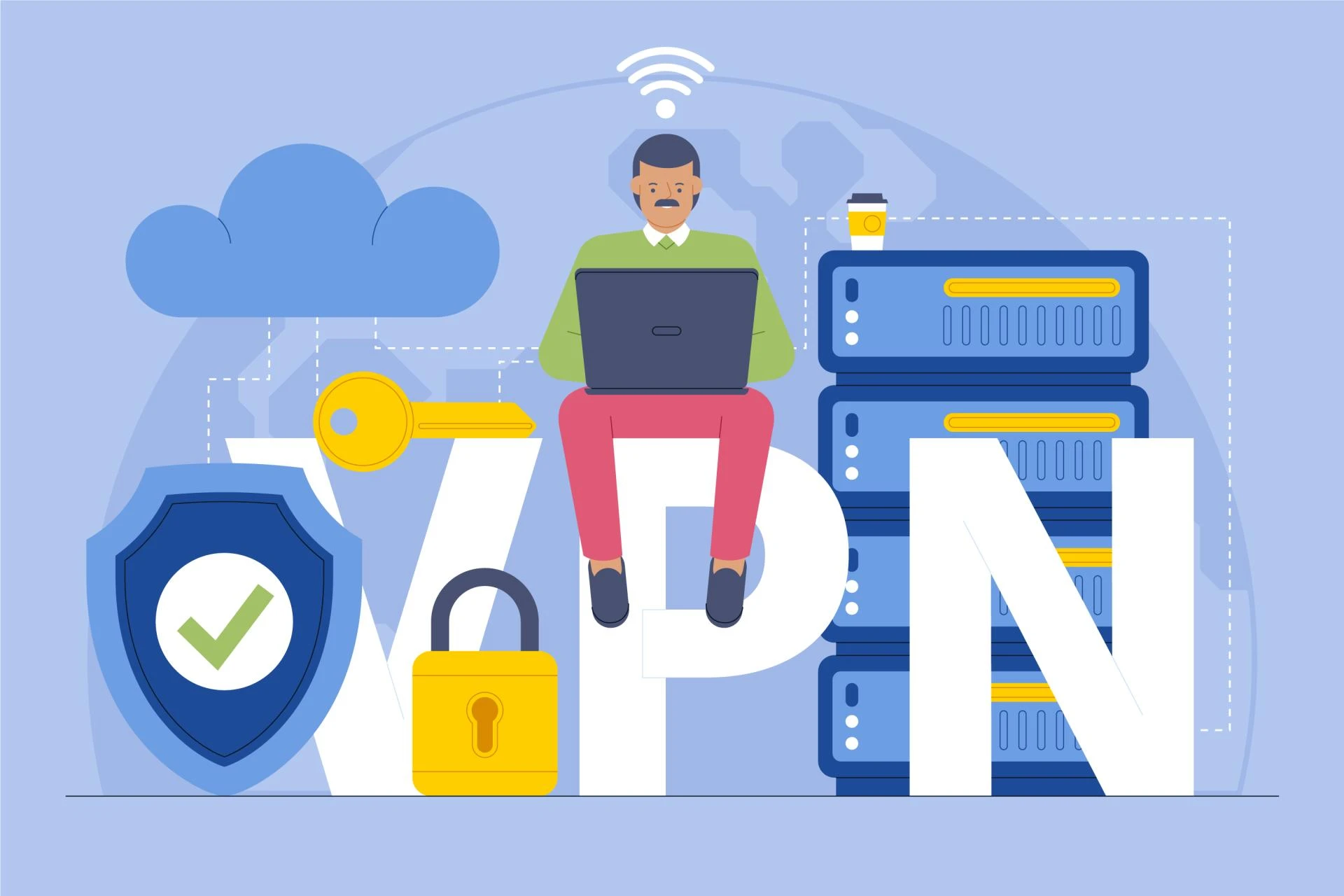
Privacy has become more than just a preference, it’s a necessity. Whether you're a software developer running Linux or a business professional using iOS, protecting your data and activity online is no longer optional. VPNs (Virtual Private Networks) are now essential tools in the digital world, offering a layer of security and freedom that goes beyond traditional methods.
But using a VPN for Linux or a VPN for iOS is more than just clicking “Connect.” Each platform has unique challenges and benefits, and understanding them can help you make smarter choices about your online protection.
Why VPNs Matter More Than Ever
The internet, once a space of boundless opportunity, is now littered with threats, trackers, surveillance, and cybercrime. VPNs help you regain control. They work by encrypting your internet connection and routing it through a secure server, masking your IP address, and hiding your digital footprint.
Let’s say you’re working on a public Wi-Fi network, at a café, in a hotel, or even at an airport. Without a VPN, your data is vulnerable. A VPN encrypts your traffic, making it unreadable to potential hackers.
However, the way you use a VPN will depend heavily on your operating system. That’s why choosing the right VPN for Linux or VPN for iOS can significantly impact your privacy and user experience.
VPN for Linux: Power and Customization for Tech-Savvy Users
Linux is the go-to operating system for developers, IT professionals, and privacy advocates. But while Linux gives you greater control over your system, it also means you must take more responsibility for security.
Features to Look For in a VPN for Linux
- Command Line Interface (CLI) Support: Unlike other OS users who rely on graphical interfaces, Linux users often prefer command-line tools. A good VPN for Linux should offer CLI tools for flexibility and automation.
- Protocol Choices: OpenVPN and WireGuard are popular options. OpenVPN is tried and tested, while WireGuard offers faster speeds and simpler code for better security.
- Strong DNS Leak Protection: Linux can sometimes leak DNS information without proper configuration. Make sure the VPN you choose can prevent that.
- Open-Source Compatibility: A VPN that aligns with the open-source philosophy is ideal. Look for providers that share their code or offer open-source clients.
Example:
Imagine you’re a developer working on an open-source project. You need to connect to a repository hosted in a region with restricted access. Using a VPN for Linux with a reliable CLI, you can script a connection that automatically launches with your coding environment, seamlessly and securely.
VPN for iOS: Security on the Go
iOS is known for its strong security model, but it’s not invincible. iPhones and iPads store sensitive data, from emails and banking info to private messages and location history. Whether you're using public Wi-Fi or traveling, a VPN for iOS adds a much-needed layer of protection.
Key Features to Expect in a VPN for iOS
- One-Tap Connect: Apple users value simplicity. The best VPN for iOS offers an easy setup and user-friendly interface.
- Kill Switch Functionality: Some iOS VPN apps now support kill switches, which disconnect your internet if the VPN drops, ensuring your data isn't accidentally exposed.
- Split Tunneling: This allows you to choose which apps use the VPN and which don't, great for streaming or accessing local content while protecting other sensitive activity.
- Battery Efficiency: Mobile VPNs must be optimized to reduce battery drain, especially for users who keep them on all day.
Example:
Let’s say you’re a freelancer working from various coffee shops and often connecting to new Wi-Fi networks. With a VPN for iOS, you can set the app to auto-connect every time you join an untrusted network, ensuring you’re never unprotected on the move.
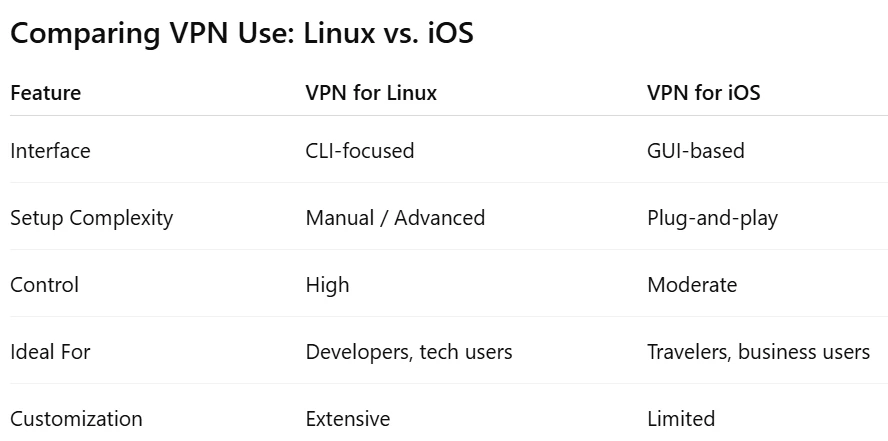
Each system has different strengths. On Linux, you gain deep control, ideal for advanced users who want to tweak settings. On iOS, you benefit from convenience and integration with Apple’s security ecosystem.
Challenges to Consider
VPN for Linux:
- It may require manual configuration.
- Limited official support from some VPN providers.
- UI may not be intuitive for beginners.
VPN for iOS:
- Apple’s restrictions limit background processes.
- Not all features (like split tunneling) are available.
- Some apps might disconnect the VPN during sleep mode.
Understanding these limitations helps you prepare for a better, more secure experience.
Practical Tips for Using VPNs Effectively
- Avoid Free VPNs: Free services often compromise privacy by logging data or injecting ads. Whether you’re using a VPN for Linux or a VPN for iOS, invest in a trusted, no-logs provider.
- Regularly Update Software: Keeping both your VPN client and operating system up to date ensures you're protected from the latest vulnerabilities.
- Check for DNS and IP Leaks: Use tools like dnsleaktest.com to confirm your VPN is working properly.
- Enable Auto-Connect: Configure your device to automatically connect to the VPN on startup or when joining unknown networks.
The Future of VPNs on Linux and iOS
As digital surveillance increases and internet freedom is threatened in many parts of the world, VPNs will become even more integral to daily life.
On Linux, integration with advanced firewalls, containers, and DevOps tools is growing. On iOS, future updates may allow deeper control over network routing and app-specific protections.
Regardless of your platform, staying informed about your tools, and how to use them, is your best defense in the evolving privacy landscape.
In conclusion, whether you’re configuring firewalls in a terminal window or checking emails on your iPhone, VPNs play a crucial role in safeguarding your digital presence. A VPN for Linux offers power and precision, while a VPN for iOS provides simplicity and mobility.
No matter your platform, understanding how VPNs work and tailoring their use to your device gives you the upper hand in protecting what matters most, your data, your privacy, and your freedom online.
FAQs
Q1: Is a VPN necessary on iOS devices if Apple already offers strong security?
Yes. While Apple offers robust device-level security, it doesn’t encrypt your internet connection by default. A VPN for iOS ensures your browsing, messaging, and data transfer remain private, especially on public or unfamiliar networks.
Q2: Can I use the same VPN provider on both Linux and iOS?
Most premium VPN providers support multiple platforms, including Linux and iOS. Just make sure the VPN for Linux offers CLI tools and the VPN for iOS has a well-optimized mobile app.
Q3: Will using a VPN slow down my internet speed?
It can slightly reduce speed due to encryption and routing. However, using protocols like WireGuard or selecting a nearby server can minimize this impact, which is particularly important for VPN for Linux users doing data-heavy tasks.
Q4: Is it legal to use VPNs?
In most countries, VPNs are legal. However, some regions restrict or monitor their use. Always check local regulations before using a VPN, especially if you travel frequently with an iPhone or work on international Linux servers.