
Have you ever wondered why your products don’t always appear in Google Shopping results, even when your listings seem perfect? The answer often lies in how well your Google Shopping Feed is managed and optimized. A strong feed doesn’t just show your products; it helps Google understand exactly what you’re selling, connects the right audience to your offers, and ensures your listings stay competitive in search results.
Getting this right requires more than just uploading a product file. It means fine-tuning every data point so Google can read, match, and display your products effectively. In this post, we’ll explore how to improve and manage your Shopping Feed to get consistent visibility and higher conversions.
Short Summary
Your Google Shopping Feed is the foundation of your product visibility in search results. Optimizing it means structuring data, improving titles and images, and keeping your feed error-free.
Key takeaways:
- Clean, accurate product data increases visibility and clicks.
- Regular feed updates help maintain ad performance and trust.
- Small details like image quality and keyword-rich titles make a big difference.
Understanding the Basics of Google Shopping Feed
Before diving into optimization, it’s important to understand what a Google Shopping Feed actually does. It’s a structured file (usually in XML or CSV format) that tells Google everything about your products, from titles and prices to descriptions and images. This data connects your online store to Google Merchant Center, which then uses it to display your items across Shopping results and ads.
A well-managed feed makes it easy for Google to interpret your content and show it to the right people. Each attribute, such as product type, GTIN, and description, plays a role in matching your listing with relevant searches.
Why a Well-Optimized Feed Matters
The feed is the backbone of your entire Google Shopping performance. Even small errors, such as missing attributes or mismatched prices, can lead to disapprovals, wasted spend, or lost visibility.
When your feed is optimized, you help Google better understand your product details, increasing the chances that your listings appear in front of the right customers. An optimized feed ensures:
- Higher click-through rates (CTR)
- Improved ad quality and relevance
- Reduced cost-per-click (CPC)
- Better conversion tracking and audience matching
Ultimately, it’s not about how much you spend on ads; it’s about how clean and optimized your feed data is.
How to Improve Your Google Shopping Feed
- Craft Accurate and Descriptive Titles
- Your title is the most important attribute in your feed. Make it detailed but clear, including brand, product type, and essential identifiers like color or size. For example:
- “Nike Men’s Running Shoes - Air Zoom Pegasus 40 - Blue” works better than just “Men’s Shoes.”
- Optimize Product Descriptions
- Descriptions should highlight key product features, benefits, and unique selling points. Use natural language that reflects how your customers search online.
- Use High-Quality Images
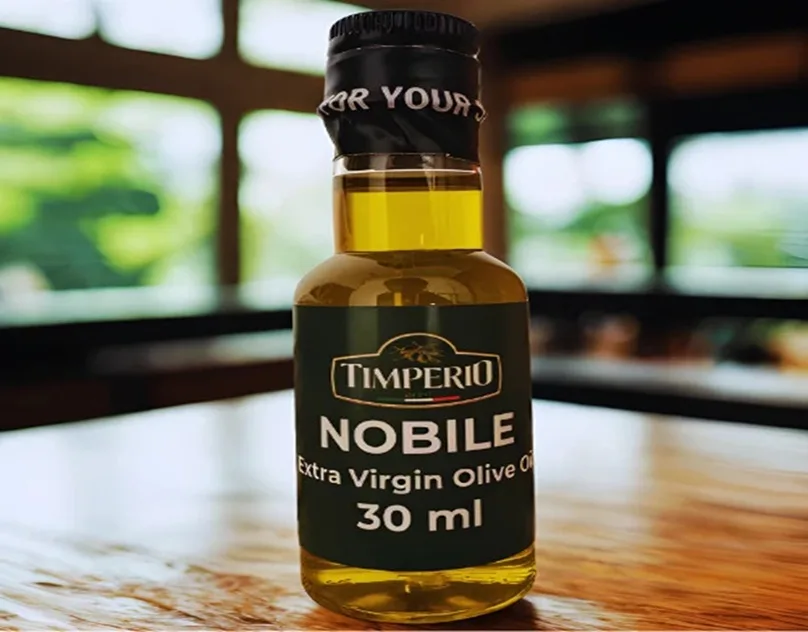
- Clear, well-lit images build trust and attract more clicks. Avoid logos, watermarks, or collages. Google prefers clean product photography with a white or neutral background.
- Set the Correct Product Categories and Attributes
- Align your products with Google’s official taxonomy. This helps Google match your listings with precise buyer intent.
- Keep Pricing and Availability Updated
- Make sure your feed reflects your store’s live data. Price mismatches or “out of stock” products can quickly cause feed disapprovals.
- Monitor and Fix Errors Regularly
- Check your Merchant Center diagnostics often. Address warnings and errors before they affect your campaigns. Consistent feed maintenance ensures your listings stay active and visible.
Advanced Tips for Feed Optimization
If you want your products to stand out even more, focus on advanced strategies like:
- Adding Custom Labels: Use them for better campaign segmentation (e.g., “Best Seller” or “Seasonal”).
- Using Supplemental Feeds: Combine data sources to fill in missing attributes.
- Applying Rule-Based Automation: Automatically update or fix product data using Merchant Center rules.
These steps help scale your feed management as your product catalog grows, ensuring that accuracy and quality remain consistent.
Common Mistakes to Avoid
Even experienced marketers make these feed management errors:
- Overstuffing titles with keywords.
- Using low-quality or generic images.
- Ignoring disapproved products or feed warnings.
- Forgetting to refresh the feed frequently.
A feed should always reflect your live store; outdated or incorrect data can harm performance and customer trust.
Tracking Feed Performance
You can measure success by monitoring key performance indicators (KPIs) like click-through rates, impressions, conversions, and product-level performance. Google Merchant Center and Google Ads provide detailed insights into which listings perform best, helping you refine your strategy further.
Set up automated reporting to track updates, disapprovals, and opportunities. The more you understand your feed’s data flow, the easier it becomes to make impactful adjustments.
Conclusion
Managing your Google Shopping Feed isn’t just a technical task; it’s a marketing advantage. When done right, it connects your brand with the right audience, improves visibility, and drives higher conversions without increasing your ad budget.
By focusing on feed accuracy, detail, and structure, you ensure that your products always show up where and when they matter most. The more you invest in refining your feed, the better your long-term results will be.
FAQs
1. How often should I update my Google Shopping Feed?
It’s best to update it daily if possible. This keeps prices, inventory, and availability in sync with your website.
2. Why is my product not showing in Google Shopping results
Your product might be missing required attributes, or there could be policy violations in your feed. Check your Merchant Center diagnostics for details.
3. What is the difference between Google Shopping Feed and Merchant Center?
The feed contains your product data, while Merchant Center is the platform that stores and processes that data for Google’s network.
4. How do I fix product disapprovals in my feed?
Review the specific issues listed in Merchant Center, correct your product data, and re-upload your feed. Consistent monitoring helps prevent future disapprovals.