


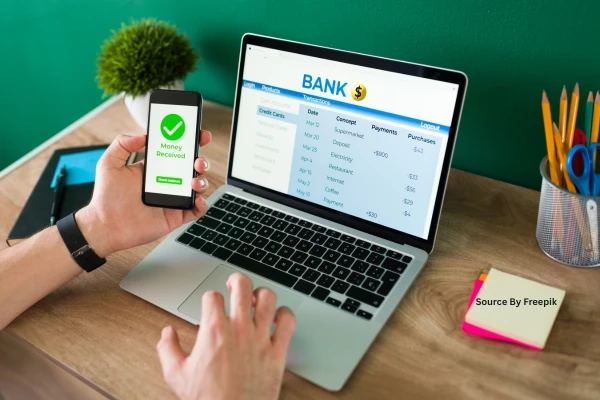
Imagine logging into your bank account late at night to transfer funds for an unexpected bill. The website loads smoothly, you enter your details, and everything seems fine. But moments later, a subtle notification alerts you to unusual activity. That sinking feeling hits as you wonder if your information just slipped into the wrong hands. In today's digital world, online transactions power everything from daily grocery payments to major investments. Yet, with cyber threats evolving daily, ensuring safety feels more crucial than ever. This guide breaks down proven strategies to protect your finances, drawing from expert recommendations by organizations like the Federal Trade Commission (FTC) and the National Institute of Standards and Technology (NIST). By following these steps, you can transact confidently, minimizing risks while enjoying the convenience of modern banking.
Online transactions have revolutionized how we manage money, but they also expose us to sophisticated risks like phishing scams, malware, and data breaches. According to the FTC's 2025 Consumer Sentinel Network report, financial fraud losses topped $10 billion last year, with online banking as a prime target. The good news? Simple, proactive habits backed by cybersecurity research can shield you effectively. Let's explore these layer by layer, starting with foundational protections.
Strengthen Your Digital Defenses First
Your journey to secure transactions begins with robust basics. Strong passwords form the cornerstone. Experts recommend using passphrases at least 16 characters long, combining uppercase and lowercase letters, numbers, and symbols, without reusing them across sites. Tools like password managers (e.g., those integrated into browsers or apps from reputable providers like LastPass or Bitwarden) generate and store these securely, reducing the burden on your memory.
Next, enable multi-factor authentication (MFA) wherever possible. MFA adds a second verification layer, such as a one-time code sent to your phone or generated by an authenticator app. NIST's digital identity guidelines highlight MFA as a top defense against 99% of account takeover attempts. Most banks now offer it by default, so check your settings today.
Device security matters too. Keep your operating system, browser, and antivirus software updated. Patches fix vulnerabilities that hackers exploit, as seen in high-profile breaches like the 2024 MOVEit attack affecting millions. Install reputable antivirus from sources like Malwarebytes or your device's built-in tools, and run regular scans. Avoid public Wi-Fi for transactions; its unencrypted nature invites man-in-the-middle attacks. Instead, use a virtual private network (VPN) from trusted providers to encrypt your connection.
Verify Websites and Links Before Clicking
Phishing remains a top threat, tricking users into fake sites that steal credentials. Always inspect URLs manually. Legitimate banking sites use "https://" with a padlock icon, and the domain matches exactly, like your bank's official address. Hover over links to preview destinations; shortened URLs from services like Bitly often hide dangers.
Bookmark your bank's login page directly to bypass emailed or texted links. Scammers mimic these perfectly, but bookmarks ensure you land on the real site. The Anti-Phishing Working Group reported over 300,000 unique phishing sites in Q4 2025 alone, many targeting finance. If a site looks off, even slightly, close it and contact your bank via official channels.
For added caution, use browser extensions like uBlock Origin or HTTPS Everywhere. These block malicious scripts and force secure connections. Educate yourself on red flags: urgent demands for info, poor grammar, or unsolicited attachments spell trouble.
Monitor and Respond to Activity Proactively
Safety extends beyond the transaction moment. Set up transaction alerts for every login, purchase, or transfer above a small threshold, like $50. Banks send these via app, email, or SMS instantly, letting you spot issues fast. Review statements weekly, not monthly. Anomalies like small unauthorized charges can signal testing by fraudsters before bigger hits.
Freeze your credit reports annually through Equifax, Experian, and TransUnion if you suspect compromise. Services like Credit Karma offer free monitoring. If fraud occurs, act within 60 days under the Fair Credit Billing Act for zero liability on unauthorized charges under $50. Report to your bank immediately, then file with IdentityTheft.gov.
In Hagerstown, MD, residents benefit from local options like Hagerstown online banking platforms that integrate advanced fraud detection. These tools use AI to flag unusual patterns, such as logins from new locations, providing peace of mind tailored to community needs.
Adopt Safe Habits for Everyday Transactions
Layer in habits that make security second nature. Never share credentials, even with "tech support" callers; banks never ask this way. Use virtual keyboards for PIN entry to thwart keyloggers. When shopping online, opt for guest checkouts or digital wallets like Apple Pay or Google Pay, which tokenize card data to prevent exposure.
For mobile banking, lock your device with biometrics or PIN, and enable remote wipe features. Download apps only from official stores, and revoke access to unused ones. The FBI's Internet Crime Complaint Center notes mobile malware rose 20% in 2025, often via sideloaded apps.
Educate family members too. Shared devices amplify risks, so discuss rules like logging out fully. Resources from the FTC's OnGuardOnline.gov offer free toolkits for all ages.
Stay Ahead with Continuous Learning
Cyber threats evolve, so vigilance does too. Follow trusted sources: the FTC's fraud alerts, Krebs on Security blog, or your bank's security center. Participate in free webinars from the Cybersecurity and Infrastructure Security Agency (CISA). Update habits yearly; what worked in 2024 may need tweaks now.
Consider identity theft protection services vetted by Consumer Reports, but weigh costs against free alternatives like bank monitoring. Balance convenience with caution: enable transaction limits for online cards and decline unnecessary data sharing.
Emerging Tools and Future-Proofing
Innovations like biometric logins (fingerprint or facial recognition) and behavioral biometrics (analyzing typing patterns) gain traction. Banks roll these out per FIDO Alliance standards, reducing password reliance. Passwordless futures arrive via passkeys, already in Chrome and Safari.
Quantum-resistant encryption looms as computers advance, but for now, stick to current best practices. Regulators like the FDIC mandate banks enhance these, ensuring consumer protection.
In summary, safe online transactions blend technology, habits, and awareness. Implement these steps progressively: start with MFA and alerts today, then build from there. Your diligence pays off in protected finances and reduced stress.
For Hagerstown locals seeking reliable solutions, CNB Bank leads with cutting-edge tools and community-focused security. Visit their site to explore options tailored for you.