


As social media and online communities evolve, integrating content from one platform into another enhances interaction and keeps conversations lively. Discord, initially popular among gamers, has grown into a versatile communication hub for many types of communities and businesses. One popular feature is its ability to display rich media previews when links are shared. Understanding how Instagram Discord embeds work and how to optimize them can take your Discord server to the next level.
What Is an Instagram Discord Embed?
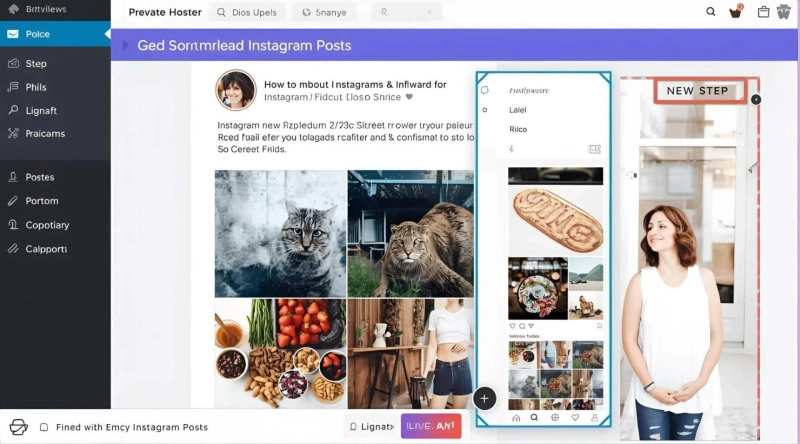
An Instagram Discord embed is the automatic preview and rich media display that Discord generates when you post an Instagram link in a chat channel or direct message. Instead of a plain URL, Discord fetches the Instagram post’s image or video, caption and author information, packaging it inside a neat embed box.
This feature makes Instagram links visually attractive, encouraging members to engage with the content without leaving Discord. For community managers and social media enthusiasts, it improves content-sharing dynamics and conversation flow.
How Instagram Embeds Work on Discord
When you share an Instagram post link on Discord, it initiates a fetch request to Instagram’s servers for metadata:
- Thumbnail: The main photo or video cover.
- Caption: A short snippet or description.
- Author: The Instagram username.
Discord uses Open Graph and Twitter Card metadata embedded on Instagram’s webpages to construct these previews.
Importantly, Instagram’s embed system and Discord’s link preview feature work together automatically—you don't need to create any special embed code manually when sharing Instagram content on Discord.
Sharing Instagram Posts on Discord: Best Practices
Here’s how to share Instagram content smoothly for optimal Discord embeds:
- Use Direct Instagram Post URLs
Copy the direct URL of the Instagram post you want to share. This usually looks like:
text
https://www.instagram.com/p/POST_ID/
Avoid shortened or redirected URLs, as they may break Discord’s automatic embed fetching.
- Post the Link in Discord Chat
Simply paste the Instagram URL into any text channel or direct message. Discord usually generates the embed instantly.
- Check Permissions and Privacy
Privacy settings on Instagram affect embedding. Only publicly accessible posts will create full previews in Discord. Private accounts or restricted posts will show plain links without media.
- Avoid Excessive Posting
Posting too many Instagram links rapidly can trigger spam detection or slow loading issues. Spread out posts to keep your server responsive.
Customizing Instagram Embeds on Discord
Discord doesn’t allow customizing Instagram embeds directly since the previews are generated automatically from Instagram’s data. However, you can control some aspects indirectly:
- Manual Posting with Descriptions: Add your own text before or after the link to add context or call to action.
- Bot Integration: Advanced Discord bots can fetch Instagram content separately and post custom embeds with tailored formatting.
- Suppressing Embeds: If you want to share the link without the preview, wrap the URL in
< >. For example:
text
<https://www.instagram.com/p/POST_ID/>
Why Use Instagram Embeds in Discord?
Integrating Instagram content within Discord has several benefits:
- Keeps Members Engaged: Visual content is more clickable and sparks conversation.
- Increases Social Media Traffic: Encourages Discord members to visit your Instagram profile.
- Enriches Community Interaction: Shares real-time media updates effortlessly.
- Simplifies Sharing: No need to copy images or manually upload each post.
Troubleshooting Instagram Embeds in Discord
Despite the simplicity, sometimes Instagram embeds don’t display as expected. Common reasons and fixes include:
- Privacy Settings: Ensure the Instagram post is public. Private accounts do not generate full embeds.
- Broken or Shortened URLs: Use the standard Instagram post URL format.
- Discord Cache Issues: Sometimes, Discord caches an invalid preview. Reposting after some time or restarting Discord can help.
- Link Blocking Plugins or Firewalls: Check if bots or network policies interfere with embed loading.
Alternative Approaches for Enhanced Instagram-Discord Integration
For communities looking for more control beyond standard embeds:
- Instagram Bots: Use Discord bots that connect to Instagram APIs, allowing automated posting of new Instagram content with customized embed styles.
- Screenshots and Uploads: Manually capture Instagram posts and upload images directly in Discord for full visual control.
- Webhooks: Advanced users can configure Discord webhooks that automatically post Instagram content from RSS feeds or APIs with rich formatting.
When to Use Instagram Embeds on Discord
Embedding Instagram content is especially useful for:
- Creators sharing recent work or promotions.
- Fan communities displaying favorite posts.
- Event organizers spreading announcements or highlights.
- Businesses showcasing products or social campaigns in real-time conversations.
Keep in Mind About Instagram and Discord Policies
Both platforms have policies that affect embedding:
- Instagram’s embedding respects copyright and privacy rules, so only share permissible content.
- Discord limits spam and abuse, so avoid excessive link sharing to maintain a healthy community.
Conclusion
Instagram Discord embeds offer a seamless and engaging way to combine social media visual content with your group chats and community discussions. Sharing Instagram posts through direct links generates rich previews that boost interactivity and make your Discord server more vibrant.
By following best practices and understanding how to troubleshoot and customize link sharing, you can make the most of Instagram embeds in Discord. Whether with basic link sharing or advanced bot-driven automation, integrating Instagram content brings your community closer and lifts your conversations to the next level.