
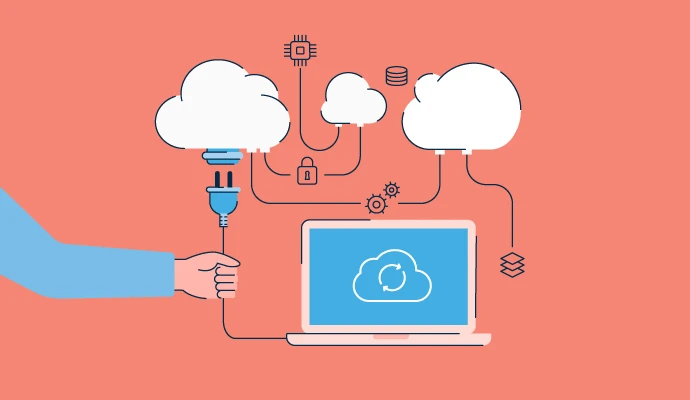
In today’s digital landscape, cloud computing has revolutionized the way organizations and individuals access, store, and manage data. It offers unprecedented flexibility, scalability, and efficiency, transforming traditional IT infrastructure into a dynamic and on-demand resource. But how does this complex system actually work? Understanding the fundamentals of cloud computing is essential for grasping its impact on modern technology. This comprehensive guide explores the core mechanisms behind cloud computing, providing clear insights into its architecture, deployment models, services, and security features. By demystifying these concepts, we can appreciate how cloud computing enables seamless digital operations across diverse industries.
The Core Architecture of Cloud Computing
The foundation of cloud computing lies in its robust architecture that allows users to access resources over the internet. This architecture typically comprises data centers, virtualization technologies, and distributed networks that work together to deliver scalable services. Data centers are vast facilities housing servers, storage systems, and networking equipment optimized for high availability and performance. Virtualization plays a pivotal role by creating virtual instances of hardware or software resources that can be allocated dynamically based on demand. These components form an interconnected ecosystem enabling users to deploy applications quickly without worrying about underlying hardware constraints.
This setup ensures that resources are pooled efficiently and made accessible remotely through standardized interfaces such as APIs or web portals. The distributed nature of cloud infrastructure also guarantees redundancy and fault tolerance—if one server or data center experiences issues, others seamlessly take over to maintain service continuity. Moreover, the layered architecture allows for modular expansion, meaning additional capacity can be added with minimal disruption. Ultimately, understanding this architecture highlights how cloud providers deliver reliable and flexible services tailored to user needs.
- Data centers host servers, storage units, and networking equipment ensuring high availability.
- Virtualization technology enables creation of virtual machines or containers for efficient resource utilization.
- Distributed networks facilitate quick data transfer across geographically dispersed locations.
- Modular design allows for scalable expansion without significant downtime or reconfiguration.
- Redundancy mechanisms ensure continuous operation even during hardware failures.
By appreciating this core framework, it becomes evident how cloud infrastructure supports various services reliably while adapting to changing demands.
Deployment Models: Public, Private, and Hybrid Clouds
Cloud computing is versatile enough to accommodate different deployment models tailored to organizational requirements. These include public clouds, private clouds, and hybrid clouds—all serving distinct purposes depending on factors like security needs, budget constraints, and control preferences.
Public clouds are operated by third-party providers such as Amazon Web Services (AWS), Microsoft Azure, or Google Cloud Platform. They offer shared resources accessible over the internet at scale. Because they leverage multi-tenancy—where multiple users share the same infrastructure—public clouds tend to be cost-effective but may raise concerns about data privacy for sensitive information. Private clouds are dedicated environments managed internally or by a third-party provider exclusively for one organization. They provide greater control over security protocols and compliance standards but often entail higher costs due to dedicated hardware and maintenance requirements. Hybrid clouds combine elements of both public and private models to optimize flexibility; organizations can run critical workloads privately while utilizing public clouds for less sensitive tasks.
Choosing a deployment model depends heavily on organizational priorities—security versus cost-efficiency—and operational complexity. For example:
- A financial institution might prefer a private or hybrid cloud to ensure regulatory compliance.
- A startup seeking rapid scalability might opt for a public cloud solution.
- Enterprises often adopt hybrid models to balance control with agility.
Understanding these deployment options enables organizations to strategize effectively around their unique needs while leveraging the benefits of cloud technology.
Cloud Service Models: IaaS, PaaS, SaaS
At the heart of cloud computing lie three primary service models—Infrastructure as a Service (IaaS), Platform as a Service (PaaS), and Software as a Service (SaaS)—each offering varying levels of abstraction and management responsibilities.
IaaS provides fundamental computing resources like virtual machines, storage disks, networks, and operating systems on demand. Users have control over the infrastructure but do not manage physical hardware; instead, they focus on configuring virtual environments suitable for their applications. This model is ideal for organizations needing customizable environments without investing in physical assets.
PaaS builds upon IaaS by offering a platform that includes development tools, runtime environments, databases, middleware—all pre-configured so developers can focus solely on application code without worrying about underlying infrastructure management. PaaS accelerates development cycles and simplifies deployment processes.
SaaS delivers complete software applications hosted in the cloud accessible via web browsers or APIs. Users typically subscribe to SaaS solutions like email platforms (e.g., Gmail), CRM systems (e.g., Salesforce), or collaboration tools (e.g., Slack). SaaS eliminates the need for installation or maintenance while providing seamless updates and integrations.
Each model caters to different organizational needs:
- Use IaaS when customization at infrastructure level is required.
- Choose PaaS for streamlined application development.
- Opt for SaaS when ready-to-use software solutions are needed without managing underlying complexities.
Recognizing these service layers helps organizations select appropriate solutions aligned with their operational goals.
How Data Is Stored in the Cloud
Data storage is central to cloud computing's functionality—enabling users to save files remotely rather than on local devices or servers. Cloud storage involves storing digital data across multiple remote servers maintained by service providers within their data centers. This approach offers scalability—users can increase or decrease storage capacity effortlessly—and durability through redundancy mechanisms that replicate data across various locations to prevent loss from hardware failures or disasters.
Cloud storage systems use sophisticated algorithms to manage data distribution efficiently while optimizing access speeds based on user location and network conditions. The process typically involves breaking down large files into smaller chunks stored across different servers; this technique enhances retrieval speed and resilience against localized outages. Additionally, encryption methods secure data both at rest and during transmission—protecting sensitive information from unauthorized access while maintaining compliance with privacy regulations.
Examples illustrating how data is stored include:
- Files uploaded via Dropbox automatically distribute across multiple servers with encryption enabled.
- Backup solutions like Google Drive sync local folders with remote storage seamlessly.
- Enterprise-grade solutions such as Amazon S3 offer scalable object storage suitable for big data analytics.
Understanding these mechanisms clarifies why cloud storage remains reliable yet flexible enough to meet diverse business needs—whether it's simple file sharing or complex data warehousing.
Network Connectivity: The Backbone of Cloud Access
Network connectivity forms the essential backbone enabling seamless interaction with cloud services. Without reliable internet connections linking users’ devices directly to cloud infrastructure, accessing applications or stored data would be impossible or highly inefficient. Typically utilizing high-speed broadband or fiber-optic connections ensures low latency—crucial for real-time applications like video conferencing or online gaming—and sufficient bandwidth for transferring large files swiftly.
The architecture relies heavily on secure network protocols such as HTTPS/TLS that encrypt data during transit—safeguarding against interception or tampering during communication between clients and servers. Content Delivery Networks (CDNs) further enhance performance by caching content closer to end-users geographically—reducing load times especially for global audiences. Cloud providers also implement redundant network pathways; if one route fails due to technical issues or outages elsewhere in the network topology, alternative routes automatically activate ensuring uninterrupted access.
Furthermore:
- Virtual Private Networks (VPNs) enable secure remote connections within corporate environments.
- Load balancers distribute traffic evenly across servers protecting against overloads.
- Quality of Service (QoS) settings prioritize critical traffic types during peak usage times.
Thus, robust network connectivity underpins all aspects of effective cloud computing by facilitating fast-paced interactions between users and their digital resources worldwide.
Security Measures in Cloud Computing
Security remains paramount in cloud computing because sensitive data traverses external networks beyond organizational control points. Cloud providers implement multiple layers of security measures—including encryption protocols during data transmission (SSL/TLS), identity authentication through multi-factor authentication (MFA), access controls based on roles/permissions—and regular audits adhering to industry standards such as ISO 27001 or SOC reports.
These measures aim not only to protect confidentiality but also ensure integrity and availability of services despite potential threats like cyberattacks or insider breaches. Physical security at data centers involves controlled entry points monitored through surveillance cameras; logical security encompasses firewalls configured with strict rules alongside intrusion detection systems capable of identifying anomalies early on. Additionally,
- Data encryption at rest prevents unauthorized access even if physical drives are compromised.
- Regular vulnerability assessments help identify weaknesses before exploitation occurs.
- Compliance standards mandate policies aligning with legal frameworks like GDPR or HIPAA depending on jurisdiction.
Organizations must actively manage security policies when adopting cloud services because shared responsibility models imply they retain some oversight over user account permissions and internal procedures—even though providers handle much of the technical defense layer itself.
How It All Comes Together: The Dynamic Operation of Cloud Computing
The intricate interplay between architecture components—from foundational hardware housed in datacenters equipped with virtualization technologies—to deployment models suited for specific organizational needs exemplifies how flexible yet powerful cloud systems are designed to be. Service models like IaaS provide raw infrastructure control; PaaS simplifies application development; SaaS delivers ready-to-use solutions—all facilitated through high-speed network connectivity secured by advanced security protocols ensuring privacy protection at every step.
Data stored across multiple redundant locations guarantees resilience against failures while enabling rapid access regardless of geographic location.
Understanding these interconnected elements underscores why cloud computing continues transforming industries—from healthcare diagnostics utilizing vast datasets securely stored in the cloud—to global enterprises scaling operations effortlessly without heavy upfront investments in physical infrastructure alone. Its ability to adapt dynamically makes it an indispensable component of modern technological ecosystems designed for efficiency-as-a-service delivery.
In essence, understanding how does cloud computing works reveals a sophisticated yet accessible system built upon innovative architecture principles that enable remote resource provisioning at scale while maintaining security and flexibility standards necessary in today’s fast-paced digital environment. As organizations increasingly migrate toward these solutions—embracing public clouds’ affordability or private clouds’ control—their success hinges on comprehending these core operational mechanics thoroughly enough to leverage them optimally within strategic frameworks designed around agility and resilience in an interconnected world demanding instant access everywhere anytime.