



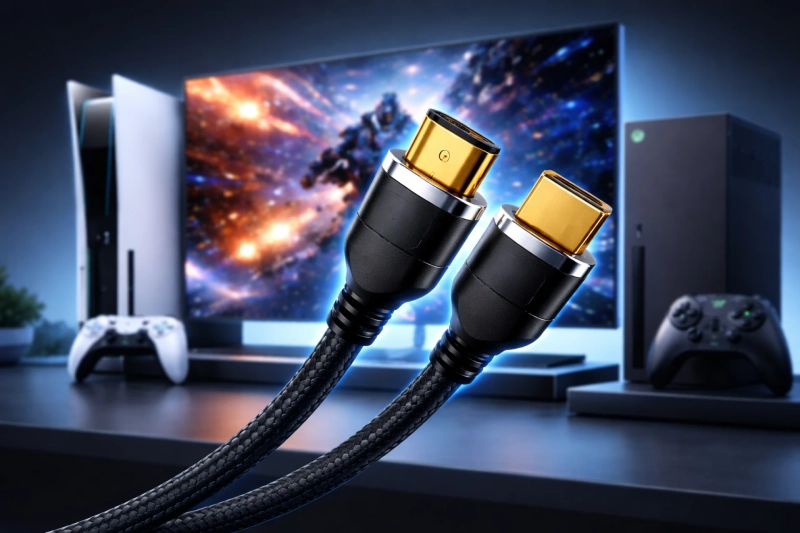
When you invest in a high-end 4K TV or gaming console, you expect stunning visuals and smooth gameplay. However, many people overlook a critical component that can make or break this experience: the HDMI cord for TV. Not all HDMI cables deliver the same performance, and using an outdated cable can prevent you from enjoying 4K content at 120Hz. This comprehensive guide will help you determine whether your current HDMI cable supports these specifications and what you need to know when shopping for a new one.
Understanding HDMI Versions and Bandwidth
The HDMI standard has evolved significantly since its introduction in 2002. Each version brought improvements in bandwidth, resolution support, and additional features. To support 4K at 120Hz, you need an HDMI cable with sufficient bandwidth to handle the massive amount of data this resolution and refresh rate requires.
HDMI 2.0 vs. HDMI 2.1
HDMI 2.0 cables support bandwidth up to 18 Gbps, which allows for 4K resolution at 60Hz. While this works well for most streaming content and standard gaming, it falls short for high-frame-rate gaming and advanced applications.
HDMI 2.1 cables revolutionized the connectivity landscape by offering bandwidth up to 48 Gbps. This substantial increase enables 4K at 120Hz, 8K at 60Hz, and even 10K resolution support. When you connect your PlayStation 5, Xbox Series X, or high-end gaming PC to a compatible TV, you need an HDMI 2.1 cable to unlock these premium features.
How to Check Your Current HDMI Cable
Determining whether your existing HDMI cord for TV supports 4K at 120Hz requires some investigation. Here are several methods you can use to identify your cable's capabilities.
Check the Cable Label
Manufacturers typically print important information directly on the cable. Look along the length of your HDMI cord for any text indicating the version or speed rating. You might see labels such as "High Speed HDMI," "Premium High Speed HDMI," or "Ultra High Speed HDMI."
Ultra High Speed HDMI cables specifically support HDMI 2.1 specifications and can handle 4K at 120Hz. If your cable displays this certification, you have the right equipment. Premium High Speed cables support HDMI 2.0, which limits you to 4K at 60Hz.
Look for Certification Labels
The HDMI Licensing Administrator provides certification programs to help consumers identify quality cables. Premium Certified cables feature a special holographic label with a QR code that you can scan to verify authenticity. Ultra High Speed HDMI cables also carry certification marks that guarantee performance standards.
Check Your Device Settings
Your TV or display device can help you verify whether your connection supports 4K at 120Hz. Navigate to your television's settings menu and look for display information or signal quality indicators. Many modern TVs show the current resolution, refresh rate, and color depth being received through the HDMI connection.
On gaming consoles like the PlayStation 5 or Xbox Series X, you can access video output settings that display the maximum supported resolution and refresh rate. If your console cannot enable 4K at 120Hz despite both devices supporting it, your HDMI cord for TV likely lacks the necessary bandwidth.
Testing Your HDMI Cable Performance
Beyond visual inspection, you can conduct practical tests to determine your cable's capabilities.
Run Native Resolution Tests
Connect your cable between two devices that support 4K at 120Hz. Access your source device's display settings and attempt to select 4K resolution with a 120Hz refresh rate. If the option appears grayed out or unavailable, your cable cannot support this specification.
Use Your Gaming Console
Gaming consoles provide straightforward testing methods. The Xbox Series X includes a "4K TV details" screen in settings that shows which HDMI features your current setup supports. The PlayStation 5 offers similar information in its video output settings, clearly indicating whether 120Hz output is available.
Monitor Signal Stability
Even if your cable initially works at 4K 120Hz, watch for signs of insufficient bandwidth. Intermittent black screens, sparkles or snow in the image, audio dropouts, or complete signal loss indicate that your HDMI cord for TV struggles to maintain the connection. These symptoms often point to a cable that cannot consistently deliver the required data throughput.
What Makes an HDMI Cable 4K 120Hz Compatible
Understanding the technical requirements helps you make informed purchasing decisions when shopping for a new HDMI cord for TV.
Bandwidth Requirements
To support 4K at 120Hz with 10-bit color depth and 4:4:4 chroma subsampling, your cable needs approximately 40 Gbps of bandwidth. Only HDMI 2.1 cables with their 48 Gbps maximum capacity can reliably provide this performance.
Cable Construction Matters
The physical construction of your HDMI cable affects its performance. High-quality cables use better shielding to prevent electromagnetic interference, thicker gauge conductors to reduce signal loss, and gold-plated connectors to ensure reliable contact and resist corrosion.
Cable Length Considerations
HDMI signal degradation increases with cable length. While a short 3-foot HDMI 2.1 cable typically performs flawlessly, longer cables may struggle to maintain signal integrity. For runs exceeding 10 feet, invest in certified Premium or Ultra High Speed cables specifically designed for longer distances.
Shopping for the Right HDMI Cable
When you need to purchase a new HDMI cord for TV that supports 4K at 120Hz, keep these factors in mind.
Look for Official Certification
Always choose cables with official Ultra High Speed HDMI certification. This certification guarantees that the cable meets strict performance standards and can deliver the advertised specifications. Avoid generic cables making unverified claims about their capabilities.
Consider Future-Proofing
HDMI 2.1 cables support features beyond 4K at 120Hz, including Variable Refresh Rate (VRR), Auto Low Latency Mode (ALLM), and enhanced Audio Return Channel (eARC). Investing in a quality HDMI 2.1 cable ensures compatibility with current and future devices.
Price Doesn't Always Equal Performance
Expensive cables don't necessarily perform better than reasonably priced certified options. Once a cable meets HDMI 2.1 specifications, paying significantly more typically doesn't improve performance. Focus on certification and build quality rather than brand prestige or inflated prices.
Conclusion
Identifying whether your HDMI cord for TV supports 4K at 120Hz involves checking cable labels, reviewing device settings, and conducting practical performance tests. With the demanding requirements of modern gaming consoles and high-end displays, using an HDMI 2.1 certified cable ensures you experience the full potential of your equipment. By understanding these specifications and testing methods, you can confidently verify your current setup or select the right cable for your needs. Don't let an inadequate cable limit your entertainment experience—ensure your connection matches the capabilities of your premium devices.
Source: https://www.techrecur.com/why-modern-gaming-consoles-need-high-speed-hdmi-cables/