



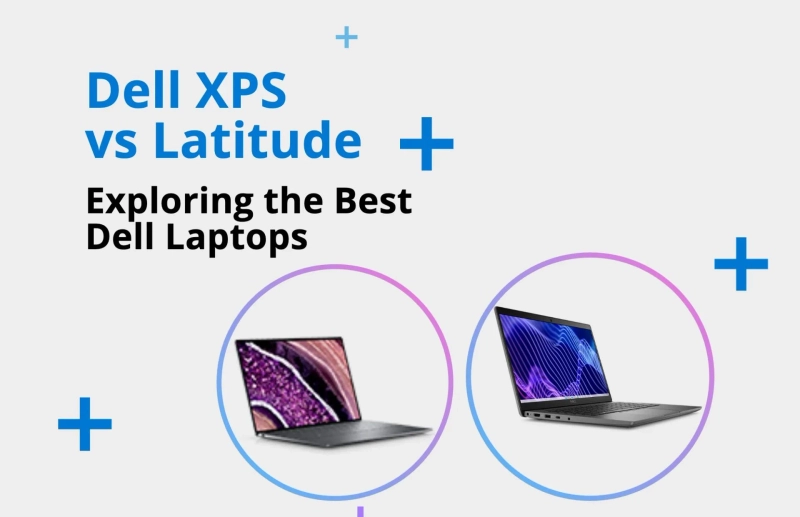
Dell is a trusted name in the laptop market, offering a wide range of devices for different users. Two of its most popular laptop lines are the Dell XPS and the Dell Latitude. While both are high-quality laptops, they are designed for different needs.
In this article, we’ll explore the key differences between Dell XPS and Latitude laptops, including performance, design, target audience, features, and pricing. By the end, you’ll have a clear idea of which one suits your needs best.
Overview of Dell XPS
The Dell XPS (Xtreme Performance System) series is known for its sleek design, high performance, and excellent displays. It is mainly targeted at consumers, content creators, and professionals who want powerful laptops with a premium feel.
Key Highlights of Dell XPS:
- Thin and stylish design
- High-resolution InfinityEdge displays (up to 4K)
- Powerful Intel or AMD processors
- Good for photo/video editing, streaming, and general use
- More focused on looks and display quality
Overview of Dell Latitude
The Dell Latitude series is built with business users and enterprise professionals in mind. These laptops focus on reliability, security, manageability, and long battery life. Latitude models are often used in office settings and by large companies.
Key Highlights of Dell Latitude:
- Strong security features (like fingerprint readers, TPM, smart card support)
- Long-lasting battery life
- Rugged and durable design for travel or field use
- Easier IT management for businesses
- Available in multiple sizes and configurations
Target Audience
Understanding who the laptops are made for is key when choosing between them.
- Dell XPS is ideal for:
- Content creators (photographers, designers, editors)
- Students who want a stylish and powerful laptop
- Professionals who value performance and design
- Casual users who want a premium experience
- Dell Latitude is ideal for:
- Business professionals and corporate users
- Companies needing secure, manageable laptops
- Frequent travelers or remote workers
- IT teams managing multiple devices
Design and Build Quality
Dell XPS laptops are known for their modern, premium design. They have slim aluminum bodies, edge-to-edge displays, and carbon fiber interiors. They look sleek and are lightweight, which makes them great for people who value appearance and portability.
Dell Latitude laptops are more conservative in design. They are slightly thicker and more rugged. They’re built for durability and long-term use, especially in business environments where the look isn’t the top priority. Some Latitude models even meet military-grade standards for durability.
Display Quality
- XPS laptops offer some of the best displays on the market. You can get full HD, 3.5K OLED, or 4K UHD screens. The colors are vibrant and the bezels are extremely thin. This makes XPS perfect for watching videos or doing visual work.
- Latitude displays are good but less flashy. They’re more practical and energy-efficient. Most Latitude models offer Full HD resolution with optional touchscreens. Some models include features like low blue light filters for eye comfort.
If you care a lot about screen quality, XPS is the better choice.
Performance and Specs
Both XPS and Latitude laptops offer powerful performance, but in slightly different ways.
- Dell XPS is made for high performance. It often comes with the latest Intel Core i5, i7, or i9 processors, high RAM (up to 64GB), and fast SSD storage. It’s built to handle heavy tasks like video editing, multitasking, and software development.
- Dell Latitude also comes with good processors (often up to Core i7), but focuses more on stability and efficiency. The RAM and storage are often slightly lower, but they’re very reliable and optimized for office tasks like emails, spreadsheets, and video calls.
If you need power for creative or technical tasks, go with XPS. If you want smooth business performance, choose Latitude.
Battery Life
- Latitude wins in terms of battery life. Since these laptops are designed for business travel, many models can last 10 to 15 hours or more, depending on usage. Some models even have removable batteries or extended battery options.
- XPS laptops offer decent battery life, but high-resolution displays and powerful processors can drain the battery faster. Most XPS models last around 7 to 10 hours, depending on how you use them.
For those who work on the go and need long battery life, Latitude is the better option.
Security and Business Features
Security is a big part of the Latitude series.
- Dell Latitude laptops often come with advanced security features like:
- Smart Card readers
- IR cameras for facial recognition
- Fingerprint readers
- TPM (Trusted Platform Module)
- vPro support for remote management
- Dell XPS has basic security features like fingerprint readers and Windows Hello, but it’s not built for enterprise-level security.
So, if you’re working with sensitive business data, the Latitude is a more secure option.
Price and Value
- Dell XPS laptops are generally more expensive because of their premium design, displays, and performance. Prices typically start around $1,000 and can go up to $2,500 or more, depending on the model and specs.
- Dell Latitude laptops come in a wider range of prices. Entry-level models start at around $700, and high-end models can go over $2,000. However, many Latitude models are more cost-efficient for business users.
If you're on a budget and need a reliable work machine, Latitude is often the better value. If you're willing to pay more for looks and performance, XPS is worth the investment.
Conclusion:
The Dell XPS is best suited for creatives, power users, and home users who prioritize performance and design. It features a sleek, modern, and lightweight build, paired with high-end displays such as 4K and OLED panels that offer vibrant visuals—perfect for content creation and media consumption. In terms of performance, the XPS delivers powerful specs suitable for demanding tasks. However, its battery life is moderate, and security features are basic, including standard fingerprint readers. It comes at a higher price point, reflecting its premium design and hardware, but it lacks advanced IT management tools.