



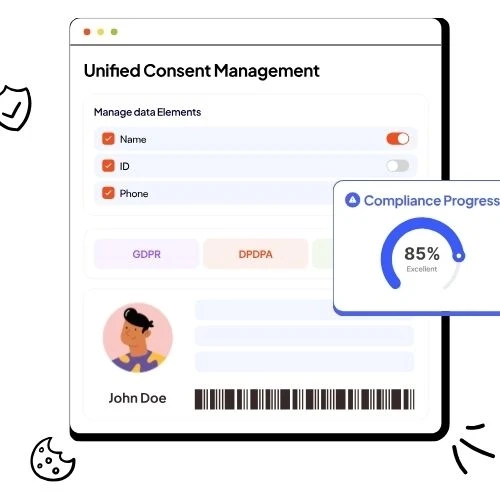
Learn how consent management platforms work, what to compare, and how to pick a CMP for cookie consent, compliance, and cleaner analytics.
If you’re looking for the best consent management platforms, you’re really trying to solve one problem: collect consent the right way, store proof, and make sure your tags and tools follow the user’s choice every time. A consent banner alone is not enough. A real consent management platform (CMP) runs the full consent lifecycle: collect, record, update, revoke, and enforce across systems.
The hard part is not “do I need one?” The hard part is choosing the right CMP for your setup: your regions, your traffic, your tech stack, and your risk level. Many modern CMPs also aim to reduce manual work by automating consent workflows and syncing user choices with tags and cookies.
Best consent management platforms: what “best” really means
The best consent management platform is the one that can do three jobs at the same time:
First, it collects valid consent. Your banner should clearly explain choices, offer real opt-in/opt-out options, and make it easy to change decisions later.
Second, it enforces consent. A CMP should block non-essential scripts until the user agrees, and only fire tags when allowed. This is the difference between “a pretty banner” and real consent control.
Third, it proves consent later. You need logs and records that show what the user chose, when they chose it, and what version of notice they saw. This matters during audits, complaints, or vendor checks.
When you compare options, focus on these outcomes, not just a long feature list.
Best consent management platforms for cookie consent: key features to compare
Use this checklist to compare CMPs quickly (and stay sane):
- Consent enforcement that actually blocks tags until consent is given (not after).
- Cookie and tracker discovery so you know what is running and what needs consent handling.
- Google/advertising support (like Consent Mode support, and clean tag behavior for analytics and ads when users deny consent).
- Region-aware experiences so the banner rules change based on location (EU vs US vs others), and language/localization support for global traffic.
- Easy integration with your site and tag setup (GTM, CMS, apps) so updates do not become a dev bottleneck.
- Consent records + exports so you can demonstrate what happened and connect it to your privacy operations.
If a platform is weak on enforcement or record-keeping, it is not “best,” even if the banner looks great.
Best consent management platforms by business fit: who should pick what
If you are a small or mid-size site, you usually need fast setup, solid blocking, good templates, and simple reporting. Some CMPs position themselves around easier deployment and standard compliance needs.
If you are an enterprise or multi-brand org, you care more about scale: many domains, many regions, deep integrations, role-based access, and governance. This is where “orchestration” and cross-channel consent control becomes a big deal.
If you work in regulated industries (finance, health, insurance), you want stricter controls, stronger audit trails, and tighter workflow automation so consent choices reliably flow downstream. Some vendors explicitly market CMPs for these higher-compliance environments.
Best consent management platforms: how to test before you buy
Do a simple, real-world test on a staging site (or one low-risk page):
Step 1: Check tag blocking. Load the page with no consent given. Confirm non-essential cookies and pixels do not fire. Then accept and confirm they do.
Step 2: Test “deny” and “change choice.” Deny optional tracking, reload, and confirm your tools behave the way you expect. Then change your choice and confirm the CMP updates enforcement.
Step 3: Confirm records. Find the consent log entry, export it, and check if it contains the details you would want in an audit.
Step 4: Validate integrations. If you use GTM, a CMS, or ad stacks, confirm the setup does not break performance or reporting.
Best consent management platforms: common mistakes to avoid
A very common mistake is picking a CMP based only on the banner design. The banner is the front door, but enforcement and records are the foundation.
Another mistake is ignoring localization and region logic. If you serve multiple countries, “one banner for everyone” often creates either compliance gaps or a bad user experience.
Finally, many teams forget that consent affects marketing performance and data quality. If consent choices are not synced properly with tags and cookies, you can end up with messy analytics, wasted ad spend, and shaky reporting. Some CMPs focus on automating those consent workflows so user choices align with tags more reliably.
Consent manager features checklist (what to verify before you buy)
- Consent enforcement: Can it delay/block non-essential tags until consent is given?
- Consent records: Does it store clear consent history (who, what, when, changes)?
- Easy revocation: Can users change their mind without hunting for a hidden link?
- Localization: Can you show the right language and region rules for visitors?
- Integration depth: Does it connect with your tag manager and key systems, not just the website UI?
Best consent management platforms and where Redacto fits (practical view)
Market roundups often mention platforms like OneTrust, Usercentrics/Cookiebot, Termly, Didomi, and others as common options people compare.
What matters more than the name is whether the consent manager can automate the consent workflow end-to-end: syncing user choices, updating preferences, and enforcing those choices downstream. Redacto positions its consent manager around unified consent handling, automated workflows, and aligning opt-out choices with tags/cookies—exactly the pain points that usually break compliance in real life.
A quick real example: if a user rejects marketing cookies, but your remarketing pixel still fires on the product page, your consent flow is broken. The best consent management platforms reduce this risk by syncing consent choices with tags and downstream tools.
Frequently Asked Questions
What is a consent management platform (CMP)?
A CMP is a tool that helps websites and apps collect, manage, and store user consent choices for cookies and data processing, in line with privacy requirements.
How does a consent management platform work?
It shows a consent notice, records the user’s choices, and controls which scripts and cookies can run based on what the user allows.
Do I need a CMP for GDPR and ePrivacy cookie rules?
If you use non-essential cookies (like marketing and many analytics tags), you typically need a method to collect valid consent and block those scripts until consent is given.
What should I look for in the best consent management platforms?
Look for real tag blocking, strong consent records, localization, easy integration (like GTM/CMS), and reporting that helps you prove and manage consent over time.
Can a CMP improve data quality in analytics and advertising?
Yes. When consent decisions are enforced correctly, your tags fire only when permitted, which helps reduce “dirty” tracking and makes reporting easier to trust.
How do I implement a CMP on my website?
Most CMPs provide a script or tag-based setup (often via GTM) plus configuration for regions, categories, and integrations. The key is to test blocking, deny flows, and consent logs before going live.